This is true that many people still like Nexus One although it is known that there can’t be many Nexus Ones still in use. Good news for those who have still an option to use, Nexus One got itself a little update overnight. The update features important bug fixes and security patches. So though we fall in love with it all over again every time we get an option for turn it on. By androidcentral we have got manual for install instructions. Checkout the install instructions bellow.
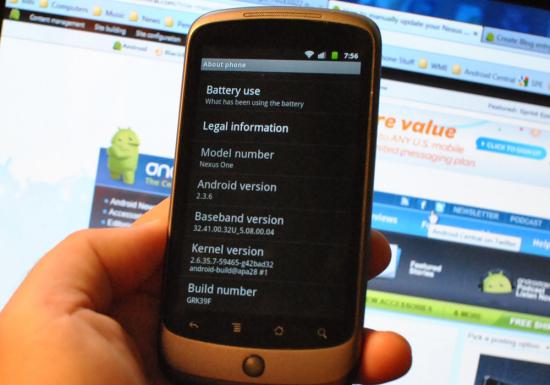
- Download the update from here (Google official – d323ca384aaa.signed-passion-GRK39F-from-GRJ22.d323ca38.zip).
- Rename the file to update.zip. Note that if you’re using Windows, just rename it to “update” (no quotes, of course) because it’s already a zipped file.
- Copy the update.zip file onto your microSD card.
- With your Nexus One off, hold down the trackball and press the power button.
- You’ll be booted into a white screen with three Android robots on skateboards. Select “Bootloader.”
- On the next screen, select “Recovery.”
- Your phone will reboot, giving you a picture of the Android robot and an exclamation point inside a triangle.
- Now press the power button and volume up button at the same time. It could take a couple of tries.
- Now (using the trackball this time) choose “Apply sdcard:update.zip” and let things run their course.
- Reboot and enjoy
Image & Source
[ttjad keyword=”android-phone”]