
website statistics

Samsung Outed Galaxy Ace, Galaxy Fit, Galaxy Gio and Galaxy Mini

When do you use Facebook?

View Results

Loading ... Loading ...
1 Star2 Stars3 Stars4 Stars5 Stars (Rated: 4.00/5)
Loading ... Loading ...

Samsung has announced four new android devices into its Galaxy lineup naming as Galaxy Ace, Galaxy Fit, Galaxy Gio and Galaxy mini. All four Android-based phones seem to be less proficient compared to their Galaxy S sibling, when it comes to hardware. It doesn’t sound like any of these models are coming to the US, but Europe and Asia are scheduled for appearances.
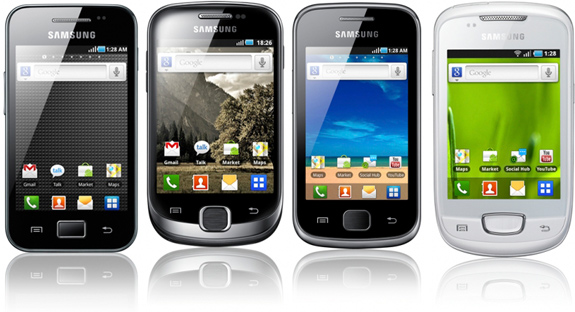
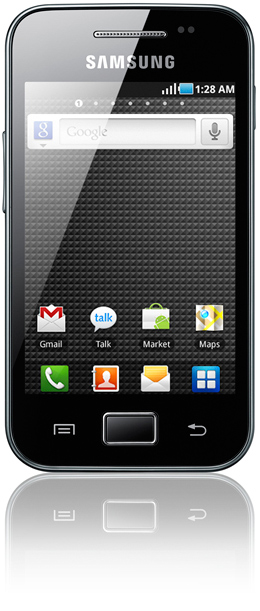
Samsung Galaxy Ace

Samsung Galaxy Ace is a mid-level device, powered by an 800MHz processor and based on the Android 2.2 Froyo platform.

It packs a 5-megapixel camera with autofocus and LED flash, Bluetooth and Wi-Fi connectivity, as well as GPS with A-GPS support.

The phone is quad-band GSM compatible, includes HSDPA technology and comes with a 3.5-inch HVGA TFT display.
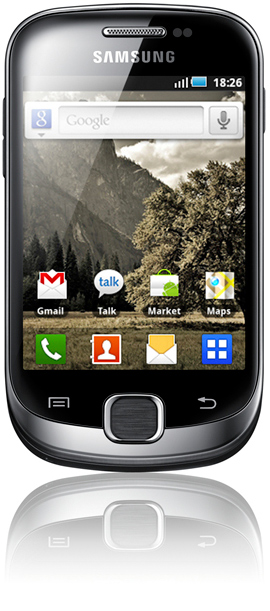
Samsung Galaxy Fit

Samsung Galaxy Fit is an entry-level bar smartphone; it is powered by a 600MHz processor. Aside from the fact that it sports a 5-megapixel camera with autofocus, Galaxy Fit features almost the same spec sheet as LG’s Optimus One.

It comes with a 3.31-inch QVGA TFT display, Android 2.2 Froyo, HSDPA, GPS with A-GPS support, Bluetooth and Wi-Fi connectivity.
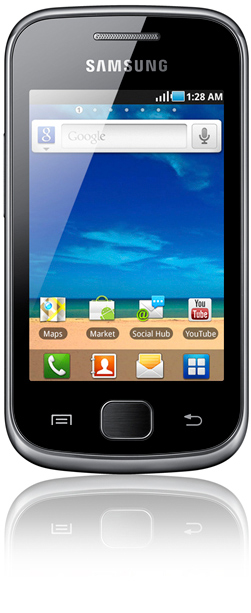
Samsung Galaxy Gio

Samsung Galaxy Gio is also a mid-tier handset powered by an 800MHz processor and runs Android 2.2 Froyo.

It comes with a 3.2-inch HVGA TFT display, 3-megapixel camera with autofocus, HSDPA, GPS with A-GPS support, Bluetooth and Wi-Fi connectivity.
Samsung Galaxy mini

Samsung Galaxy mini features a 3.14-inch QVGA TFT display and a 3-megapixel camera with fixed-focus.

The entry-level smartphone is powered by a 600MHz processor and runs Android 2.2 Froyo. It is quad-band GSM compatible and comes with GPS with A-GPS support, Bluetooth and Wi-Fi connectivity, as well as HSDPA.
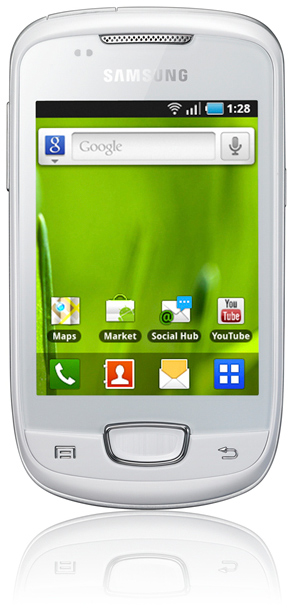
The new Samsung Galaxy smartphones will be showcased at the Mobile World Congress expo.

Thanks


Select a Wi-Fi Network On Your iPhone & iPod Touch With YFiSelect4

Razer Ferox Speakers
You can also press the left/right arrow key on your keyboard to go to previous/next post
  On January 26, 2011(2 years, 3 months ago.)

Recent Search

Recent Tutorials

This tutorial will show how to use S.M.A.R.T. (Self Monitoring Analysis and Reporting Technology) to continuously collect information on health of your equipment.
In this tutorial I'll show you how you can easily protect yourself from any kind of security breaks that may occur through Java.
Today Apple enabled "Two Step Verification" for iCloud And Apple ID. But the process is not that simple. But no worry, here we have made a step by step tutorial.
Cant remember your iPhone passcode? Here I will show you some workaround on what to do and how to recover and restore for every possible scenario.
This tutorial will show you how to perform the Winapp2.ini installation inside CCleaner and how to use it under Windows operating system.
With app called AD Sound Recorder, you can record any stream that passes through your sound card or speakers and in this tutorial I will show you how to do that.
If you want to have Boxee app inside your Apple TV, in this tutorial we will show you how to install XBMC and Boxee using Windows on your Apple TV.
This tutorial will show you how to transfer PS3 Saved Game Files from your PC to your PS3 game console.
Adding videos from external sources such as internet, more specifically from YouTube, is a great solution to enhance a presentation; in this tutorial I will show you the procedure.
If you are one of new comers to Windows Phone 8, like me, in this tutorial I will walk you through the process to update your Windows Phone 8 device.
Close You Have To Login
User:
Pass:
Login With »Login With TwitterLogin With Facebook