
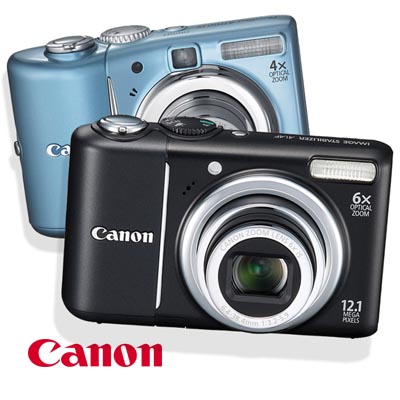
PowerShot SD780 IS and SD960 IS compact cameras, Canon have today, in a spate of press releases, also officially announced another two new PowerShot cameras – namely the PowerShot A1100 IS and PowerShot A2100 IS, which serve to replace Canon’s PowerShot A1000 IS and A2000 IS respectively…..
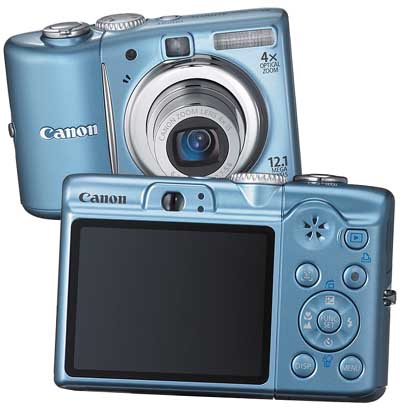
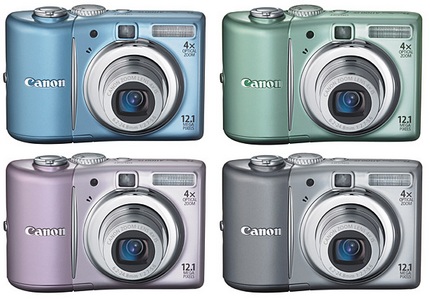
The Canon PowerShot A1100 IS Digital Camera is ideal for the color-conscious consumer. The camera comes in four captivating shades, including gray, blue, pink and green, and the fun doesn’t stop at colors. Features such as 12.1-Megapixel resolution, 4x Optical Zoom lens with Optical Image Stabilization, large 2.5-inch LCD screen with Optical Viewfinder and the new Smart AUTO enables this camera to also be a go-anywhere and match any lifestyle accessory.
Powered by Canon’s latest DIGIC 4 image processor, both Canon’s PowerShot A1100 IS and PowerShot A2100 IS compact cameras sport 12 megapixel sensors and come with 4x optical zoom with a 2.5″ LCD display and 6x optical zoom with 3.” LCD display (A1100 IS and A2100 respectively). Both cameras also boast Canon’s new Scene Detection Technology as well as a newly updated Easy mode and new Smart Auto mode – offering 18 possible modes – whilst additionally offering all the usual features one would expect o compact point and shoot cameras: Face Detection with face select and track as well as in-camera red eye correction, Motion Detection, video capture capabilities (in VGA as opposed to the 720p HD resolution offered by the aforementioned SD780 IS and SD960 IS camera),full PictBridge support, etc.
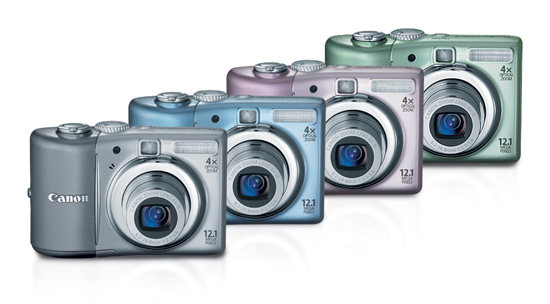
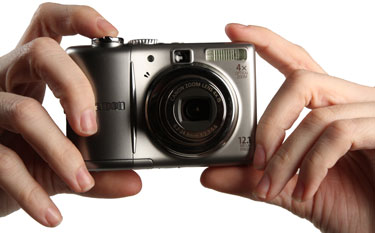
The Canon A1100 IS is available in silver, silver, blue, pink and green. The colors are fairly mild and aren’t over saturated so you won’t end up getting a camera that looks like a toy. The sleek design of the body definitely looks good and the shape is ideal for slipping in and out of a pocket. The lack of a good, solid grip on the right side of the camera is a problem, however. The A1100 IS isn’t as easy to grasp hold of as some of the older, bulkier models. The design is an improvement over the A1000 and A2000, which didn’t have any rounded bubble on the right side to wrap your hands around.
The A1100 has dimensions of 95.4 x 62.4 x 31.0mm (3.76 x 2.46 x 1.22 inches) and weighs a light 155 grams (not including batteries). There are many lighter and slimmer cameras out there, but the A1100 is by no means large or unwieldy. Again, we must mention that some people may find the camera’s right-side grip as inadequate.
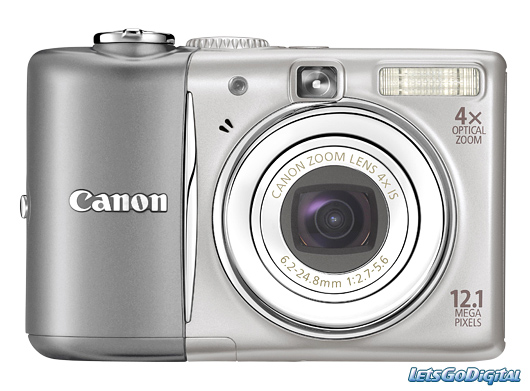
The flash is placed a bit poorly and may find itself in the way of wandering fingers if you use two hands to hold the camera. The viewfinder isn’t very comfortable to use either, but we still applaud Canon for at least including one.
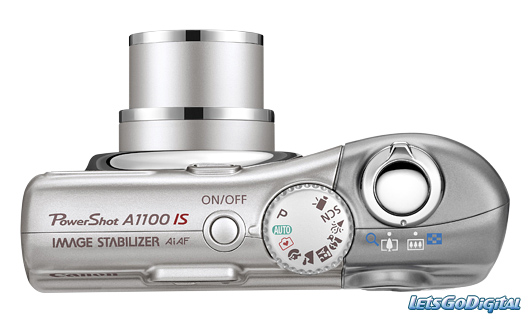
Overall, the A1100 has a solid design, despite our minor grievances. Buttons are well placed, zoom is easy to control and access, and the camera’s size is good for pocket transport.
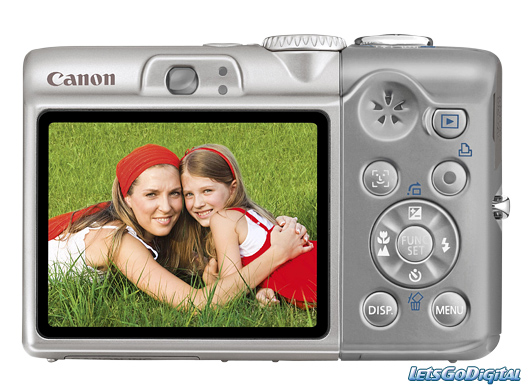
The menu setup is pretty simple on the A1100 IS. Pressing the menu button brings up two menus—camera and settings. The camera menu houses most of the shooting controls like flash settings, digital zoom options, and autofocus features. The settings menu deals with the camera’s internal display, sound, and format options. Additional menu options are located in the playback section.
IS Canon A1100 IS features the new fully automatic two modes : the new Smart Auto mode and an enhanced Easy mode . optical Image caused by camera detection with features the new modes: the new Auto mode Easy mode. They utilize Canon’s Scene Detection Technology that capture scene in detail, analyzes – the brightness , contrast , distance and color of the subject – and then one of the 18 programs available for the on scene optimal program selects .
Portrait Photography with Canon Technology that in detail, brightness, contrast, distance of subject one of programs available for program selects. with Canon PowerShot A1100 IS
Canon PowerShot camera also features Motion Detection and Face Detection Technology by the DIGIC 4 processor even better performance. also features Motion the DIGIC even better Motion Detection Technology prevents blur by camera shake or subject to registration and to compensate by setting adjustment , the Face Detection Technology detects up to 35 faces in a scene and adjusts the settings for focus and exposure to ensure that everyone is so good Motion prevents blur camera shake or subject registration and compensate setting adjustment, up 35 faces in a scene and adjusts settings and exposure ensure everyone is so possible in the picture . in the picture. Canon i -Contrast allows users to hidden details to highlight – for example in shadow areas – from dark areas in image brighter without the lighter surfaces to light .
Canon PowerShot A1100 IS ensures user-friendly shooting modes The Canon PowerShot A1100 IS includes i-Contrast allows users hidden details highlight for example dark without the light. shooting modes The includes a wide range of shooting modes , including special programs for children & pets indoors . wide range of shooting modes, including special programs for children & indoors. These programs cover all technical aspects of shooting in most situations. These programs cover all aspects of shooting in most situations. Users can simply point and shoot beautiful photos .
Imaging:
• Resolution: Effective: 12.4MP, Recorded: 12.1MP.
• Sensor: 1/2.3″ CCD.
• Bit Depth: Not Specified By Manufacturer.
• File Formats: JPEG, AVI.
• File Size: Not Specified By Manufacturer.
• Color Spaces: sRGB.
• Image Stabilization: Yes.
• Crop Factor: N/A.
Optics:
• Lens: 6.2-24.8mm f/2.7-5.6 (35mm film equivalent: 35-140mm).
• Zoom: Optical: 4x, Digital: 4x.
• Lens Mount: N/A.
• Focus Type: Autofocus.
• Focus Range: Normal: 1.6′ (50cm)-infinity; Macro: 1.2″-1.6′ (3-50cm) wide, 1-1.6′ (30-50cm) telephoto.
• Accessory Lens/Filter Mount: N/A.
Shooting Controls:
• Sensitivity: ISO 80-1600.
• Shutter Speeds: 1/1600 – 15 sec.
• Metering: Evaluative, Center-weighted Average, Spot.
• Exposure Modes: Auto, Program, Scene.
• White Balance: Auto, Daylight, Cloudy, Tungsten, Fluorescent, Fluorescent H, Custom.
• Mirror Lock-Up: N/A.
• Burst Capability: 2fps Continuous Shooting.
• Self Timer: 10 seconds.
• Interval Recording: No.
• Remote Control: No.
Flash:
• Built-in Flash: Yes.
• Effective Flash Range: 1.0′ (0.3 m) – 13′ (4.0 m).
• External Flash Connection: No.
• Dedicated Flash System: N/A.
• Max Sync Speed: Not Specified By Manufacturer.
Memory:
• Built-in Memory: No.
• Memory Card Type: SD/SDHC, MMC/MMC Plus/HC MMC Plus.
• Still Images per GB: JPEG: High Res:313 – Low Res:3,073.
A/V Recording:
• Video Recording: Video with Audio, NTSC & PAL Output.
• Video Resolution: 640×480 30fps, 320×240 30fps.
• Video Clip Length: 1 hour or 4GB.
• Audio Recording: Audio with Video only.
Viewfinder/Display:
• Viewfinder Type: Real-image Zoom Viewfinder.
• Viewfinder Coverag: Not Specified By Manufacturer.
• Display: 2.5″ LCD.
Connectivity/System Requirements:
• Connectivity: USB 2.0, A/V Out.
• System & Software Requirements: Windows XP, Vista; Mac OS X (10.2 or later).
Environmental:
• Operating/Storage Temperature: Operating Temperature:32-104°F/0-40°C; Humidity: 10-90%.
• Weatherproofing: Not Specified By Manufacturer.
• Durability: Not Specified By Manufacturer.
Power:
• Battery Type: 2x AA-size Alkaline or Rechargeable AA-size Ni-MH Batteries.
• Power Adapter: ACK800 AC Adapter Kit optional.
Package Contents:
Canon PowerShot A1100 IS Digital Camera
• 2 x AA-size Alkaline Batteries.
• 1 x Wrist Strap.
• 1 x Digital Camera Solution CD-ROM.
• 1 x IFC-400PCU USB Cable.
• 1 x AVC-DC400 A/V Cable.
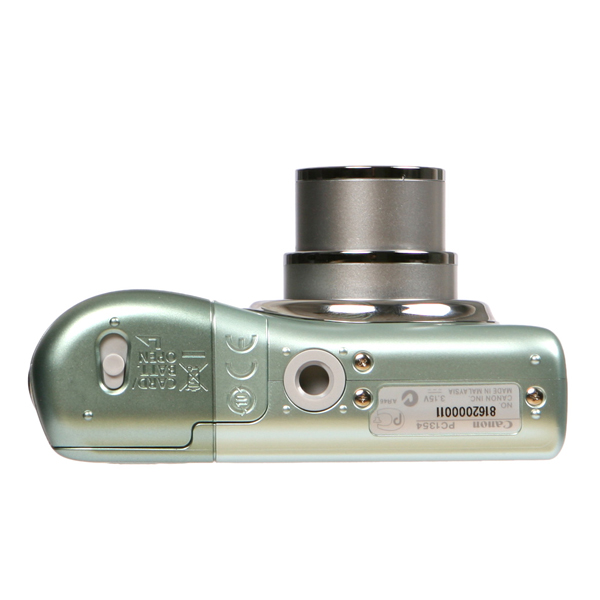
The PowerShot A1100 IS Digital Camera is scheduled to be available in March for an estimated retail price of $199.99.
Resources :nexus404.com,actfind.com,letsgodigital.org
Pingback: Canon Powershot A1100 | TheTechJournal.com | CameraUpdates.info
I had problems with focusing on distant subjects, but I think I solved it as follows. In Macro mode, you’re supposed to shoot at full wide angle; but I’d been coaxing the camera to focus in Macro mode with some degree of zoom. I think that threw it off–but taking a few shots in Macro mode in full wide angle, as you’re supposed to, seems to have readjusted it. I want people to find this post, so here’s some keywords: PowerShot A1100 IS distance focus problem.
Steve S.