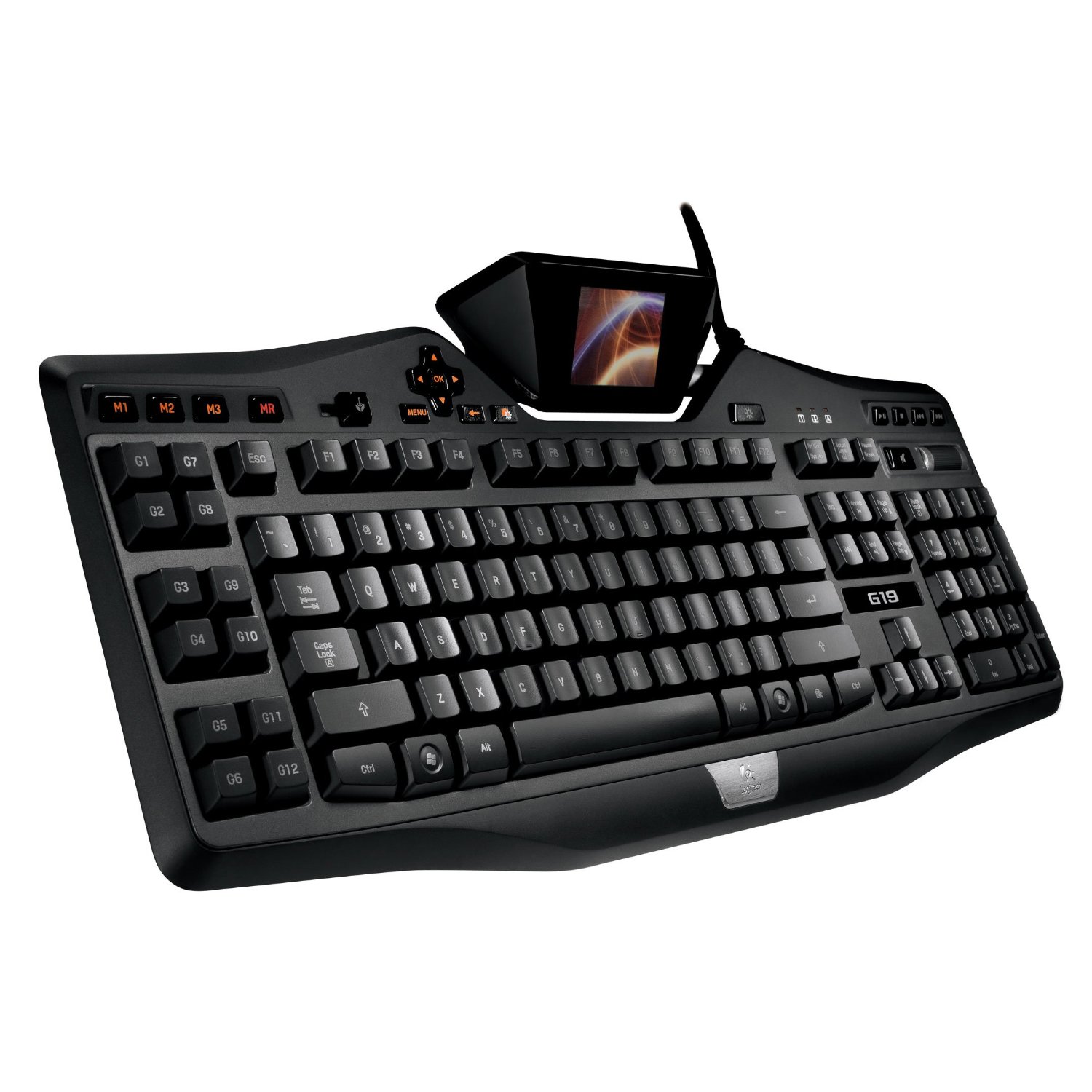
From the Manufacturer Give yourself the advantage you need to win. Giving you an arsenal of advanced gaming technology, the Logitech G19 gaming keyboard is the first Logitech keyboard to feature a color GamePanel LCD. The tiltable, 320-by-240-pixel display provides valuable in-game information for over sixty games, including World of Warcraft (requires installation of included Logitech GamePanel software). This is an Amazon’s product review. Checkout more details bellow.
 |
Product Features
- A color GamePanel LCD displays game stats, system information, VOIP communication data, video playback, image slideshows
- User-selectable character backlighting color lets you personalize the keyboard to better fit with the rest of your computer and gaming equipment.
- Twelve programmable G-keys with three macros per key provide space to program 36 single keypresses or complex macros
- Two high-speed, powered USB 2.0 ports give you the ability to transfer data to and from peripherals like MP3 players and flash drives
- Multi-key input allows you to use up to five keys at once to perform multiple complex actions.
Technical Details
- Brand Name: Logitech
- Model: 920-000969
- Connectivity Technology: Wired
- Color Name: Black
- Form Factor: External
- Input Device: Keyboard
- Hardware Platform: PC
- Width: 3.20 inches
- Weight: 4.30 pounds
- Item Package Quantity: 1
- Minimum system requirements: Apple MacOS X 10.4 or later, Microsoft Windows Vista, Microsoft Windows XP
- Warranty: 1 year warranty
In addition to in-game information, the screen can show VoIP communication data, clock, CPU load, or other non-gaming specific items such as pictures or videos. And you can easily switch among types of information – without ever leaving your game. If you take your gameplay seriously, you want the Logitech G19 on your side. Play with the best.
Key Features:
 |
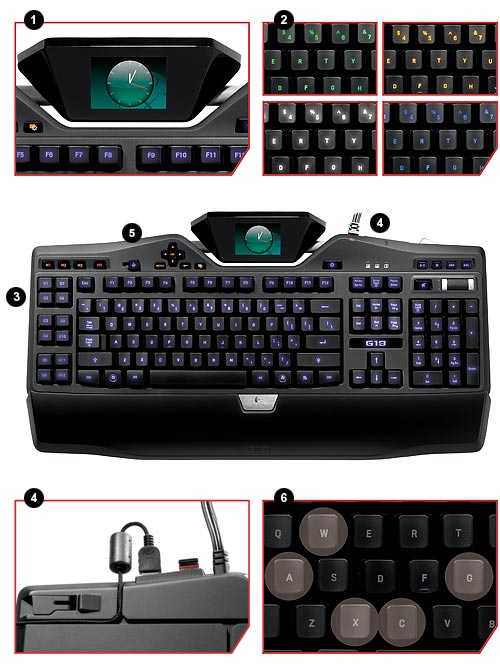
Color GamePanel LCD A tiltable, color GamePanel LCD displays game stats, system information, VOIP communication data, video playback, image slideshows, and many other items, without leaving the game. |
 |
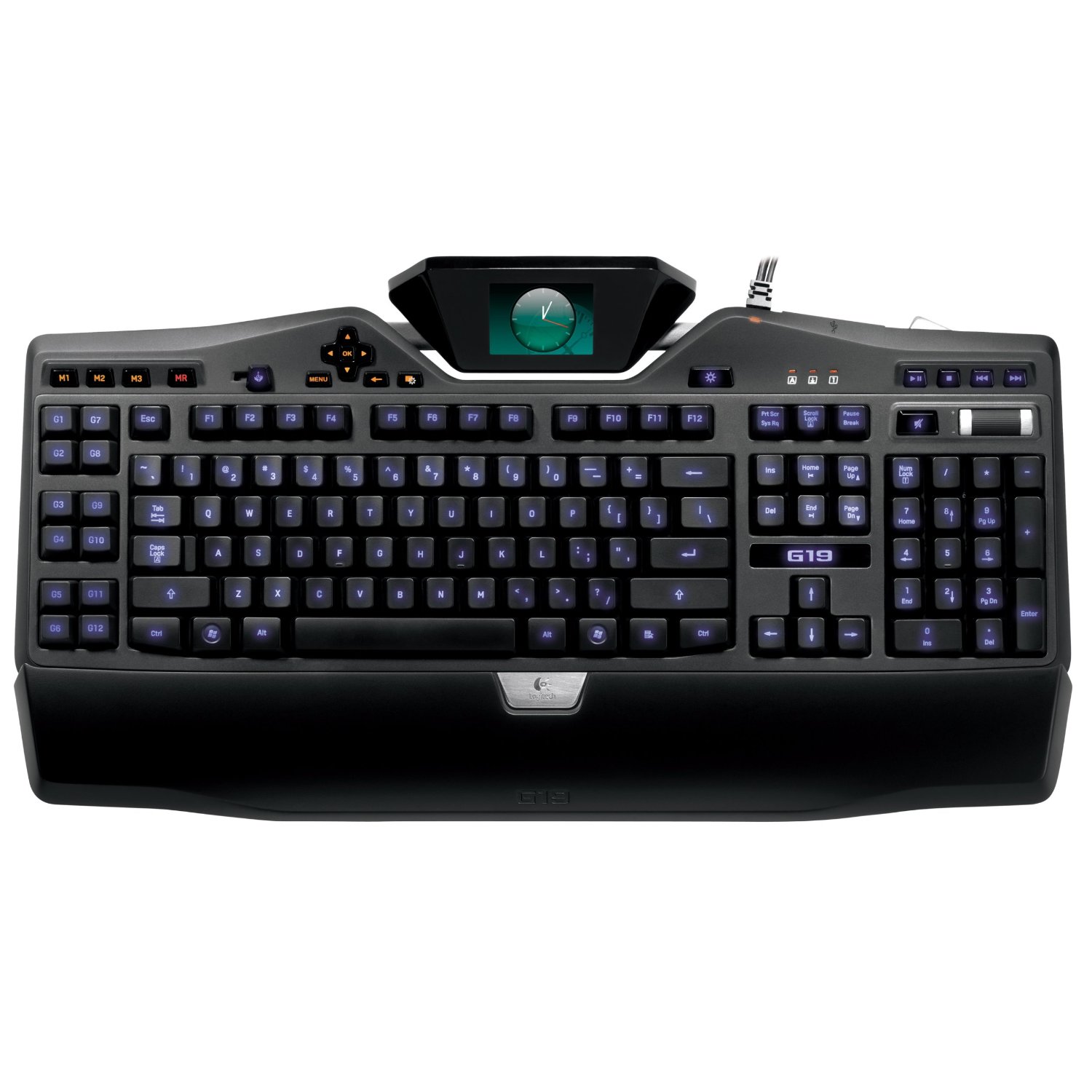
User-Selectable Character Backlighting Color Lets you personalize the keyboard to complement the rest of your computer and gaming equipment. |
 |
12 Fully Programmable G-keys with Three Macros Per Key Provide space to program 36 time-saving commands per game (single keypresses or complex macros). The MR key allows you to record new macros on-the-fly. |
 |
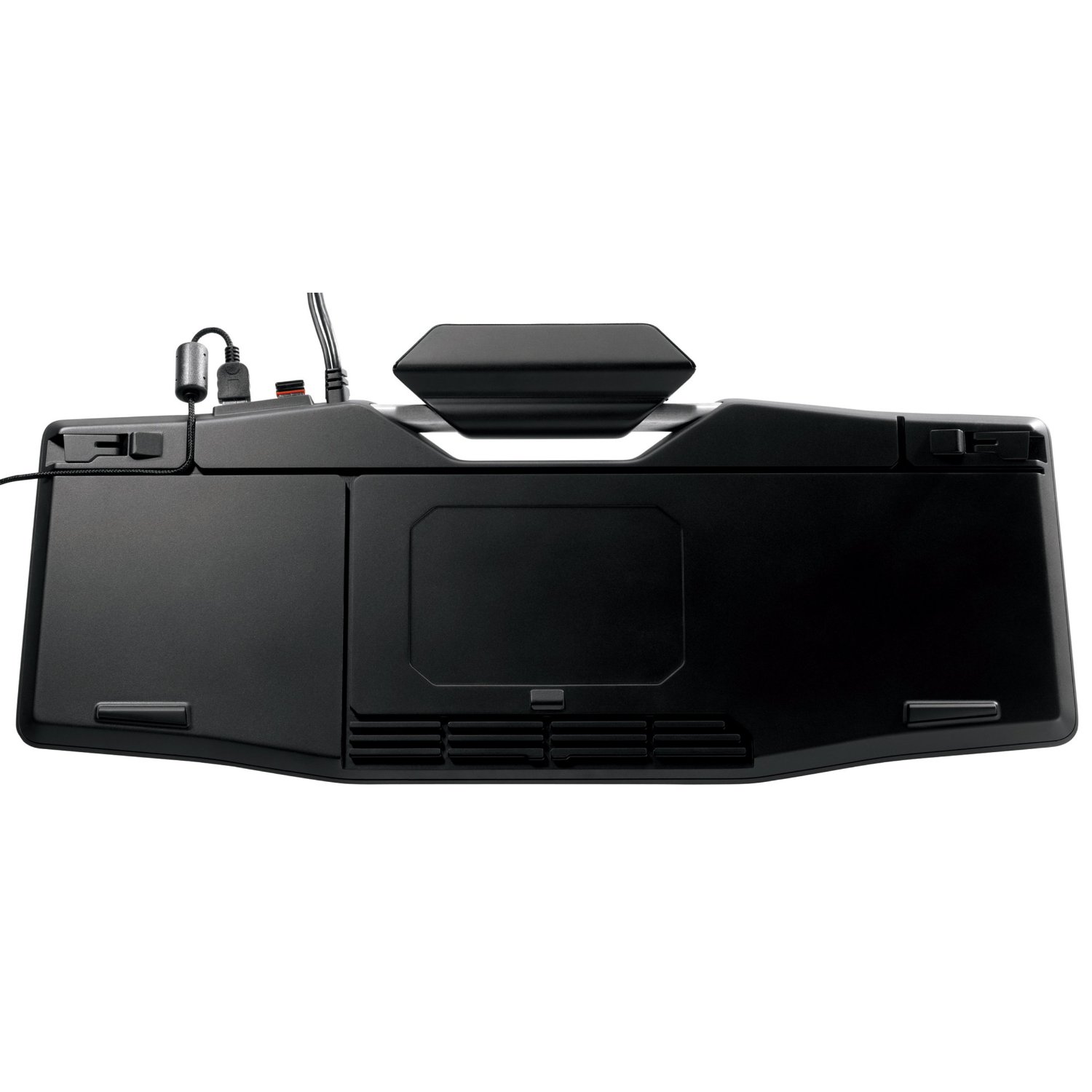
Two High-Speed, Powered USB 2.0 Ports You can connect and power devices – such as your G9x Laser Mouse or G35 Headset – with the two high-speed USB 2.0 ports. You also have the ability to transfer data to and from peripherals – like MP3 players and flash drives – while providing power to charge battery-powered devices. |
 |
Game Mode Switch A game/desktop mode switch lets you disable the Windows /Context Menu keys so you don’t get accidentally kicked out of your game. |
 |
Multi-Key Input Performing multiple actions simultaneously is also made easier with the keyboard’s multi-key input-functionality, which allows you to engage up to five keys at the same time. |
That’s all about the Logitech G19. This Programmable Gaming Keyboard with Color Display is available in Amazon.com. You can directly order or buy from here.
Source
[ttjad keyword=”general”]