Lenovo’s ultraslim ThinkCentre 91z All-in-One gets official and the centerpiece of the system is that glossy 21.5-inch widescreen HD Infinity LED display (1920 x 1200), which is capable of playing back HD video with ease.This All-In-One PC features an Intel Core i7 quad-core processor, AMD Radeon HD6650A 1GB graphics, 8GB of DDR3 memory, and either a 1TB 7,200 RPM SATA HDD or an 80GB mSATA SSD………..
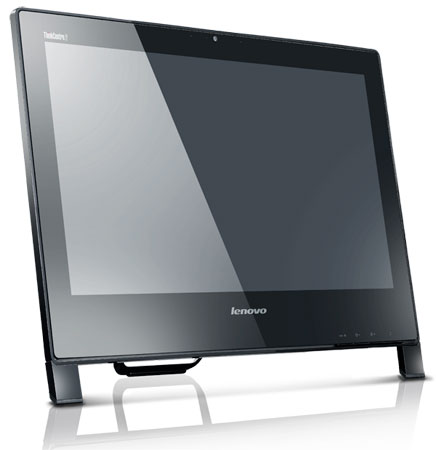
Lenovo announced he ThinkCentre Edge 91z all-in-one (AIO) desktop – the first PC in the ThinkCentre Edge family – that blends sophisticated image, purposeful function and productivity into a small, subcompact model. Equipped with up to Intel i7 Quad Core processors, the ThinkCentre Edge 91z AIO makes its debut as the industry’s most powerful AIO, as well as the thinnest, measuring just 2.5 inches. It makes an ideal office or home tool for small-to- medium businesses, education customers and power professionals looking for style and high performance with the convenience of a small footprint. “Until recently, all-in-one desktops lacked the powerful performance many desktop users need, but the ThinkCentre Edge 91z all-in-one turns the paradigm on its head with supercharged processing power and robust graphics all in a sporty and stylish design,” said Tom Shell, vice president, ThinkCentre Marketing, Lenovo. “It forms a unique combination of style and substance, outpacing the competition in performance, fast boot up, serviceability and price.”
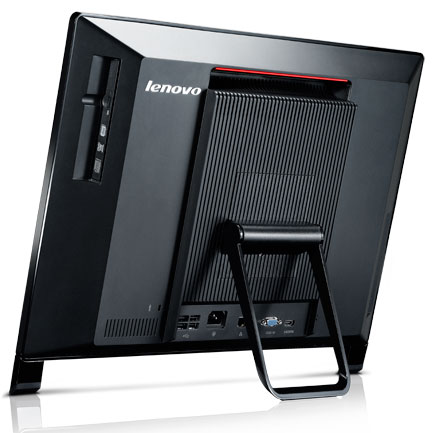
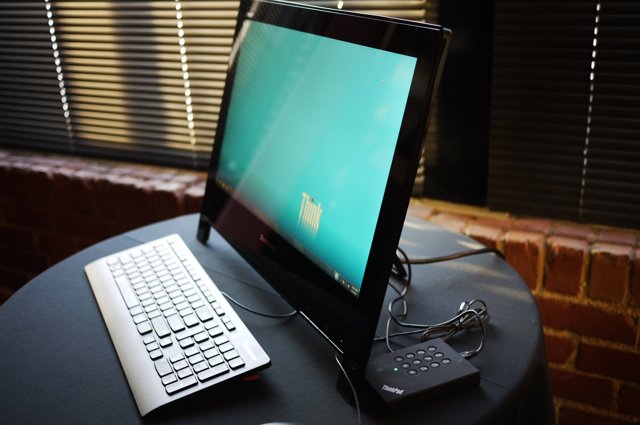
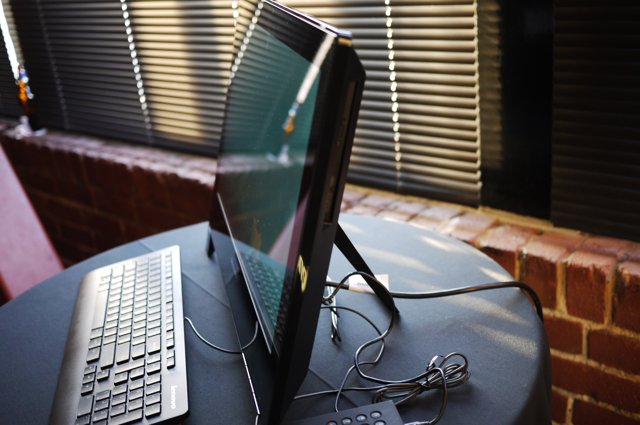
The ThinkCentre Edge 91z AIO sports a 21.5-inch glossy high definition screen, making images crystal clear. While the screen makes a large visual impact, its industry-leading thin frame helps it fit into even the tightest of work spaces. A convenient wireless keyboard with comfortable island-style keyboard tucks neatly under the AIO to complement its minimalist look. This compact design helps save up to 70 percent of space versus a traditional tower desktop and LCD monitor. By definition, AIO desktops should be easy to set up. The ThinkCentre Edge 91z makes it even easier – just plug in and go. The AIO keeps this simplicity and purposeful design constant throughout its construction: From a spill proof wireless keyboard, front-facing control buttons and wall mount capability to multiple-display support, the AIO makes operation intuitive.When it comes to performance, the ThinkCentre Edge 91z comes fully loaded from “power on.” With Lenovo Enhanced Experience 2.0 for Windows 7, the AIO boots 30 percent faster than non-optimized models2, and with RapidDrive on optional solid state drive models, users can shave off up to 20 seconds of boot time2. Armed with up to Intel i7 Quad Core processors, 8 GB of DDR3 memory, 80 GB solid state drive storage or 1 TB hard drive and optional 1 GB of ATI discrete graphics, the AIO pushes the envelope as the industry’s most powerful AIO.The ThinkCentre Edge 91z AIO provides a first-class multimedia experience too. With support for HDMI and an optional Blu-ray DVD drive, watching high definition videos looks seamless and crystal clear. Or, users can stream video on the AIO’s big screen using its WiFi capabilities. They can also video chat with the AIO’s built-in web camera.

[ttjad keyword=”all-in-one-desktops”]