
This is a very important issue for windows user that, what Anti-Virus software they should install in Windows 7. Since this seems like such an important topic, here is a list of packages that helps you to maintain security level in windows 7.
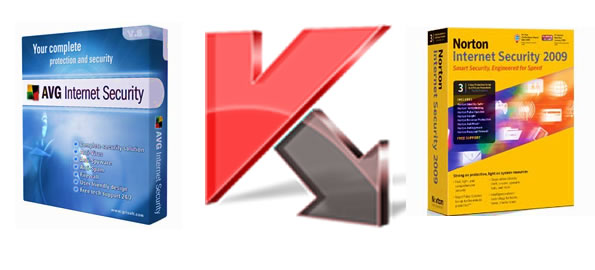
Our Recommendation
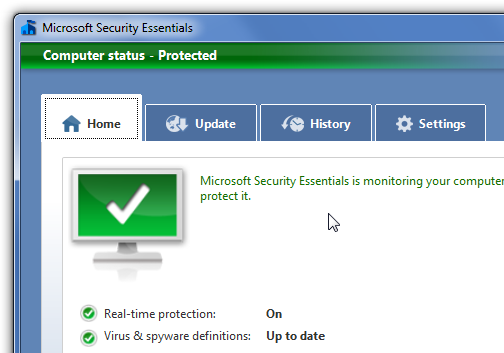
If you want something that’s going to work really well, and is totally free, you should check out the free Microsoft Security Essentials anti-virus solution, which isn’t going to slow down your PC.
Note: as a general rule, software that works on Windows Vista should work just fine on Windows 7, with the exception of software that installs low-level system components like an Anti-Virus, firewalls, or similar. These packages often are designed to only run on specific versions of Windows.
Windows AntiVirus Detection
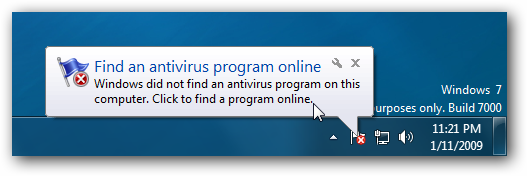
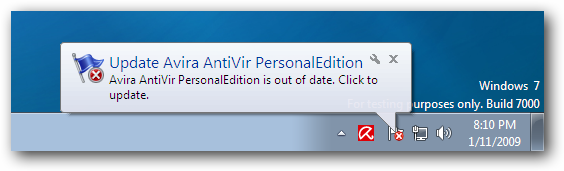
When you first install Windows 7, you’ll get a popup balloon message telling you that you need to find an antivirus program online… notice the wrench on the balloons that will let you turn them off easily.
Once you’ve installed a compatible package, the message will go away and you’ll see a message in the Action Center telling you that “Virus protection” is On:
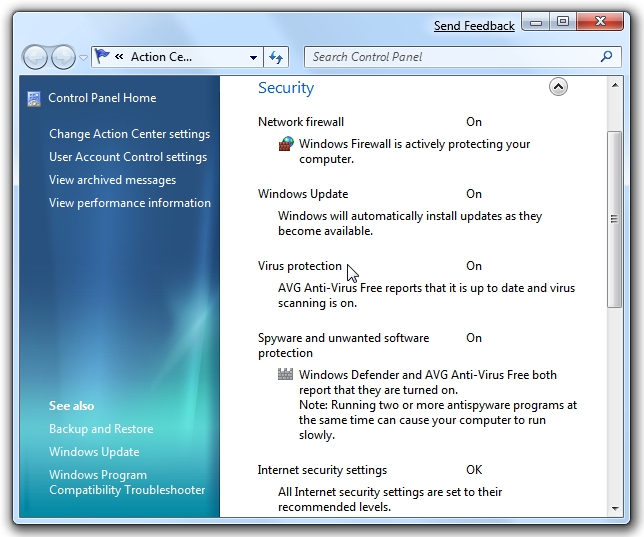
The packages should also hook into the Windows 7 update mechanism and let you know when your virus definitions are out of date.
And now, on to the list… I took a screenshot of the Action Center screen proving that each package installs and is recognized properly by Windows 7, but I also ran through a couple of quick tests for each package.
AVG Anti-Virus Free Edition
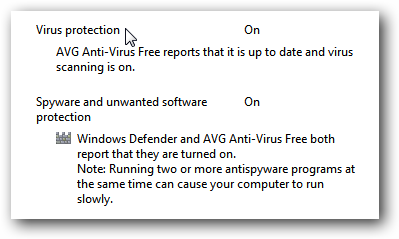
AVG Free is the most popular anti-virus software out there, and not only does it work just perfectly under Windows 7, but it’s on the list of a small number of software packages that are officially compatible per Microsoft.
You’ll notice that it also offers Anti-Spyware protection, and Windows recommends that you only run a single Anti-Spyware application:
Avira AntiVir Personal Edition
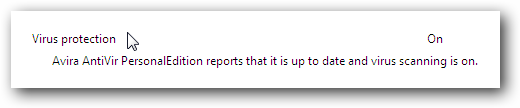
Avira is a popular freeware antivirus solution that seems to be a hit with a number of the regulars in favor of it. This software works without any issues that I could find during my quick testing.
Norton AntiVirus 2009
Hardly needing an introduction, Norton AntiVirus 2009 works just fine. They are also on Microsoft’s list of compatible software for Windows 7.
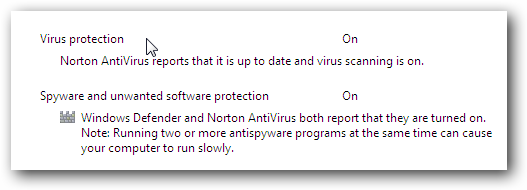
You’ll notice that this provides anti-spyware protection, so you’d likely want to disable Windows Defender for performance reasons.
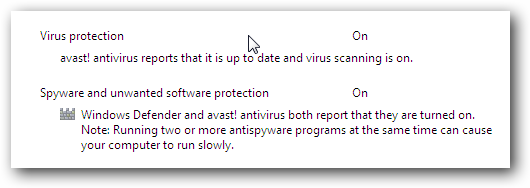
Avast! AntiVirus Home
Another popular Anti-Virus package that we’ve knew this one works just fine. You’ll notice that this package provides Anti-Spyware protection as well.
Microsoft Windows Live OneCare: FAIL
This one was a bit of a surprise to me, but if it does not even install under Windows 7, just giving you a big fat error message:
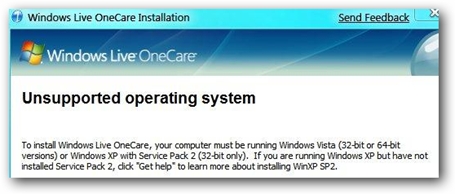
I guess Microsoft still has some coordination problems.
Kapersky Anti-Virus 2009
This antivirus software package is also on the Microsoft official list of Windows 7 compatible software.
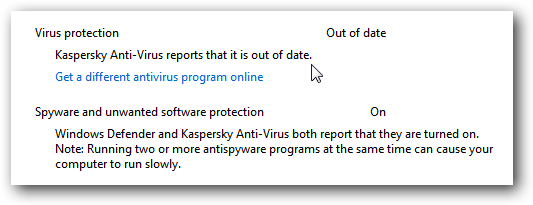
You’ll note that my virus database is out of date in the screenshot above. The Action Center consolidates all of these messages together into one place – rather useful.
McAfee VirusScan: FAIL
Reported to be not working by multiple readers including Daniel in the comments.
Also Working Per Reader Comments
These packages are reported to be working by the readers in the comments below:
- PCGuard Anti-Virus from Virgina Media Broadband
- ESET Nod32 Anti-Virus
- Microsoft Forefront Client Security (Enterprise)
Thanks, keep them coming!
Important Note
Just because all of these packages install and run doesn’t mean they are necessarily “supported” by the vendors.
Official Microsoft Anti-Virus Partners Page at microsoft.com



Pingback: Tweets that mention Anti-Virus Compatibility with Windows 7 | TheTechJournal.com -- Topsy.com
Pingback: Gadget Newz
Pingback: Anti-Virus Compatibility with Windows 7 | TheTechJournal.com | Windows (7) Affinity
Pingback: Hosting Plans Have Evolved
Pingback: How to Keep Your Computer Secure | Antivirus Software Download
Pingback: ForeScout focuses on network visibility | IT Security, Hacking, Vulnerability alerts, IT Leadership and more
Pingback: hrefdg
Well, good news for me, thanks!
Well, good news for me, thanks!