Google availability of iOS app for its popular blogging service, Blogger and the app is now available in app store and works with iPhone, iPad and iPod Touch. The app allows user to manage multiple accounts/blogs, add images by choosing from the gallery or taking a new photo right within the app, add labels, location information and more, you can download the app free from iTunes and it requires iOS 3.1.3 or later……………
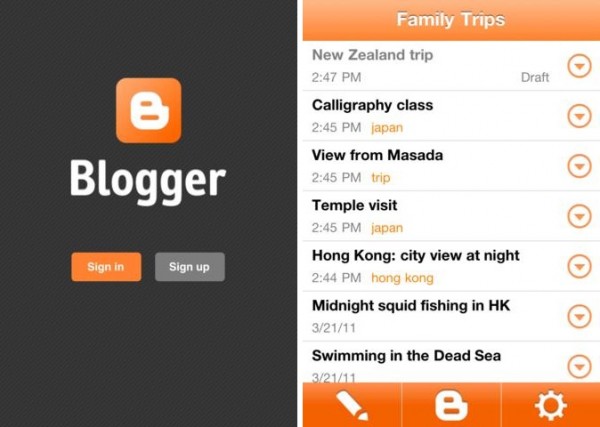
Google has released the new Blogger app for iOS that allows those with Blogger blogs to compose and post updates when on the go from their iPhone or iPod touch and the iOS app follows the Android version, which has been around for a long time already. The app allows you to write new blog posts and publish instantly or save as a draft, any drafts you type up on your computer as well as all previously published posts appear in the app for editing. The publisher allows for new photos or stored ones from the camera library to be added to posts and you can also open a blog post you’ve been working on from your computer and continue editing it while you’re on-the-go. Your blog posts are automatically synced across devices, so you’ll always have access to the latest version and it supports adding location and labels as well. The app allows for more than one Blogger account or blog and you can easily browse the list of saved and published posts. Google Mobile post:
Today we’re excited to announce the new Blogger app for iOS. With the Blogger app, you can write a new blog post and publish it immediately or save it as a draft right from your iOS device. You can also open a blog post you’ve been working on from your computer and continue editing it while you’re on-the-go. Your blog posts are automatically synced across devices, so you’ll always have access to the latest version.
Pictures are worth a thousand words, and the Blogger app makes it easy to add photos either by choosing from the gallery or taking a new photo right within the app. You can also add labels and location to provide more details about the post.

Download the Blogger app today for iOS versions 3.2 and above in the App Store. Although the user interface is only available in English at this time, the app supports blog posts written in all languages. If you’re using an Android-powered device, you can download the Blogger app for Android from the Android Market.
[ttjad keyword=”general”]