The new build of OS X that has been released by Apple for the developers, called OS X Mountain Lion, contains a number of new features. A number of app from earlier version of OS have been re-branded so that they make look more familiar to iOS since Apple wants to bring iOS and OS X closer. In this attempt, the iChat feature that has been a part of OS X is now called Messages, essentially just a 6.0 version of iChat but with a new name. This is because this name is familiar with iOS users. The features of Messages are listed below.
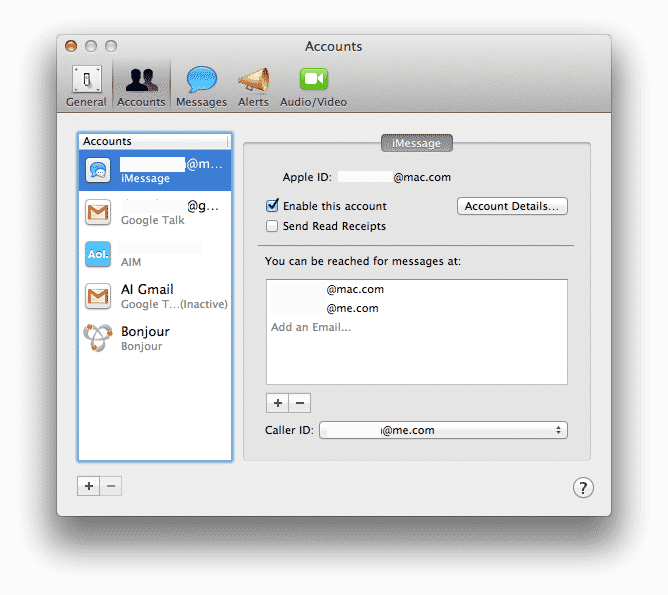
By far, the most interesting aspect of Messages is the fact that any conversations which are being done through Messages can also be continued on other Apple devices. For example, if you are talking to your friend through Messages on Mac, you can continue that discussion on your iPhone or iPad! This is definitely the most useful feature of Messages.
Furthermore, when using Messages, your are prompted through delivery reports about whether or not a message has been delivered. Also, if the other user is typing, you get to know about it.
Although FaceTime app is still a discrete, separate app, you can switch to video chat on FaceTime from within Messages. This is perhaps an attempt to integrate FaceTime and Messages.
You can download Message for Mac for free right here.
Addressing in Messages:
You can send a message to any email address using Messages. It can be a .mac or .me account from Apple or just any other email address. You can then send emails, messages, files to these addresses or even set up a video session.
Moreover, you can specify your own identity when sending Messages by selecting one or more email address or simply furnishing a ‘Caller ID’ for those who will receive the message. However, if you are using different email addresses with different devices, message sent to one of those addresses will then reach only the linked device and will not be broadcast to all of your Apple devices. This can be a helpful tool if you want to keep some messages specific to certain devices.
Looking up contacts:
When sending iMessages through Messages, all you have to do is just type the first letters or first or last name of your contact and the relevant contacts will automatically be displayed on the screen. You can then chose the required contact that you want to send the iMessage to.
Underdeveloped features:
Since for now, only the developer version of Mountain Lion has been released, it is in beta and it is only natural that some features of Messages still need some working on. For instance, although there is the option of changing the size of font for text messages, the redrawn text can look strange at times. Also, the windows for the app is quite large and can cover a huge area of the desktop, making it a bit inconvenient. A very important feature that is missing in the app is the ability to notify you of the incoming iMessages. Of course if the app is open, you are notified of them. But this support should also be available even when the app is not open.
[ttjad keyword=”mac”]