
Skyfire has updated its browser for the iPhone and iPad with bug fixes and more map features and the update lets you watch Flash videos on numerous sites and saves bandwidth by compressing video. The iPad version is updated to 2.50 and the iPhone version is updated to 3.3.0…………….

Skyfire, the web browser app that allows you to watch Flash videos on your iPhone and iPad has been updated to version 3.3.0 and if you don’t have this it’ll cost you $2.99, if you do can now download it via iTunes. Skyfire has updated its browser for the iPhone and iPad with bug fixes and more map features and it lets you watch Flash videos on numerous sites and saves bandwidth by compressing video. Skyfire’s Award-Winning browser is the most popular browser on iPad. Here are a few reasons why:
1. Watch Flash Videos:
✔ Skyfire allows you to watch Flash videos that otherwise don’t work on iPad.
✔ Enjoy videos from sites like South Park, The Daily Show, Justin TV, and more.
✔ More than 200,000 websites supported and new ones added daily.
✔ You can check support for you favorite site at www.bit.ly/site_check
✔ Just press the “Video” icon on the bottom left of the toolbar on a page that has a flash video.
2. Save Money while watching video:
✔Their patent pending video compression technology saves up to 75% bandwidth while streaming video.
✔ When you watch video using Skyfire toolbar, you can watch up to 4 times more videos while still staying within your data plan limits.
3. Awesome modern UI:
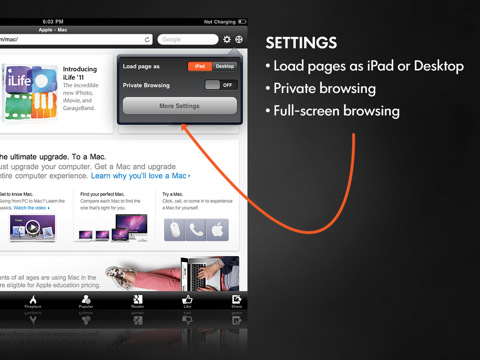
✔ Full-Screen browsing: use every pixel of that gorgeous screen.
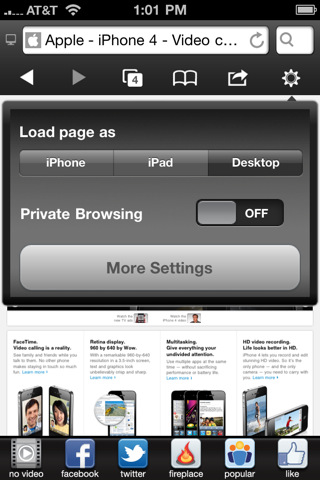
✔ Load page as iPad or Desktop: access the full versions of your favorite websites for more features and videos
✔ Private Browsing mode: Keep your browsing session private.
✔ Popular content: Find out what’s popular on any website with the click one of a button.
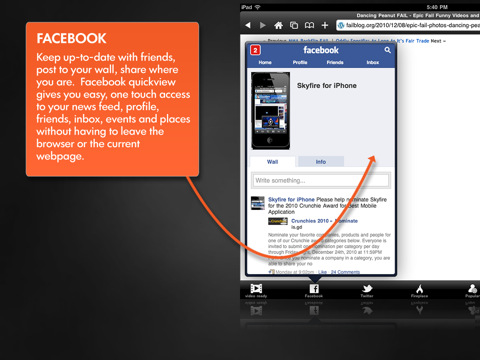
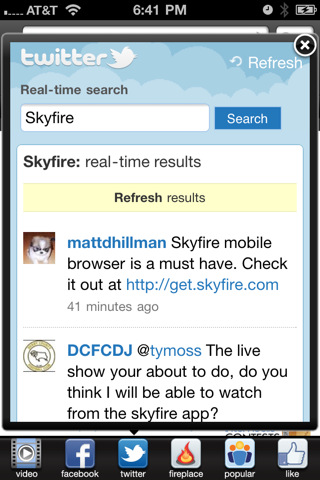
✔ Facebook + Twitter: Stay in touch with your Facebook and Twitter feeds without ever leaving your browser.
✔ Google Reader: So you can stay in touch with your RSS feeds.
✔ Share webpages: Using Facebook, Twitter, Email, Instapaper, PinBoard, Read It Later, Tumbler and more.
What’s New In This Version:
Additions:
• Fullscreen Action – Video now launches in full screen mode by default.
• Map Time – Skyfire now supports more map features relating to Google Maps & push to call.
Fixes:
• Twitter Pop up issue has been eliminated
• Stuck in tab mode bug has been squashed
• A large number of minor bugs have been remedied
ScreenShots:






[ttjad keyword=”iphone”]

![Read more about the article [Guide] 5 Excellent And Free Parental Control Software](https://thetechjournal.com/wp-content/uploads/2014/02/parental-512x340.jpeg)