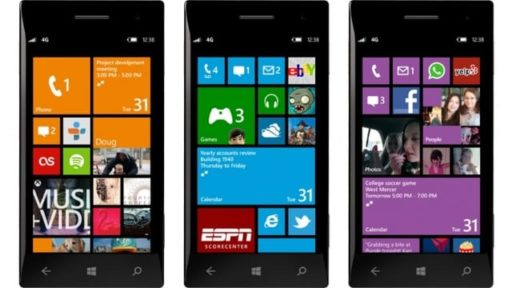
Windows 8 Features New Password Management Tool Windows Live ID With Trusted Platform Module

For the average netizen who has numerous accounts for his or her online life, remembering dozens of intricate passwords could become a chore. Limiting the options and using the same password over and over again for the mnemonic sake is one of the worse solutions. To avoid risks and to help managing and syncing passwords on multiple PCs, Windows 8 comes up with a much needed password management tool: Live ID.
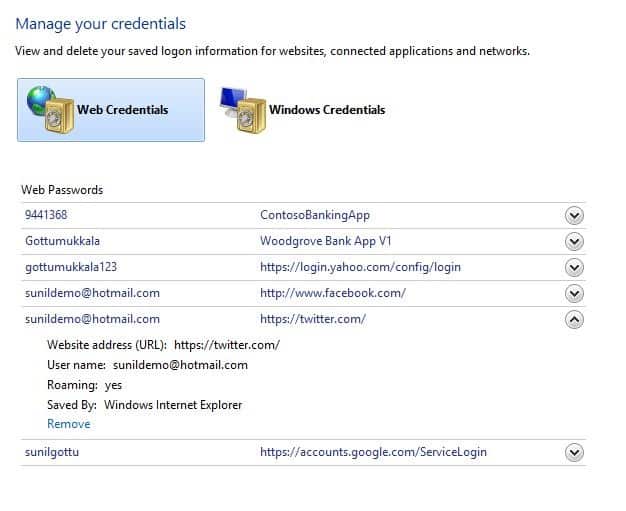
Windows 8 introduces this new feature helping users to protect their digital identity with a convenient and secure option. After signing in with Windows Live ID, the user will be able to edit unique alphanumeric passwords for each account, to sync them on multiple trusted computers, and all they have to remember will be the Live ID password. Windows 8 will do the rest by ensuring the proper credentials will be sent to each website without any need to challenge the user’s memory. If at a later point some passwords need revisiting and editing, this option is also available from the credential manager.

This feature is not entirely new on the market. Services like 1Password and LastPass deliver the same option of using a unique master password to manage all the login information for multiple accounts and to sync them over multiple devices. However, Windows 8 delivers a bit more with Trusted Platform Module, which allows private keys storing.

Source

Buy Cheapest Related Product From Amazon.com

Recent Tech News

Microsoft seems to be expanding its built-in Windows 8 apps for the upcoming Release Preview. According to WinUnleaked.tk, Windows 8 Release Preview, to be released on the first week of June, will include News, Sports, and Travel Metro style apps. The site (registration required) has already posted screenshots and information about the Release Preview build over the last few days.

Binoculars app is developed for the iOS devices that turns your iPhone, iPod touch and iPad into a binocular. From now you don’t have to carry a Binocular while you are in travelling, you can use your iPhone instead. The app is developed by i4software. The usual price for this app is $1.99, but it is now available for free at App Store.

Last Saturday (19 May, 2012), SpaceX’s Falcon 9 Rocket had to abort its planned launch just a half-second before the rocket lifted-off due to a problem in one of its valves. After the night-long effort of the engineers Falcon 9 rocket as well as Dragon cargo capsule was cleared for launch. The rocket has successfully taken off for International Space Station (ISS) this morning.

Three designers from Melbourne, Australia named Phil Bosua, Ben Hillier and Luke Allen have made a portable scanner, branded Scanbox, for iPhone. Through it, you can turn your iPhone into a portable scanner. Lots of apps are available that can turn your iPhone into a pocket scanner. But the problem of these apps’ is when you capture your subject from the right angle, only at that time they work well. Scanbox solves the problem. It can easily scan your documents and photos eliminating the hassle of capturing the subject at the right angle.

  On December 21, 2011(5 months, 4 days ago.)

Recent Search

Tags
3D 3G Amazon Android App Apple Application Apps App Store AT&T Bluetooth. breaking news camera download entertainment Facebook features free free app Game Gaming Google HD HDMI How To HTC intel iOS iPad iPad 2 iPhone iPhone 3GS iPhone 4 iPhone app iPod ipod touch itunes iTunes link jailbreak Laptop MAC Microsoft Mobile news PC review samsung smartphone Software Sony Tablet tablets Tutorial Twitter update Verizon version video Wi-Fi Windows Windows 7
Close You Have To Login
User:
Pass:
Login With »Login With TwitterLogin With Facebook