
Apple has announced through an email that starting December 22, 2010 Push Notifications will have stronger encryption in the form of 2048-bit TLS/SSL certificates. Developers are instructed to update their push notifications’ server with a copy of the 2048-bit root certificate from Entrust’s website in order to continue the service beyond December 22, 2010.
The email below states:
Dear Developer,
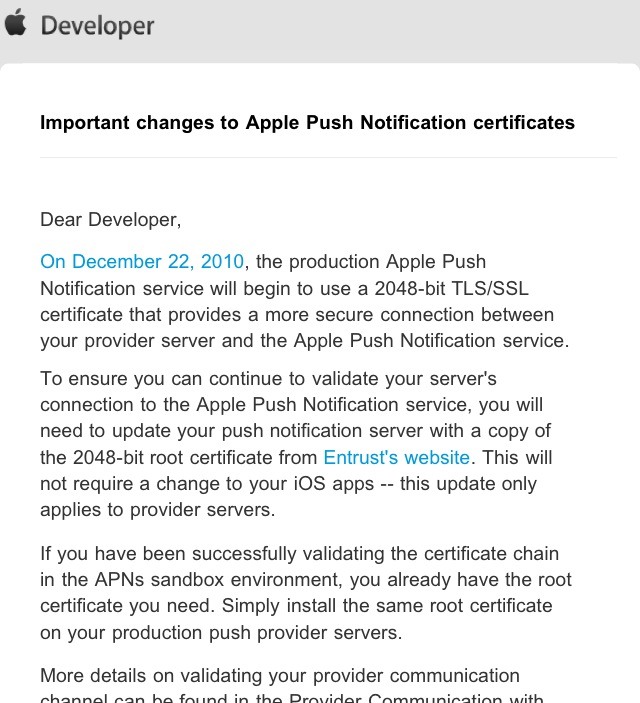
On December 22, 2010, the production Apple Push Notification service will begin to use a 2048-bit TLS/SSL certificate that provides a more secure connection between your provider server and the Apple Push Notification service.
To ensure you can continue to validate your server’s connection to the Apple Push Notification service, you will need to update your push notification server with a copy of the 2048-bit root certificate from Entrust’s website. This will not require a change to your iOS apps — this update only applies to provider servers.
If you have been successfully validating the certificate chain in the APNs sandbox environment, you already have the root certificate you need. Simply install the same root certificate on your production push provider servers.
More details on validating your provider communication channel can be found in the Provider Communication with Apple Push Notification service section of the Local and Push Notification Programming Guide.
In order to continue using the service beyond this date you will need to update your push notification server with a copy of the 2048-bit root certificate from Entrust’s website.
This will not require a change to your iOS apps — this update only applies to provider servers. If you have been successfully validating the certificate chain in the APNs sandbox environment, you already have the root certificate you need. Simply install the same root certificate on your production push provider servers. More details on validating your provider communication channel can be found in the Provider Communication with Apple Push Notification service section of the Local and Push Notification Programming Guide.
Click On Ads To Buy iPhones Accessories
your recent search feature is bullshit… it just tricks google… fuck you!
agreed with the previous comment, fking piece of sht