CEMA Interpreter is a translator app allows you to translate your language into 14 different languages. This app is developed by lianxing Zhu and was cost $99.99 which is totally FREE now to download from iTunes store under Utilities category. This app is suitable for business people travels frequently in many countries. It is also a reliable personal pronunciation translator. As it is free now try this!

iTunes Link: http://itunes.apple.com/app/cema-interpreter/id352722922?mt=8
Overview:
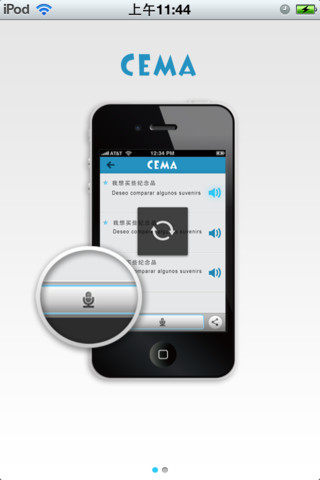
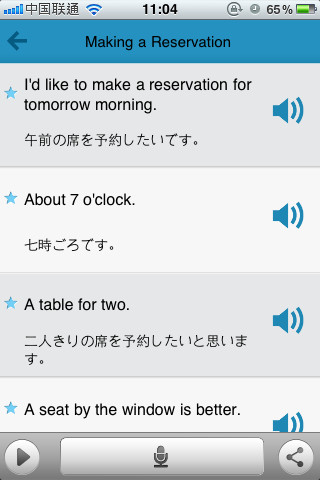
This is a very large sized app but can run in any iOS device. I have just download this app in my iPhone and now i feels its is a very necessary while you are traveling. Very useful app, so simple to use and nice graphics user interface. Wherever you are, what kind of language you use, as long as you want to learn, or want to use the language, you can easily find the commonly used 1000 sentences and phrases which can be audible read aloud. It also adds the tape function in the new version which is more easily for you to learn foreign languages.
Features:
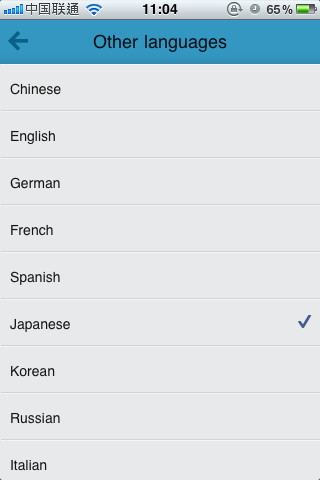
1 Translate your own language into totally 14 other languages, include: Chinese, English, German, Spanish, Japanese, Korean, Russian, Italy, Portugal, Holland, Turkey, Arabia and Thailand.
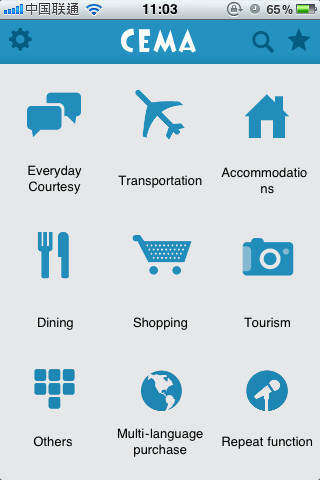
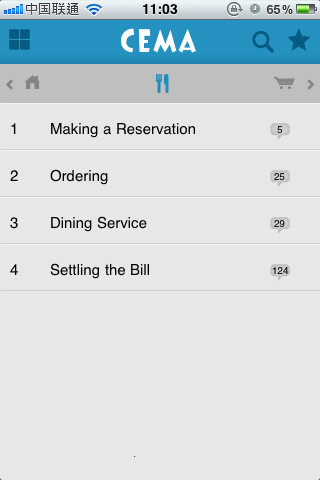
2 Depending on the context, classify the commonly used sentences into 7 categories, which is more convenient for you to search, use and learn.
3 The 1000 sentences and phrases in the software have the pronunciation function. You can learn anywhere the language and use it wherever you are.
4 It has “search” and “collection” functions. You can easily find the phrase you want and collect it for future use.
5 It has built-in language localization function which can automatically change the original language into the language used in your mobile phone. But you need to choose the original language.
For example: If your localized language is English, and the target language is Chinese, then the program will translate English into Chinese and pronounce Chinese. If your localized language is Japanese, it will translate Japanese into Chinese.
So in this multilingual version, you can freely translate the 14 languages into 14 other languages. It is very powerful.
New functions in Version 2.0:
We redesigned the interface which strengthening man-machine interaction.
Repeat function. After the sentence pronunciation, you can use the repeat function, and play your voice to improve your study.
Requirements: Compatible with iPhone 3GS, iPhone 4, iPhone 4S, iPod touch (3rd generation), iPod touch (4th generation) and iPad. Requires iOS 4.0 or later. This app is totally free to download from iTunes.
Current Version: 2.0
Size: 375 MB
[ttjad keyword=”ipod-touch”]