Airport Utility application in the developer release of iOS 5 Apple has now rolled out the finished application ahead of its official launch of their new iOS 5 and the arrival of the new Airport Utility App has closely followed the launch of the Find My Friends App, and allows you to manage your AirPort Extreme, AirPort Express and Time Capsule base station right on your iOS device.The application allows users to manage their Wi-Fi network and AirPort base stations, which is free for download as 4.5MB via App Store. Apple appeared to originally be preparing to integrate AirPort Utility directly into iOS 5, and apparently decided to break the functionality out into a separate app……………..
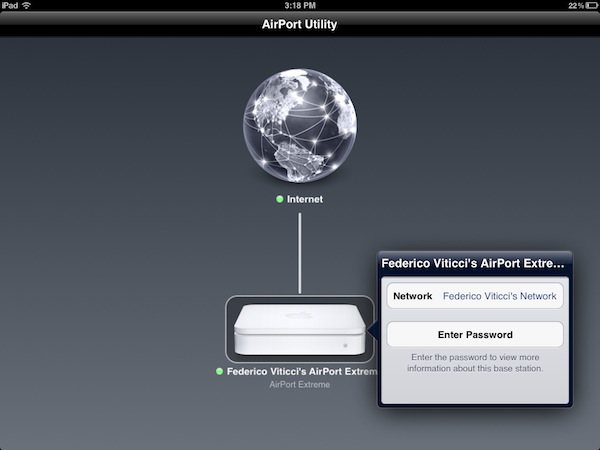
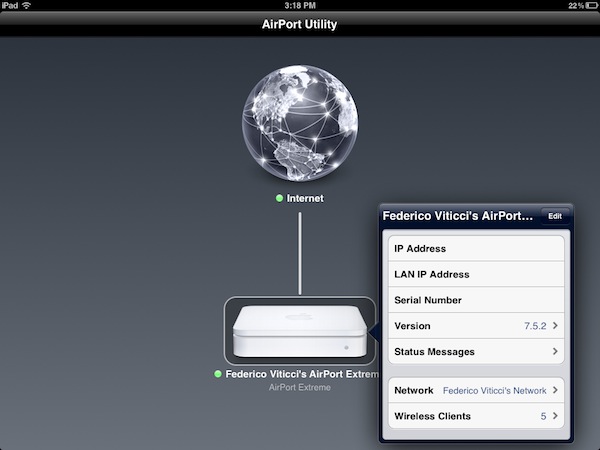
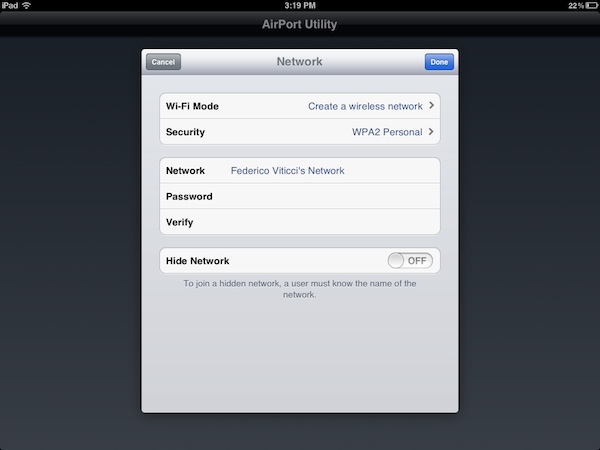
Apple released AirPort Utility for iOS, an app to configure and manage AirPort devices on a local network. An early beta version of iOS 5 showed that Apple was building support for managing AirPort stations right into the operating system and in the Golden Master release of iOS 5 included a link to download AirPort Utility for iOS from the App Store, which wasn’t available. AirPort Utility requires iOS 5, which will become available publicly and you can install the app by clicking on Manage This Network on your iOS device’s WiFi settings for an AirPort station. AirPort Utility provides a straightforward interface to manage AirPort devices on a local network and the app shows AirPort stations that are connected to the Internet and also on the iPad gestures are supported to zoom out the view and get a better visual of all the available devices. Tapping on the Internet icon will let you see the status of your connection with Router Address, DNS Servers and Domain Names; tapping on an AirPort Device will show a popover menu with the device’s name, IP Address, Serial Number, Software Version, Network and connected Wireless Clients. You can check out the connection status, IP Address and Hardware Address for each connected client. Tapping the Edit button will enable you to configure various settings of an AirPort device, including File Sharing and Disks for an AirPort Extreme, DHCP and NAT, WAN Setup and Access Control. You can restart a base station from the app and restore it to default settings. You can manage the Internet Connection settings for the device, activate a Guest Network and change the WiFi Mode of an existing network. Apple explains:
“Use AirPort Utility to manage your Wi-Fi network and AirPort base stations, including AirPort Express, AirPort Extreme, and TimeCapsule – right from your iPad, iPhone, ir iPod touch. See a graphical overview of your Wi-Fi network and devices. Change base station and network settings, or manage advanced features such as security modes, wireless channels, and more. AirPort Utility works with all Apple 802.11n Wi-Fi base stations, including AirPort Express, AirPort Extreme, and Time Capsule.”
Features:
- See a graphical overview of your Wi-Fi network
- Get information about your connected Wi-Fi devices
- View and change network and Wi-Fi settings
- Restart or restore a base station, or update the firmware on a base station when available
- View or update passwords for your network, base stations, or disks
- Easily access network information such as IP address, DNS servers, and router addresses
- Manage DHCP reservations and port mappings
- View status or error messages for your base stations
ScreenShots:
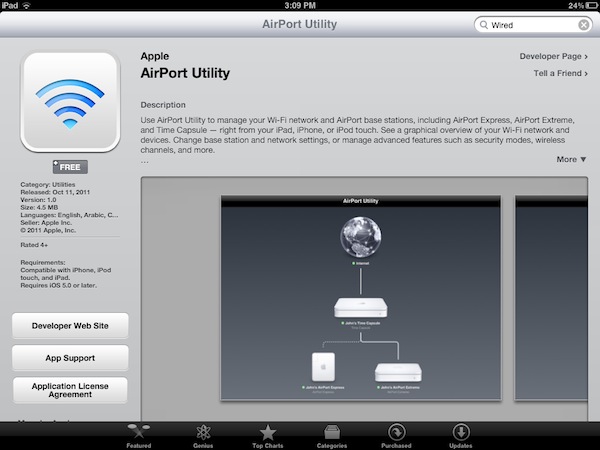
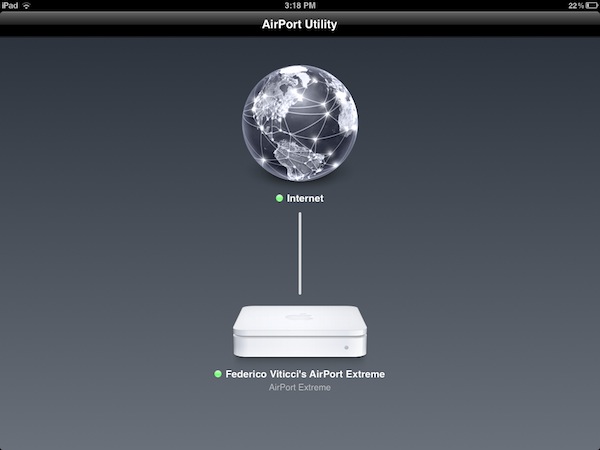


[ttjad keyword=”mac”]