
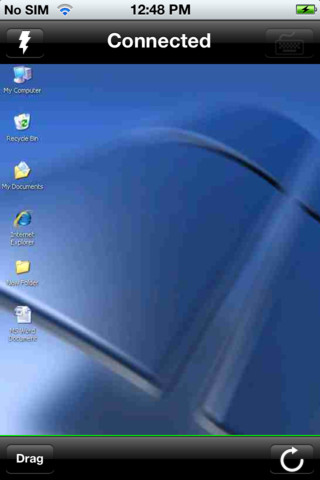
Fast Remote Desktop by VDIworks is a premium app developed for the iOS platform to control any Windows PC. You can control your home or office desktop from any where using this app. This premium app was charged $0.99. However, this app is completely free for a limited period. Before you click the download link, let’s scan the features first.
iTunes Link: http://itunes.apple.com/app/fast-remote-desktop-by-vdiworks/id381753720?mt=8
Overview:
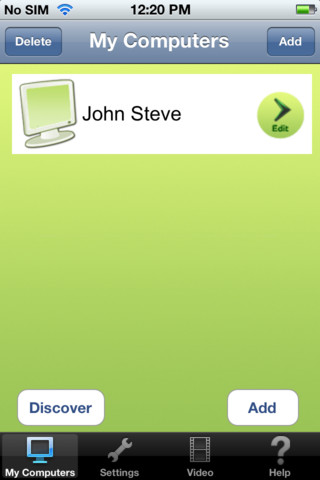
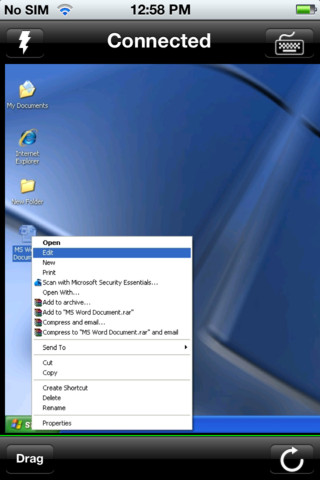
Fast Remote Desktop by VDIworks lets you connect to and control any Windows PC in the world!
Install the app on your iPad and download the server or host component of the software from the VDIworks website, at www.vdiworks.com and you’re ready to go!
Once you have downloaded and installed the Fast Remote Desktop app, please visit the VDIworks.com website to obtain the installer for your PC. Once you download and install this software on your PC, it will be capable of allowing connections from your iPad. You may need to open ports on your firewall, or set-up port forwarding on your router. Please refer to the appropriate documentation for your router and/or firewall for more information on how to perform these changes. For further questions, please visit www.vdiworks.com, click the Demos->Support link and enter your support query. We will be happy to assist!
Our Review:
Fast Remote Desktop by VDIworks is a well developed application. It is a bit complicated to setup, though. But there is a complete user guide in the VDIworks website that would help you do the setup on your own. Once you’re done installing the app on your iPhone or iPad, you need to connect to your home PC from a remote site, or using iPad’s 3G capability. You might have to configure your router to allow this. You can also watch the full demo video below for your ease.
Users Guide for setup and troubleshooting can be downloaded from http://www.vdiworks.com/datasheets/VoIP_Guide.pdf
Requirements:Compatible with iPhone 3GS, iPhone 4, iPhone 4S, iPod touch (3rd generation), iPod touch (4th generation) and iPad. Requires iOS 4.0 or later. This app is totally free to download from iTunes.
Current Version: 2.5
Size: 19.8 MB
[ttjad keyword=”ipad”]

![Read more about the article iOS 4.3b1 on iPhone With Multitasking Gestures and Lock/Mute Switch[Video]](https://thetechjournal.com/wp-content/uploads/2011/01/ios-431-multitouch-gestures-vid-300x183.jpg)
Install the app on your iPad
and download the server or host component of the software from the
VDIworks website, at http://www.vdiworks.com and you’re ready to go!
http://www.tours4fun.com