Fuel Smart (US) Pro is a nice app for iPhone, iPod touch, and iPad developed by Stewart Malcolm. This app was cost $2.99 but it’s totally FREE now to download from iTunes Store under Travel category. Fuel is steadily rising and taking more and more of your hard earned money. Can you afford not to find the best gasoline prices in your area? Fuel Smart US (Pro) is here to help you with the most accurate gasoline prices database within the US, to help you find the cheapest gas prices around. All this at your fingertips for a very competitive yearly subscription. Click out more to learn why you should download this App Now!
iTunes Link: http://itunes.apple.com/app/fuel-smart-us-pro/id433382345?mt=8
Overview:
This is a small sized App so can run in any iOS device. I have just download this app in my iPhone 3GS and it runs great. Very interesting helpful app, so simple to use, and nice graphics
interface.
That needle on your gas gauge is letting you know that you need to fill up your vehicle. Gas is so expensive these days that you dread heading to the pumps but what else can you do?
When every cent counts, you owe it to yourself and your wallet to find the best deals for gas. Naturally, you don’t want to drive far as that would negate the savings. You also can’t personally drive around checking out price per gallon costs at every station. Even stations within the same general locale can have wildly fluctuating prices. Luckily, there is an alternative source for checking fuel prices and it’s fast, easy and dependable.
Fuel Smart US (Pro) is an iPhone and iPod Touch application that helps you check gas prices in your area. The app contains an extensive database, with prices courtesy of OPIS in cooperation with Wright Express.
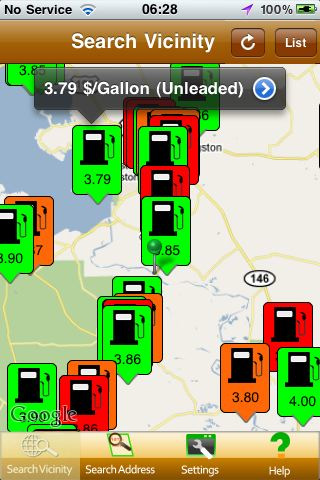
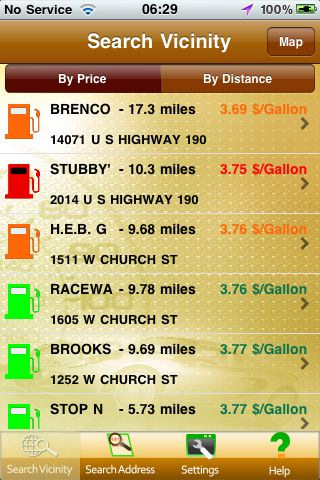
The app is convenient and easy to use. There’s quick glance color coding that lets you know the age of the prices and compare cost savings between local stations. Just look at the results on a display map, list view by price, or list view by distance order. You’ll know right away exactly where you want to go, how much it will cost and how much you are likely to save.
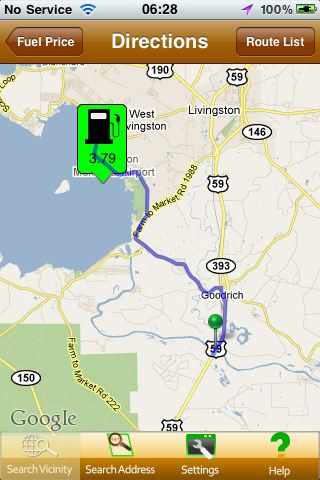
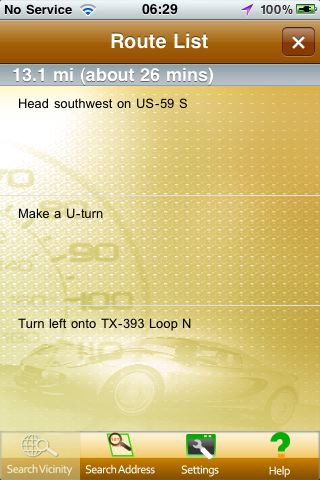
Maybe you’re out of town and need to find a place to fill up. Fuel Smart (US) Pro can help you with that, too. Search for a station using your GPS positioning or by entering a town, city or zip code of your choosing, from two to thirty miles away. Select the one you want to visit from the list and Fuel Smart will give you directions to get there. You’re going to love everything about this app!
Features:
* Fuel price coverage throughout 50 states
* Gas prices at more than 125,000 stations, no other source offers more timely or accurate data.
* In excess of 1.5 million database gas price updates per day
* See pump prices at a glance on the display maps
* Optional list view
* Sort by distance or price
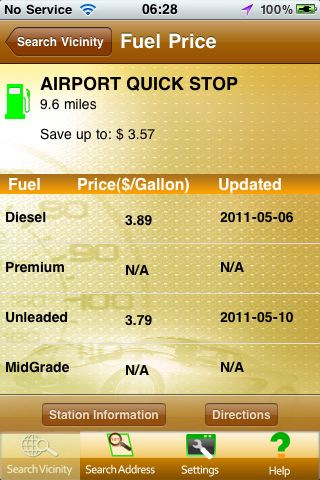
* Add fuel tank size to have the app calculate your potential cash saving and provide a price comparison against other pump prices
* Easily search for a number of fuel types including regular, mid grade, premium and diesel
* Unlimited price searches per week
* No ads!
* Color-coded system, which allows the user to know the age of the fuel price information; i.e., up to 36 hours, 36 – 96 hours and greater than 96 hours old.
* Get directions to the selected gas station.
Requirements: Compatible with iPhone 3GS, iPhone 4, iPhone 4S, iPod touch (3rd generation), iPod touch (4th generation) and iPad. Requires iOS 4.0 or later. This app is totally free to download from iTunes.
Current Version: 1.1
Size: 2.1 MB
[ttjad keyword=”ipod-touch”]