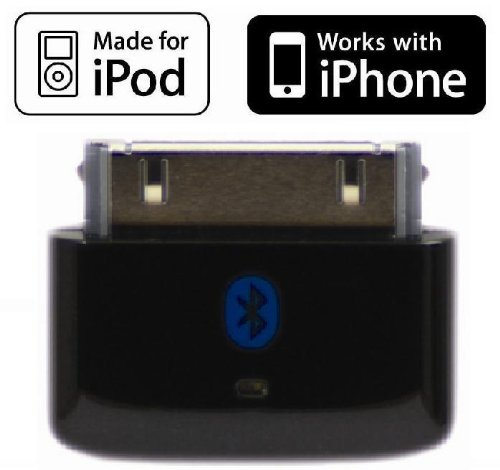
i10s NEW Luxurious Tiny Bluetooth iPod Transmitter for iPod, iPhone, iPad, iTouch with true Apple authentication. Remote controls and local iPod/iPhone/iPad volume control capabilities. Plug and Play, works and fits very well with latest iPod 6th generation tiny Nano, iPod Touch 4th generation, iPhone 4 and iPad. Bluetooth iPod Adapter. This is an Amazon’s product review. Checkout more details bellow.
|
Product Features
- New Luxurious Black color version of the highly reviewed and very popular i10s. Made-for-iPod and Works-with-iPhone Bluetooth Transmitter.
- Tiny size, smaller than other Bluetooth Transmitters for iPods, iPhones
- Elegant streamline design with Luxurious Black color, shine and finish for refreshingly new and clean look/feel.
- Easy to use, no button design. Without button there will be no accumulation of unsightly hard-to-clean dirt/grime in the edges of the button.
- High quality codec for clear audio, low power. Bluetooth 2.1 + EDR (Enhanced Data Rate), compatible with Bluetooth Strereo Receivers.
- Plug and play, easy to pair, remembers previously paired devices and re-connects easily
Technical Details
- Model: i10s_black
i10s responds to Receiver Remote AVRCP commands (Play, Pause, Next, Previous). Smallest size compared to other products made by other manufacturers in this category. Transmits stereo audio from iPods, iPhones, iPads wirelessly to compatible Bluetooth receivers. This product is BOTH Made-for-iPod and Works-With-iPhone, unlike many other iPod Bluetooth Transmitters that are only Made-for-iPod.
Includes Authentication IC chip, which allows for local iPod, iPhone, iPad volume adjustment – that is not possible with other Made-for-iPod only transmitters that do not include Authenticaion IC chip. Low power consumption, for many hours of wireless audio enjoyment with iPods, iPhones and iPads. No batteries needed, powered by iPod/iPhone/iPad. No cables needed, attach to iPod/iPhone/iPad via 30-pin connector. Simple to operate. Bluetooth 2.1 + EDR, Class 2. Works with iPad, iPhone 4, iPhone 3GS, iPhone 3G, iPhone (1st gen), iPod touch (1st-4th gen), iPod nano (1st,2nd,3rd,4th,5th and latest 6th gen tiny iPod nano), iPod classic (80,120,160GB).
Advantages of this new Tiny i10s vs Sony’s (2006) iPod Transmitter:
- i10s includes an Apple Authentication chip that will authenticate with iPod/iPhone/iPad. This authentication process enables local volume adjustments on the iPod/iPhone/iPad to change the volume at the remote receiver. Sony iPod Transmitter does not have an Apple Authentication chip and because of this there is no local iPod/iPhone/iPad volume adjustment possible to change the volume at the remote receiver.
- This i10s is less than 2/3 the size of Sony’s iPod Transmitter, making this a better fit for your iPod/iPhone/iPad. i10s industrial design is a better match for the elegantly designed iPods/iPhones/iPads.
- No buttons needed to pair and connect, just plug i10s into iPod/iPhone/iPad and it will automatically pair and connect to receiver. No button also means no additional mechanical failure mode on this i10s device.
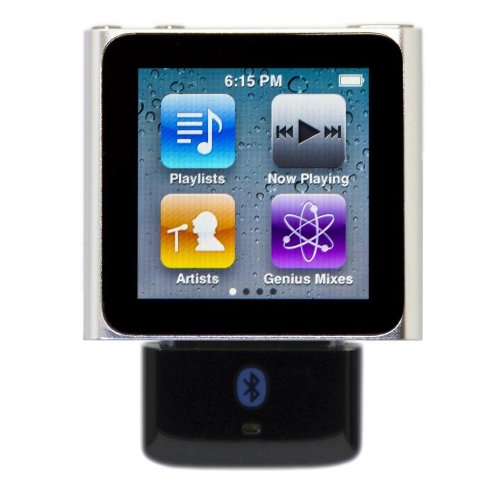
That’s all about the i10s Tiny Bluetooth iPod Transmitter. This Bluetooth iPod Transmitter is available in Amazon.com. You can directly order or buy from here.
Source
[ttjad keyword=”iphone”]