
Celeste Bluetooth App for iPhone, iPad and iPod touch has already released and is available for download. Kudos to folks at CrackTouch who managed to install Celeste on iOS 4.3.1 despite of the Action Menu dependency issue. But there is a much easier way to install it tipped by Tyler Casson which involves only one step and that is editing your SystemVersion.plist file.
To do that, first install iFile from Cydia and modify SystemVersion.Plist file on your iDevice as shown in the screenshots below.
Location: /System/Library/CoreServices/SystemVersion.plist
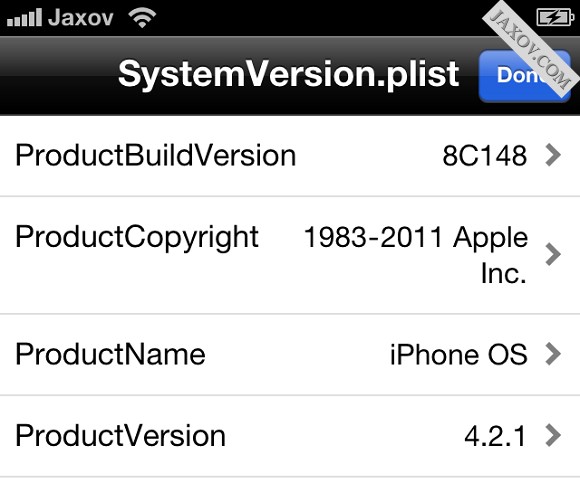
All you need is to change the ProductBuildVersion to 8C148 and ProductVersion to 4.2.1. Thats it!
Checkout the video below.
[ttjad keyword=”iphone”]
Don’t install it, it’s flaky and from all appearances unsupported. the developers appear to have gone underground