
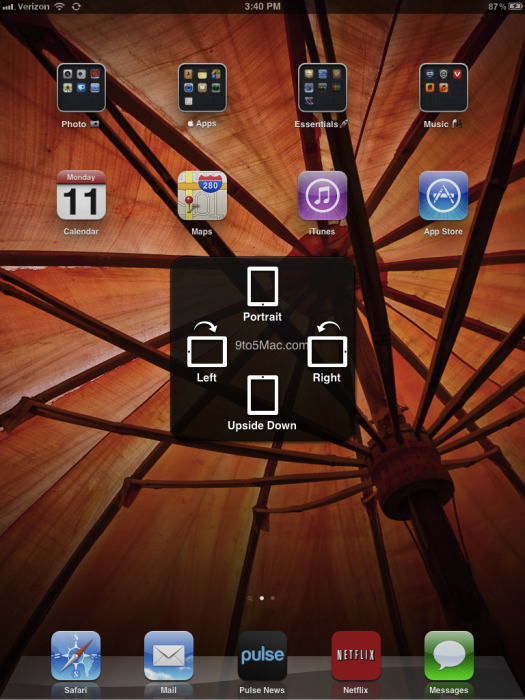
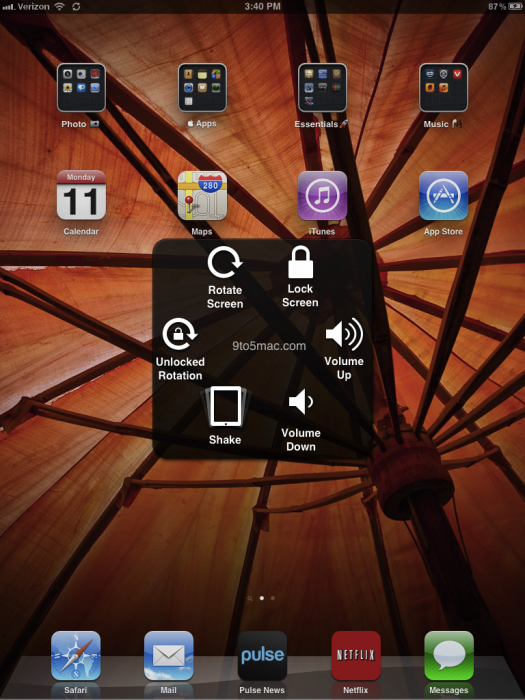
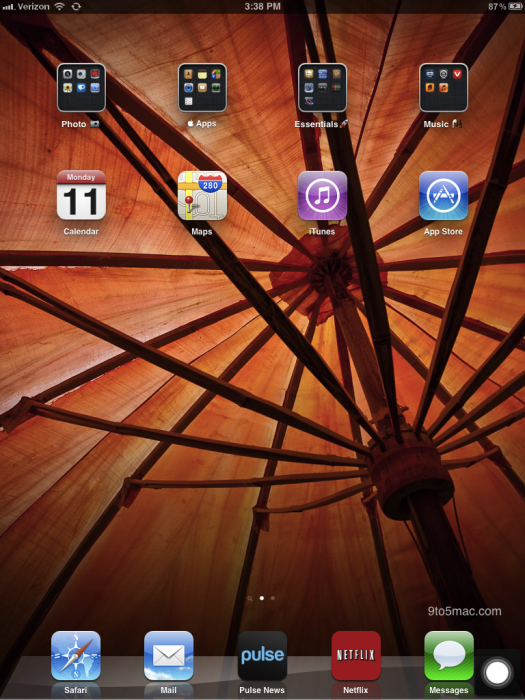
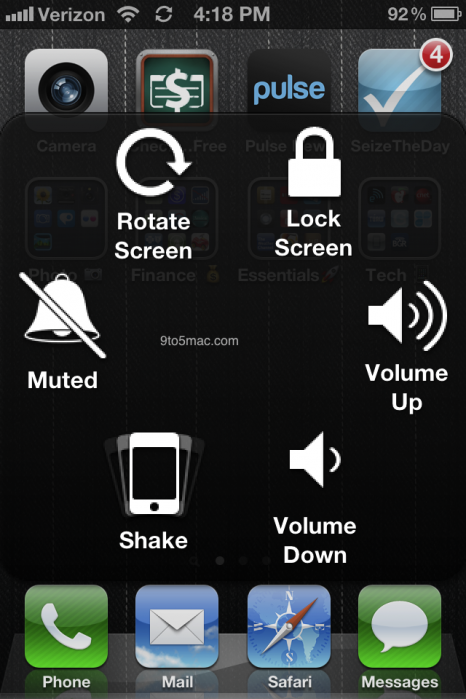
iOS 5 beta 3 brings some new and interesting features, including the new Assistive Touch menu, which OS 5 beta 3 brings some new and interesting features, including the new Assistive Touch menu. The control panel is activated by swiping from the corner of the screen nd allows users to rotate the screen, control volume and lock the display. There is also the option to shake the device, but this has yet to be incorporated into applications and the API has been released to developers so they can build the feature into apps…………
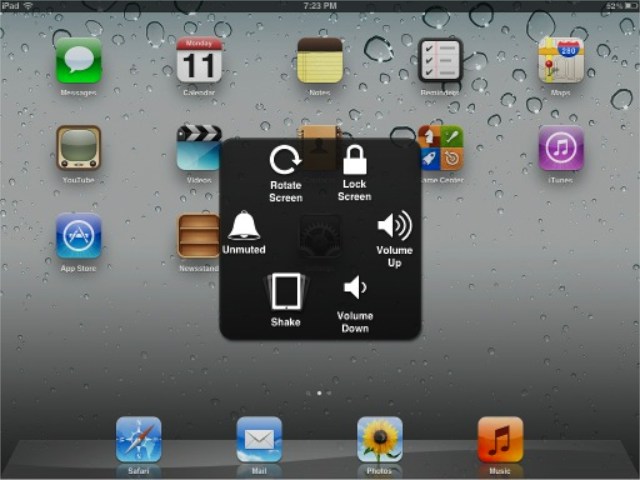
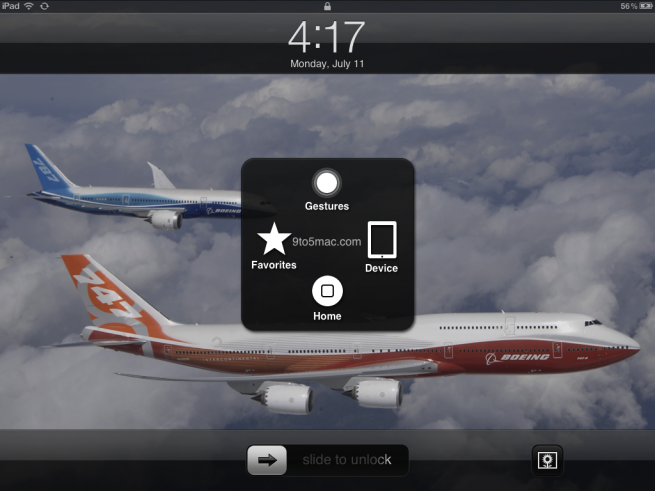
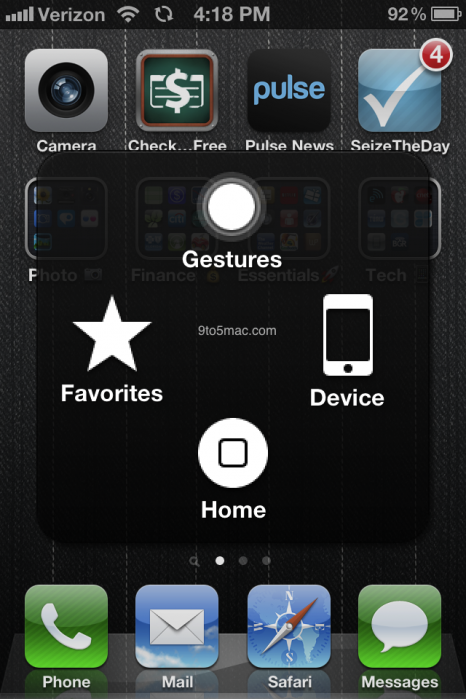
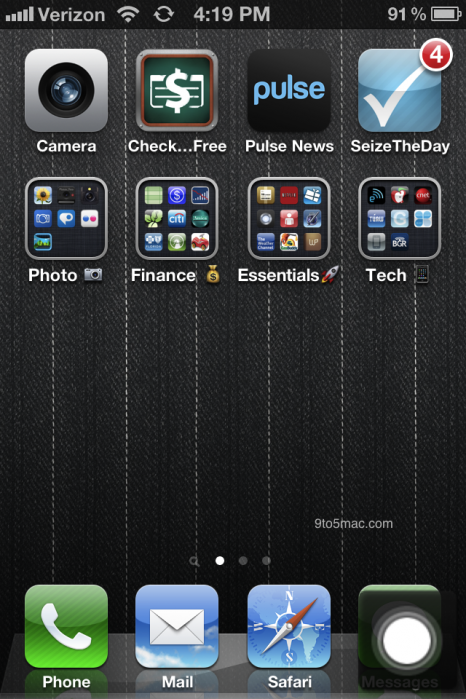
iOS 5 beta 3 features gesture-based control panel that replaces hardware buttons and accessibility has been augmented with a gesture based control panel inside AssistiveTouch that can reproduce all the functionality of the existing hardware buttons. Once turned on in Settings, the control panel can be activated by tapping the overlay on screen. It pops up with a menu containing Gestures, Favorites, Devices and Home. Gestures has a sub menu for 2, 3, 4 and 5 finger gestures, and once you choose a quantity, blue circles in the appropriate amount appear on screen. Favorites contains defaults like Pinch and Swipe, and any custom gestures you’ve created. Device replicates the hardware features such as Rotate Screen, Lock Screen, Mute/Unmute, Volume Up/Volume Up and Shake. While some may think this heralds Apple ditching hardware buttons, remember, you would still need a way to reset your device if it locks up, to turn off the ringer or change volume if it’s in your pocket or purse and to keep iOS accessible for children and people form whom complex UI and gestures are a barrier to entry. This could turn out to be a very interesting addition to iOS 5, especially for advanced users who want to have a software-based interface. This control panel is activated with a swipe from a user-designated corner of the screen (in apps, the home screen, and the lock screen, Notification Center, etc). Once this new panel is activated, an HUD (heads-up-display) type of menu will appear. From this menu a user can rotate the screen orientation, control the device’s volume, shake the device (is an API for developers in applications), lock the display and more.
ScreenShots:
[ttjad keyword=”iphone”]

![Read more about the article Enable Gmail Priority Inbox On iPhone[How To]](https://thetechjournal.com/wp-content/uploads/2011/02/gmail-priority-inbox.webp)
