Knowtilus a unique type of Utilities app for iPhone, iPod touch, and iPad developed by knowtilus. You will have Web Browser, Text Editor, Text to Speech, Translator and Sketcher all this in one application. Previously if you want to have this app, you have to spend $4.99 to download from iTunes store! And now the company if offering this game for FREE! This app is available in intues store under Utilities category.

iTunes Link: http://itunes.apple.com/app/knowtilus-web-browser-text/id412922017?mt=8
Overview:
This is a medium sized app that can run in any iOS device. I have just started using this app in my iPhone and it has a great using value. Very helpful app, so simple to play, nice graphics interface and you will have all the needed utilities in one app. Knowtilus (and Knowtilus PRO advanced version) is an elegant, versatile and innovative Web Browser and Text Editor suite packed with all the tools you’ll need while browsing, reading, writing, sharing and (re)searching the Web in your iPad, iPhone and iPod Touch. It’s the first iOS App with a built in human-like Interactive Digital Assistant that reads aloud web pages and your documents with 52 amazing voices.
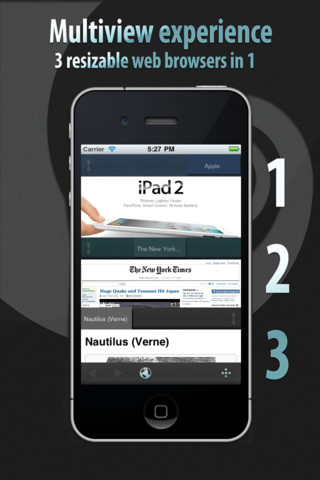
3 RESIZABLE BROWSERS IN 1
• Innovative multi-view tabbed web browser, the tabs can be rolled up/down vertically to split the screen among different websites and the built in text editor (side by side). Very handy and quick way to do multilevel browsing and web research.
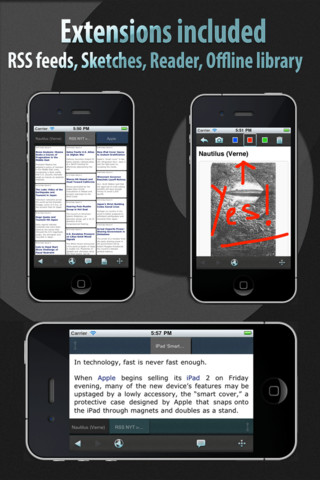
READER WITH OFFLINE READING LIST
• Save Web articles in your Reading List and read them anytime, anywhere: Knowtilus makes reading web pages simpler and more enjoyable. It automatically strips the superfluous information (Ads, Banners, etc.) and shows the main content in a single column of easy-to-read clean text. Save that clean content to your Reading List and read it later in offline mode.
AUTOMATIC TRANSLATION TO 28 LANGUAGES
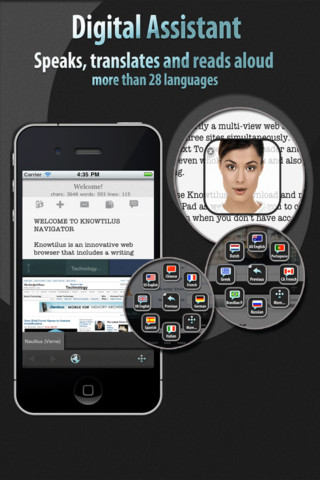
• Translate any web page or your documents from practically any language to more than 28 languages. Knowtilus can also read aloud your translations.
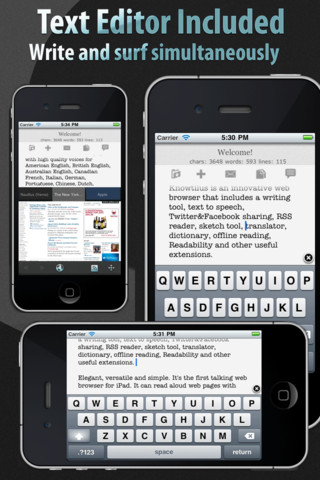
DISTRACTION-FREE TEXT EDITOR
• Write articles, papers, posts, notes, to-do lists, reminders, etc. while surfing the web. Share and copy content between the Web and text editor. Export your docs via email, iTunes File Sharing or Evernote, Tumblr, etc. Navigate with extended arrow keys and use punctuation special keys without switching the keyboard.
• Compatible with Voice Dictation feature in iPhone 4S. Now you can dictate and use your voice in the text editor view instead of typing with keyboard.
MULTI-LINGUAL TEXT TO SPEECH TOOL AND DIGITAL ASSISTANT
• Knowtilus has integrated a human-like Interactive Digital Assistant that can read aloud webpages, RSS feeds, etc. in more than 20 languages. You can also type your own text or select any text and have read it. Set the reading speed and voice language to your needs. (Please note: PDF files can not be read aloud, you need to convert them to plain text or html with other tools)
Included 52 male and female voices for these languages: American English, British English, Australian English, Canadian French, French, Italian, German, Portuguese, Brazilian Portuguese, Chinese, Dutch, Spanish, Argentine Spanish, Mexican Spanish, Colombian Spanish, American Spanish, Catalan, Galician, Valencian, Swedish, Arabic, Romanian, Turkish, Russian, Polish, Finnish, Danish, Greek, Norwegian, etc.
RSS READER
• Easily read your RSS channels like a web page and organize them as visual bookmarks. Have Knowtilus read aloud the news from those feeds.
SAVE AND SHARE ANY CONTENT
• Use your favorite service for saving bits and pieces. Use Dropbox, Evernote, Instapaper, ReadItLater, Google Reader, Pinboard, Tumblr, Twitter, Facebook sharing services to save/post links, images, texts directly from websites and Text Editor.
OPEN AND DOWNLOAD FILES
• Easily open web files with extensions .epub, .pdf, .ppt, .doc, rtf, .avi, .key, .xls, .zip, .rar, .pages, .numbers in your other installed Apps like iBooks, Pages, Numbers, GoodReader, PDF Reader, etc.
DRAWING TOOL
• Doodle with your finger directly over web pages and text documents, create sketches and share them.
QR AND BARCODE SCANNER
• Use the Knowtilus integrated QR/barcode scanner to open web pages and automatically find information, compare prices, etc.
PRO VS BASIC VERSIONS
– This Knowtilus version can read short sentences and texts. If you need to read longer texts, please, download the more powerful Knowtilus PRO version.
What’s New in Version 1.990:
– Fixed minor bugs in landscape mode
– App start time improved
– Improved stability and perfomance
Requirements: Compatible with iPhone 3GS, iPhone 4, iPhone 4S, iPod touch (3rd generation), iPod touch (4th generation) and iPad. Requires iOS 4.3 or later. This app is totally free to download from iTunes.
Current Version: 1.990
Size: 8.4 MB

[ttjad keyword=”ipod-touch”]