website statistics

Reverso Translator – Translator App iOS Devices Is Free Now

When do you use Facebook?

View Results

Loading ... Loading ...
1 Star2 Stars3 Stars4 Stars5 Stars (Rate This)
Loading ... Loading ...

Reverso Translator is $4.99 App in iTunes Store for iOS devices Developed by Theo Hoffenberg. Super HOT news is the developer company is providing a special discount offer for this Christmas, so it’s totally FREE now. This app is available in iTunes Store under Reference category.

Reverso Translator
iTunes Link: http://itunes.apple.com/app/reverso-translator/id378295557?mt=8

Overview:

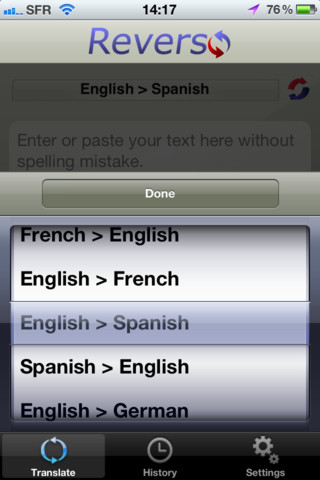
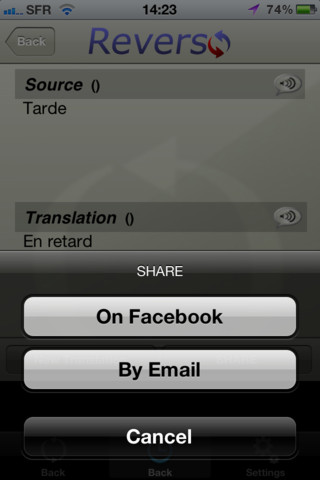
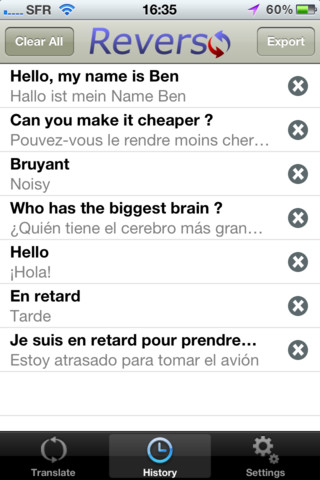
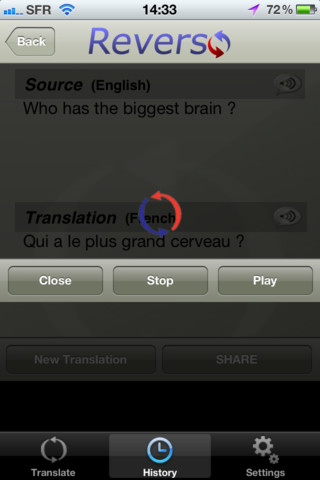
This is a small sized game so can run in any iOS device. I have just download this game in my phone and it runs great. Very usefull and interesting Application for iOS devices. So simple to use with attractive graphics interface. Reverso Translator is a powerful translation tool for iPhone/iPod touch. Translate words and phrases instantly between 8 major languages and enjoy a full set of add-on features such as history tracking, text pronunciation, integrated Facebook/e-mail support.
This app brought to you by Reverso-Softissimo, publisher of the famous website Reverso and editor of languages technologies solutions for large international corporations.

Key features include:

☆ Instant Translation in 8 major languages (French, English, Spanish, German, Italian, Portuguese, Dutch, Russian)
☆ Native speaker’s pronunciation
☆ Access your translation history even when you’re offline
☆ Share you translation with your friends on Facebook or by e-mail
☆ Integrated copy-paste functionality (useful for texting your foreign friends)
☆ Smart spell checker in English and in French
☆ Intuitive user interface

Requirements: Compatible with iPhone 3GS, iPhone 4, iPhone 4S, iPod touch (3rd generation), iPod touch (4th generation) and iPad. Requires iOS 3.2 or later. This app is totally free to download from iTunes.

Current Version: 1.0
Size: 3.4 MB
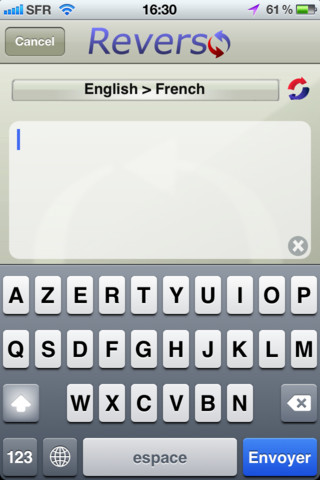
iPhone Screenshot 1
iPhone Screenshot 2
iPhone Screenshot 3
iPhone Screenshot 4
iPhone Screenshot 5

Buy Cheapest Related Product From Amazon.com


The Web Is Changing! BBC Switches To HTML5 For Its Video Files

Nokia N9 Gets Nokia Pulse
You can also press the left/right arrow key on your keyboard to go to previous/next post
  On December 24, 2011(1 year, 5 months ago.)

Recent Search

Recent Tutorials

This tutorial will show how to use S.M.A.R.T. (Self Monitoring Analysis and Reporting Technology) to continuously collect information on health of your equipment.
In this tutorial I'll show you how you can easily protect yourself from any kind of security breaks that may occur through Java.
Today Apple enabled "Two Step Verification" for iCloud And Apple ID. But the process is not that simple. But no worry, here we have made a step by step tutorial.
Cant remember your iPhone passcode? Here I will show you some workaround on what to do and how to recover and restore for every possible scenario.
This tutorial will show you how to perform the Winapp2.ini installation inside CCleaner and how to use it under Windows operating system.
With app called AD Sound Recorder, you can record any stream that passes through your sound card or speakers and in this tutorial I will show you how to do that.
If you want to have Boxee app inside your Apple TV, in this tutorial we will show you how to install XBMC and Boxee using Windows on your Apple TV.
This tutorial will show you how to transfer PS3 Saved Game Files from your PC to your PS3 game console.
Adding videos from external sources such as internet, more specifically from YouTube, is a great solution to enhance a presentation; in this tutorial I will show you the procedure.
If you are one of new comers to Windows Phone 8, like me, in this tutorial I will walk you through the process to update your Windows Phone 8 device.
Close You Have To Login
User:
Pass:
Login With »Login With TwitterLogin With Facebook