website statistics

Satechi Brings Divoom iBase Dock Station For Apple Devices

The compact and round speaker delivers superb, distortion-free, crystal clear sound while user is charging favorite iOS device.

When do you use Facebook?

View Results

Loading ... Loading ...
1 Star2 Stars3 Stars4 Stars5 Stars (Rate This)
Loading ... Loading ...

Satechi has brought a Divoom iBase dock station for iDevices like iPod, iPhone and iPad. The compact and round speaker delivers superb, distortion-free, crystal clear sound while user is charging favorite iOS device. It is suitable for Apple devices as well as other portable music players. Satechi iBase has enough power to fill a room with crystal clear sound from its four full range neodymium dynamic drivers. You can use it without any trouble at home and office.
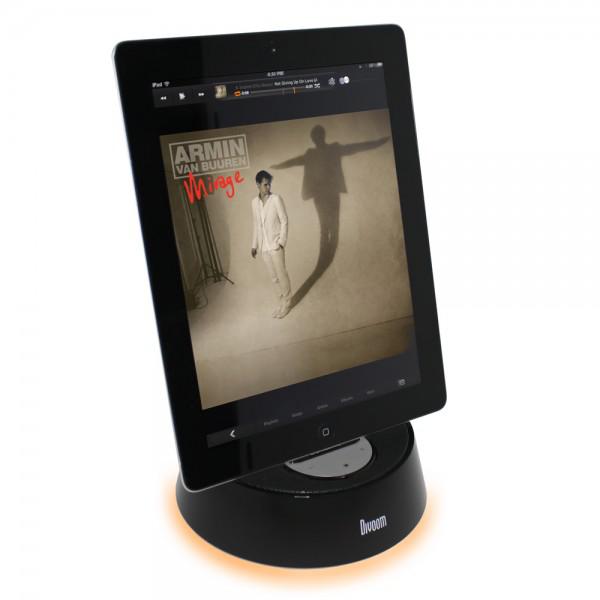

Satechi Divoom iBase Dock Station

Press Release

Compact speaker and charging dock delivers clean, crisp sound for any iOS device

San Diego, CA – May 1, 2012 – Satechi, a leading mobile accessories manufacturer, is excited to announce the availability of the new Satechi Divoom iBase Dock Station for iPod, iPhone or iPad. The compact and round speaker delivers superb, distortion-free, crystal clear sound while charging the user’s favorite iOS device.

The Satechi Divoom iBase Dock Station features four full range neodymium dynamic drivers able to deliver high quality audio. The 20.6 oz., clutter-free speaker is perfect for listening to music and charging an iOS device while at home or in the office. Additionally, the small yet powerful speaker has a vertical support to ensure the iOS device is safely secured in place. The Satechi Divoom iBase Dock Station is also compatible with other MP3 players via the 3.5mm line-in jack.

The Satechi Divoom iBase Dock is available now for $44.99 at Satechi and $49.99 at Amazon.

For more on the Satechi Divoom iBase Dock Station and all of Satechi’s award winning products, follow us on Facebook.com/Satechi and @Satechi.

About Satechi:

Established in 2005, Satechi is fully committed to offering unique accessories that people can integrate with their electronics in their homes, cars, and on the go. Satechi offers a broad selection of accessories from FM transmitters, battery chargers and speaker systems to car mounts, stands and keyboards. For more information, please visit www.Satechi.net.

Source: Satechi

Buy Cheapest Related Product From Amazon.com


A Marketer’s Guide To Pinterest [Infographic]

Ghost Sniper : Zombie – Premium Shooting Game For iPhone [Free]
You can also press the left/right arrow key on your keyboard to go to previous/next post
  On May 2, 2012(1 year, 0 months ago.)

Recent Search

Recent Tutorials

This tutorial will show how to use S.M.A.R.T. (Self Monitoring Analysis and Reporting Technology) to continuously collect information on health of your equipment.
In this tutorial I'll show you how you can easily protect yourself from any kind of security breaks that may occur through Java.
Today Apple enabled "Two Step Verification" for iCloud And Apple ID. But the process is not that simple. But no worry, here we have made a step by step tutorial.
Cant remember your iPhone passcode? Here I will show you some workaround on what to do and how to recover and restore for every possible scenario.
This tutorial will show you how to perform the Winapp2.ini installation inside CCleaner and how to use it under Windows operating system.
With app called AD Sound Recorder, you can record any stream that passes through your sound card or speakers and in this tutorial I will show you how to do that.
If you want to have Boxee app inside your Apple TV, in this tutorial we will show you how to install XBMC and Boxee using Windows on your Apple TV.
This tutorial will show you how to transfer PS3 Saved Game Files from your PC to your PS3 game console.
Adding videos from external sources such as internet, more specifically from YouTube, is a great solution to enhance a presentation; in this tutorial I will show you the procedure.
If you are one of new comers to Windows Phone 8, like me, in this tutorial I will walk you through the process to update your Windows Phone 8 device.
Close You Have To Login
User:
Pass:
Login With »Login With TwitterLogin With Facebook