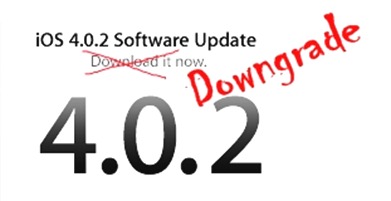
If you have a new iPhone 4 or iPhone 3GS on iOS 4.0.2 you can downgrade it to iOS 4.0.1 without saving SHSH blobs which will allow you to jailbreak and unlock your new iPhone with JailbreakMe.
Today I found something that the iPhone Devs told me “impossible”. I also spoke with iH8Snow, telling me that this sounds impossible. He also mentioned to me and one of my beta testers that this is possible if you allowed Cydia to store your SHSH/Blobs since Cydia will cache your firmware along the way.
Well, I’m pretty sure I proved them wrong.
So the story is that I have possession of clean (never before jailbroken) iDevices, and I managed to downgrade one of them and upgrade one of them to iOS 4.0.
The steps by steps guidelines are given below.
Step 1: Download iOS 4.0.1 ipsw.
Step 2: Extract it with WinRAR or WinZip to a folder on the desktop. You may need to rename the firmware file from .ipsw to .zip to do this.
Step 3: Open the buildmanifest.plist with the Notepad if you are on Windows, or TextWrangler if you are on Mac.
Search and replace all – 8A306 with 8A400. Save. Repeat the same with the file restore.plist.
Step 4: Download iOS 4.0.2 ipsw and open this with WinRAR or WinZip.
Note: Do not extract it. Just open it and leave it open. You must use this exact file and not create a new one. If you have to create a new one for reasons like you are on OS X, then use zip command line not explorer or finder to make the zip.
Step 5: Take all the files from iOS 4.0.1 and drag them over to the iOS 4.0.2 zip archive that you have open.
Step 6: Delete all the .dmg files that have 002 at the end, leaving only the 001 files left.
Step 7: Save the archive, and rename it back to .ipsw if you changed the name to get WinRAR/WinZip to open it.
Step 8: Optional (This helps ensure you get an SHSH file request for the future, but should not be necessary to just restore iOS 4.0.1).
Add the 74.208.10.249 gs.apple.com line to the host file.
Step 9: Put the device in DFU by following the steps below:
* Connect your iPhone to your computer.
* Turn iPhone off.
* Start iTunes.
* Hold Power and Home buttons together for 10 seconds or so.
* Release Power button but keep holding the Home button until your computer recognizes a new USB device.
* iTunes will now recognize your iPhone.
Note: Your iPhone screen at this time should be blank (black in color), if not, then you are most likely in Recovery Mode, not DFU mode.
Step 10: Now simply open iTunes and restore the firmware you changed.
That’s all.
***Update***
I’ve tested it to my own iPhone but it’s not working.
You could always get support from UnlockAlliPhone.com about any Unlock & JailBreak issue of any model of iPhone including iPhone 2G,3G & 3GS and also upcoming iPhone 4. They provide Premium Members Support for life time. Means just pay one time a small fee and you will receive support(real human support – avg response time 2 hour) for all present & future version of iPhone.