How much time your spend for you education? Did you ever try to calculate the costs? And, how would you have measure your progress? Student Time Tracker app can help you. This is a very useful app for the students that helps you track your study time and complete overview of your study. This app is developed by Bitrzr, LDA. This app can be downloaded free from App store for a limited period.
iTunes Link: http://itunes.apple.com/app/student-time-tracker/id389178147?mt=8
Overview:
The more time you spend learning, the better the results.
Track the time spent on your courses, get a complete overview of your study patterns!
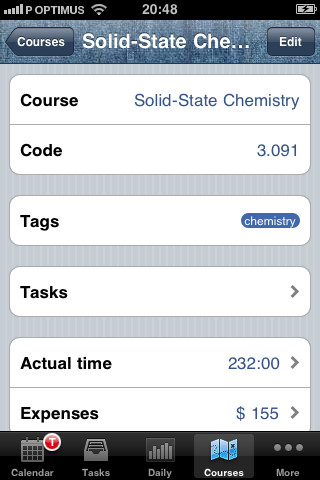
▪ Track the time spent on each course
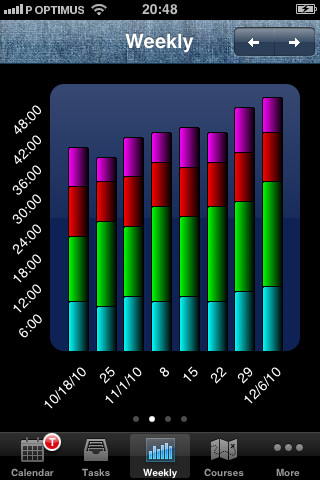
▪ Really see your study patterns on gorgeous charts – by day, week, month, or quarter, grouped by course or tags
▪ Record important events and milestones
▪ Keep track of deadlines and task progress
▪ Track how much money you’re spending on each course’s material
▪ Use Tags to navigate and organize your data, and quickly identify items in lists
▪ Searchable lists – pull down to search
▪ iPad and iPhone optimized interfaces – this app can be used on either device
▪ Export data as CSV or Excel- open it in apps that import CSV, or send it by email or using iTunes File Sharing
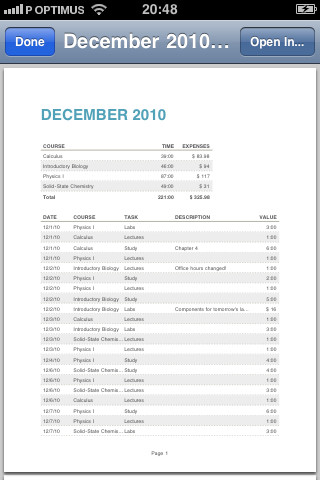
▪ PDF Reports – create great looking PDF reports right on your iPhone or iPad, share them by email
▪ Quick overview of course or task current hours and expenses with rich charts
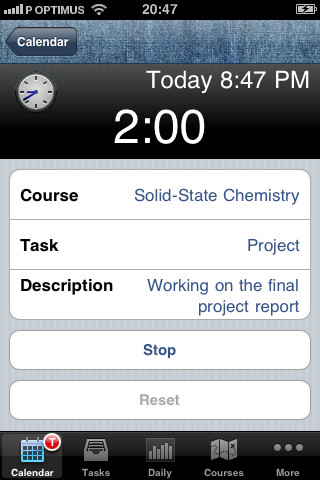
▪ Timer to track your time – the timer keeps running even if you switch to another app
▪ Notifications to fill in your timesheet or when you have overdue tasks!
Our Review:
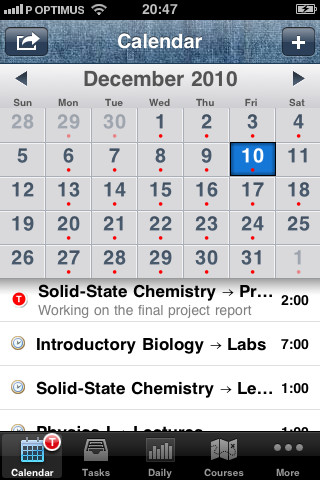
Student Time Tracker is a very nice app that could help students in achieving success. With this app students can track how much time they are spending on each course. In the calendar you can overview your study pattern by day, week, month, or quarter view. So when you are starting a project start count down of deadlines and checkout the task progress so that you can reach your goal on time. You are also allowed to keep track of the amount of money you’re spending on every course’s material. All this task can be tracked in the background while you are accessing another apps.
The sharing features are like you can export your data on CSV, Excel file or PDF Reports. So that you can take a quick overview on the data or send it to your teacher or parent by email or using iTunes File Sharing.
Requirements: Compatible with iPhone 3GS, iPhone 4, iPhone 4S, iPod touch (3rd generation), iPod touch (4th generation) and iPad. Requires iOS 3.0 or later. This app is totally free to download from iTunes.
Current Version: 2.3.2
Size: 5.7 MB
[ttjad keyword=”iphone”]