
The Daily Tracker is an all-in-one health & fitness app that’s enough to keep track of all of your activities related to health. This personal organizer is developed for iOS. And, for all the things it can do, the developers will charge $9.99 only.

iTunes Link: http://itunes.apple.com/us/app/daily-tracker.-omni-cruncher ./id306026134?mt=8
Our Review:
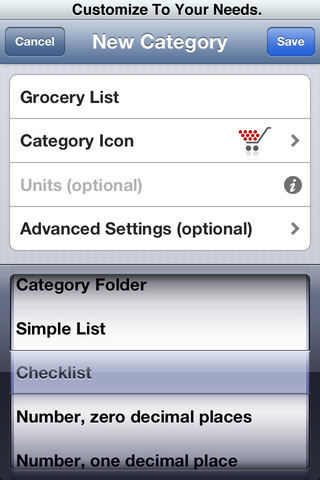
The Daily Tracker is a giant app that can keep track of almost all the things in your life. Specially the health things. This app will allow you to keep track of their workouts, foods, weight, sleep and pretty much anything else you need. This is a highly customized app, so no matter what you need to track you can do with it. For example, you can keep track of your weight through the default profiles. But you want to track how many candies you ate. That’s perfectly okay, because you can customize the app to do so.
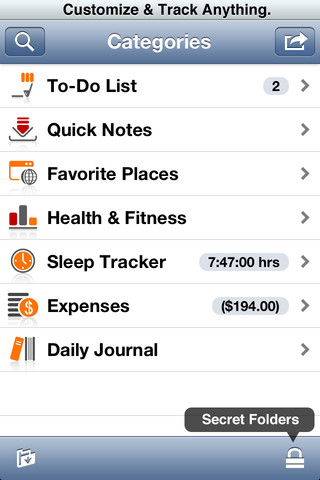
This is an all-in-one personal organizer app. It has To-Do lists, Quick notes, Favorite Places, Health & Fitness, Sleep Tracker, Expenses and daily journal.
To-Do List: With the To-Do List you can track and store events or set meeting reminders.
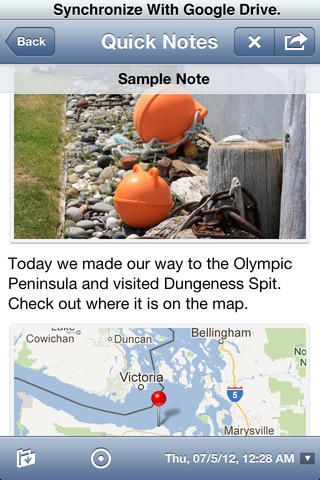
Quick notes: You can manage all of your notes with this app, no need to use another app or maintain a separate list. Every thing is here for taking notes easily and keep your data safe for the future use.
Favourite Places: Track your favorite places from here. You can also add maps.
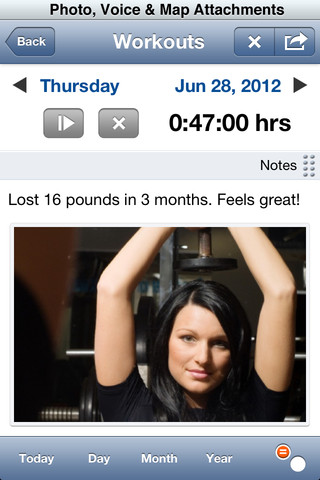
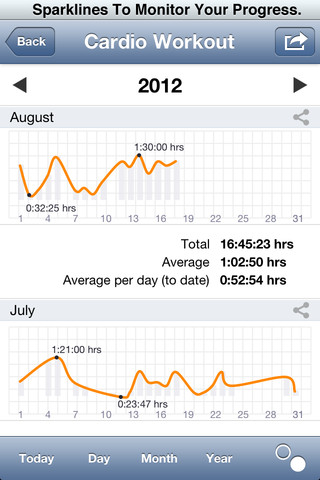
Health & Fitness: The purpose of this The Daily Tracker app is not to teach you to lose weight, but to keep track of your health.
Expenses: No need to go for another app or access another tools. Just put the daily expenses in the same app and finally get the detailed overview at the end of the month.
This is an incredibly powerful daily tracker app. It can even backup the stored data automatically with Google Drive and is fully accessible with Apple VoiceOver in 8 languages.
Requirements: Compatible with iPhone 3GS, iPhone 4, iPhone 4S, iPod touch (3rd generation), iPod touch (4th generation) and iPad. Requires iOS 5.0 or later. This app is totally free to download from iTunes.
Current Version: 6.2.1
Size: 11.2 MB
[ttjad keyword=”ipod-touch”]

![Read more about the article A Short History Of iPhone Photography [Infographic]](https://thetechjournal.com/wp-content/uploads/2012/11/iphone-camera-512x314.jpg)