
WiFi Photo Sender is a wonderful way to share you photos from your iOS device. This photo sharing app is developed by Dion Cho. This premium app was charged $0.99. You can download this app free for a limited time period. Try this smart app. It will make photo sharing easier.

iTunes Link: http://itunes.apple.com/app/wifi-photo-sender/id448314967?mt=8
Overview:
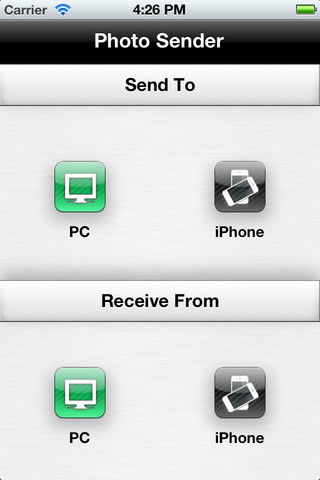
[WiFi Photo Sender] lets you share multiple photos and videos to PC and iPhone/iPad with ease and joy.
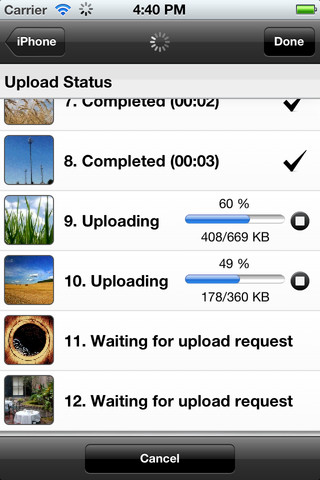
By virtue of it’s efficient memory management and performance, you can even send up to thousands of photos/videos. [Photo Sender] uploads the photos/videos even when you leave the app. The upload is done in background and you’re notified when the upload completes.
In addition, you don’t need any USB cable nor additional PC application to synch your photos between iPhone and PC/iPhone.
[Photo Sender] also preserves EXIF data. Share your photos without any information loss.
1. Choose Photos/Videos
– Choose hundreds of photos/videos just with 2 touches – using long press
– Organize the order of photos/videos
– Delete unwanted photos
– Preview photos/videos – zoom in/out
2. Edit Photos/Videos
– Rotate photos – Rotate left/right
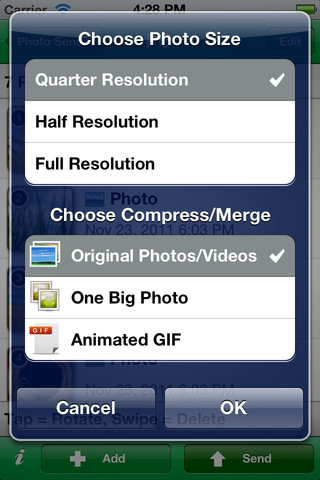
3. Change Photo Size
– 1/4 resolution
– 1/2 resolution
– Full resolution
4. Merge Photos
– Merge multiple photos into one big photo – You can merge photos vertically(skyscraper), horizontally(panorama) and N by N(frame)
– Merge multiple photos into animated GIF
(Animated GIF is uploaded to Twitpic and the link to Twitpic is posted on the Facebook Wall)
5. Share Photos/Videos Between iPhone and PC
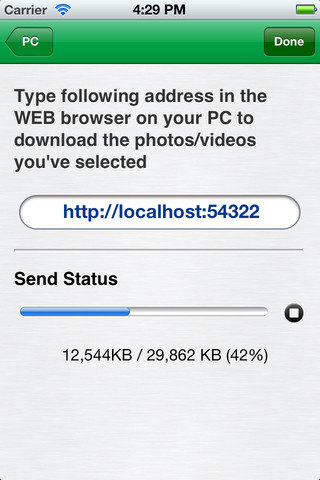
– In your PC, compress multiple photos and videos into ZIP file and upload it to your iPhone using WEB browser. WiFi photo sender automatically decompress the ZIP file save the photos and videos to iPhone Photos Album
– Compress multiple photos into ZIP file to upload it to your PC
6. Share Photos/Videos Between iPhone/iPad and iPhone/iPad
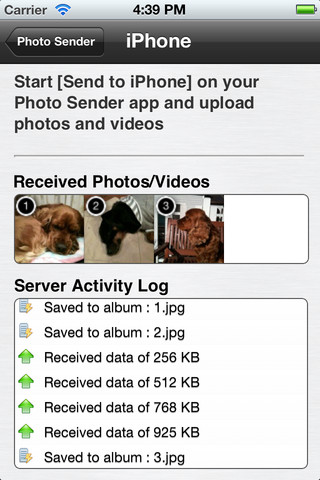
– Choose iPhone from WiFi connected device list – Your iPhone, iPad and PC should be on the same network
– Concurrent uploads of multiple photos and videos, which promises high performance
– Cancel upload anytime you want. You can just cancel or go back.
– Fine control on upload process – cancel and resume each of uploads
Don’t forget to give a try to Photo Sender Lite, which supports full functions of Photo Sender only with some restrictions.
What’s New in Version 3.2
– Bug fix for animated GIF on Internet Explorer
– Remove all temporary files
Our Review:
WiFi Photo Sender reduces the hassle of photo sharing by reducing the number of steps to follow. Now, you can forget about transferring photos from your phone to PC using USB cables. Just select and send photos to your PC and other iOS device over the WiFi. Not just sharing, you can edit your photos before sharing in this app. Rotate your photos in left or right position to adjust or change the photo size or resolution. You can Merge multiple photos into one big photo or put multiple photos into animated GIF format. Users are also allowed to send their photos via web by compressing multiple photos and videos into smaller ZIP files. WiFi Photo Sender app needs 8.2 MB free space on your iOS device. This app is a very useful solution to manage or share your photos with ease.
Requirements: Compatible with iPhone 3GS, iPhone 4, iPhone 4S, iPod touch (3rd generation), iPod touch (4th generation) and iPad. Requires iOS 4.1 or later. This app is totally free to download from iTunes.
Current Version: 3.2
Size: 8.2 MB
[ttjad keyword=”ipod-touch”]

![Read more about the article Download iOS 4.2 beta 3 for iPhone, iPod Touch and iPad[Dev]](https://thetechjournal.com/wp-content/uploads/2010/10/ios-4.2-beta-3.jpg)

Don’t forget to give a try to Photo Sender Lite, which supports full functions of Photo Sender only with some restrictions.
http://www.sell-jewelry-ny.com/