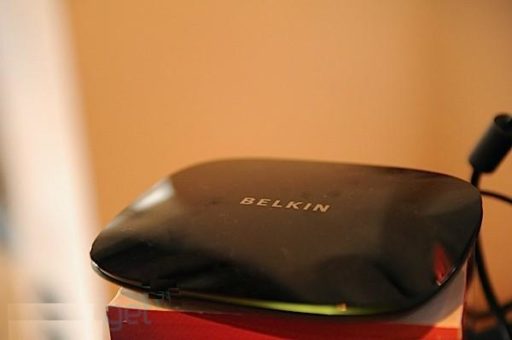
Apple has already released iOS 4.2.1 (8C154) for Apple TV 2G.On the other hand The developer behind NitoTV app for jailbroken 2nd-gen Apple TV has released an unofficial PwnageTool bundle which can jailbreak Apple TV 2G on the latest iOS 4.2.1 firmware with the existing version of PwnageTool.

iOS 4.2.1 jailbreak with Pwnagetool is also tethered. It means you have to connect your Apple TV 2G with PC and use Redsn0w or PwnageBundle to boot it.
Requirement:
# A MicroUSB cable
# iOS 4.2.1 for Apple TV
# PwnageTool 4.1.2
The steps are given below.
Step 1: Download PwnageTool, PwnageTool bundle for Apple TV iOS 4.2.1 firmware and Tetheredboot utility for Mac. Move PwnageTool to OS X’s Applications folder and everything else into a new folder named “tethered” on the desktop.
Step 2: Open Terminal app.
Step 3: Run the following commands (this will fail if you didn’t move this folder to the desktop, PwnageTool almost MUST be in your /Applications folder).
cp -r ~/Desktop/tethered/AppleTV2,1_4.2_8C150.bundle /Applications/PwnageTool.app/Contents/Resources/FirmwareBundles/
cp ~/Desktop/tethered/Info.plist /Applications/PwnageTool.app/Contents/Resources/CustomPackages/CydiaInstallerATV.bundle/Info.plist
Step 4: Run PwnageTool on the 4.2 ipsw (if you don’t know how to do this, again you REALLY shouldn’t be here) saving into the ~/Desktop/tethered folder with the default name PwnageTool gives it (AppleTV2,1_4.2_8C150_Custom_Restore.ipsw)
Step 5: Back in the terminal run the following:
unzip -j ~/Desktop/tethered/AppleTV2,1_4.2_8C150_Custom_Restore.ipsw Firmware/dfu/iBSS.k66ap.RELEASE.dfu kernelcache.release.k66 -d ~/Desktop/tethered/
Step 6: Restore the Apple TV to the ~/Desktop/tethered/AppleTV2,1_4.2.1_8C154_Custom_Restore.ipsw firmware using iTunes. Note: Your Apple TV SHOULD be in DFU mode after finishing up with PwnageTool.
Step 7: Unplug and then replug the USB, after the AppleTV has finished started up (will be blinking steadily), plug in the power cable
Step 8: Run the following commands in terminal:
cd ~/desktop/tethered
./tetheredboot -i iBSS.k66ap.RELEASE.dfu -k kernelcache.release.k66
Step 9: MANUALLY put the AppleTV in DFU (*DO NOT USE PWNAGETOOL*)
DFU Mode:
* Hold Menu for 7 Seconds
* Without releasing menu, press power for 7 seconds
successful output from tetheredboot looks like this:
Initializing libpois0n
No matching processes belonging to you were found
Waiting for device to enter DFU mode
Device must be in DFU mode to continue
opening device 05ac:1227…
Found device in DFU mode
Checking if device is compatible with this jailbreak
Checking the device type
Identified device as AppleTV2,1
Preparing to upload limera1n exploit
Resetting device counters
Sending chunk headers
Sending exploit payload
Sending fake data
libusb:error [darwin_transfer_status] transfer error: timed out
Exploit sent
Reconnecting to device
Waiting 2 seconds for the device to pop up…
opening device 05ac:1227…
Uploading iBSS.k66ap.RELEASE.dfu to device
[==================================================] 100.0%
libusb:error [darwin_reset_device] ResetDevice: device not responding
libusb:error [darwin_close] USBDeviceClose: no connection to an IOService
Waiting 10 seconds for the device to pop up…
opening device 05ac:1281…
Setting to configuration 1
Setting to interface 0:0
Uploading kernelcache.release.k66 to device
[==================================================] 100.0%
libusb:error [darwin_transfer_status] transfer error: device not responding (value = 0xe00002ed)
Step 10:If all went well, unplug USB and plug in HDMI and your AppleTV should be ready to go. You will need to repeat 7-9 every time you restart your AppleTV, this isn’t a convenient process by any stretch!
Step 11: To get nitoTV installed
apt-get install wget
wget -O- http://apt.awkwardtv.org/awkwardtv.pub | apt-key add –
echo “deb http://apt.awkwardtv.org/ stable main” > /etc/apt/sources.list.d/awkwardtv.list
apt-get update
apt-get install com.nito.nitotv
Thanks
Click On Ads To Buy