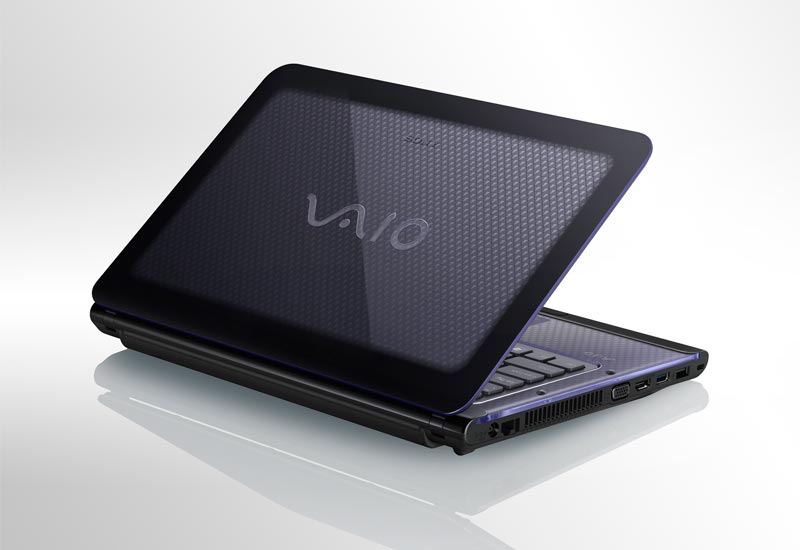
Introducing with Sony’s VAIO VPC-CA22FX/B 14-Inch Laptop. Enjoy smart performance and exceptional picture quality with the Sony VAIO CA2 Series. This laptop is powered by Intel Core i3 processor with 4 GB of memory and a lithium-ion battery that offers up to nine hours of life on a single charge. Intel Wireless Display technology lets you wirelessly share videos, photos, and more on your HDTV. A 14-inch LCD widescreen display combines with Dolby Home Theater v3 surround sound to deliver optimal multimedia experiences. This is an Amazon’s product review. Checkout more details bellow.
|
Features:
- Intel Core processor i3-2310M (2.10GHz) with 4 GB of memory offers powerful performance
- Up to nine hours of battery life on a single charge
- Intel Wireless Display to wirelessly share photos and more on your TV
- 640GB Serial ATA HDD
- 14-inch, LED-backlit widescreen LCD display for greater contrast and efficiency
- Genuine Windows 7 Home Premium 64-bit
- One-year limited warranty
Processor, Memory, and Motherboard
- Hardware Platform: PC
- Processor: 2.1 GHz Intel Core i3
- Number of Processors: 2
- RAM: 4 GB
- RAM Type: SODIMM
- Max RAM: 8 GB
Hard Drive
- Size: 640 GB
- Type: Serial ATA
- Speed: 5400 rpm
Graphics and Display
- Graphics Card: HD Graphics 3000
- Interface: Integrated
- LCD Native Resolution: 1366 x 768
Cases and Expandability
- Size (LWH): 9.26 inches, 13.43 inches, 1.43 inches
- Weight: 7.61 pounds
Power
- Rated Charge (normal use): 9 hours
Intel Core i3 Processor for Smart Performance
The Sony VAIO CA2 Series 14-Inch Laptop packs powerful performance thanks to a 2nd Generation Intel Core i3 processor with 4 GB of system memory. This dual-core processor with four-way multitasking capability has built-in performance headroom for future software upgrades.
The laptop comes equipped with a standard lithium-ion battery that offers up to nine hours of battery life.
Intel Wireless Display
Thanks to Intel Wireless Display technology, you can wirelessly connect the Sony VAIO to your HDTV and share videos, photos, websites, and more with your friends and family. Simply connect an adapter (sold separately) to the TV, follow a few simple steps, and you’re off and running. This feature offers exceptional image clarity of up to 1080p.
Rich Multimedia Experiences
This Sony VAIO laptop sports a 14-inch (1,366-by-768-pixel resolution), LED-backlit widescreen LCD display for improved power efficiency and greater contrast. It also features Dolby Home Theater v3, which offers cinema-style surround sound that’s true to the original source–ideal for listening to music, watching movies, or playing video games.
Robust Wireless Connectivity
The Sony VAIO comes equipped with built-in Wi-Fi, so you can connect easily to your wireless Internet network. It also contains Bluetooth technology for cordless connections to your smartphone and other compatible mobile devices.
In addition, this laptop features Remote Keyboard, which is pre-installed software that lets you wirelessly play online games, surf the web, or enter text on your PlayStation 3 video game console from the laptop.
Windows 7 and Office Starter 2010
The Sony VAIO laptop comes pre-installed with Genuine Microsoft Windows 7 Home Premium as well as Microsoft Office Starter 2010, which includes limited versions of Word and Excel.
Product and Warranty Information
The laptop measures 1.43 by 13.43 by 9.26 inches (H x W x D) and weighs 5.41 pounds including the battery. It has a 640 GB SATA hard drive.
The Sony VAIO CA2 Series 14-Inch Laptop is backed by a one-year limited warranty.
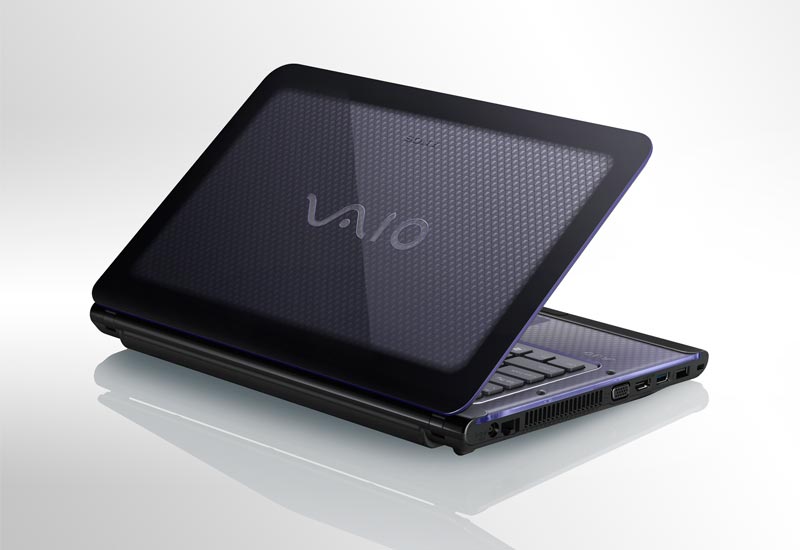
2nd Generation Intel Core i3 processor offers powerful multimedia performance
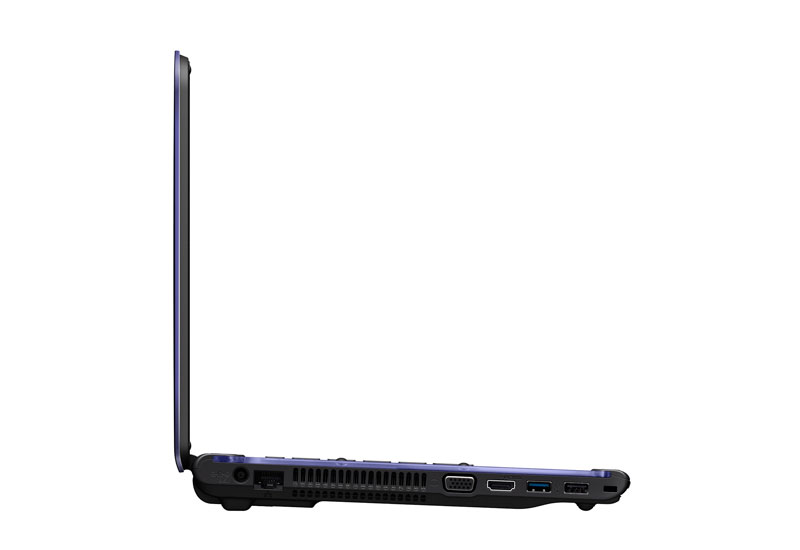
Features Intel Wireless Display technology and multiple ports for versatile connectivity
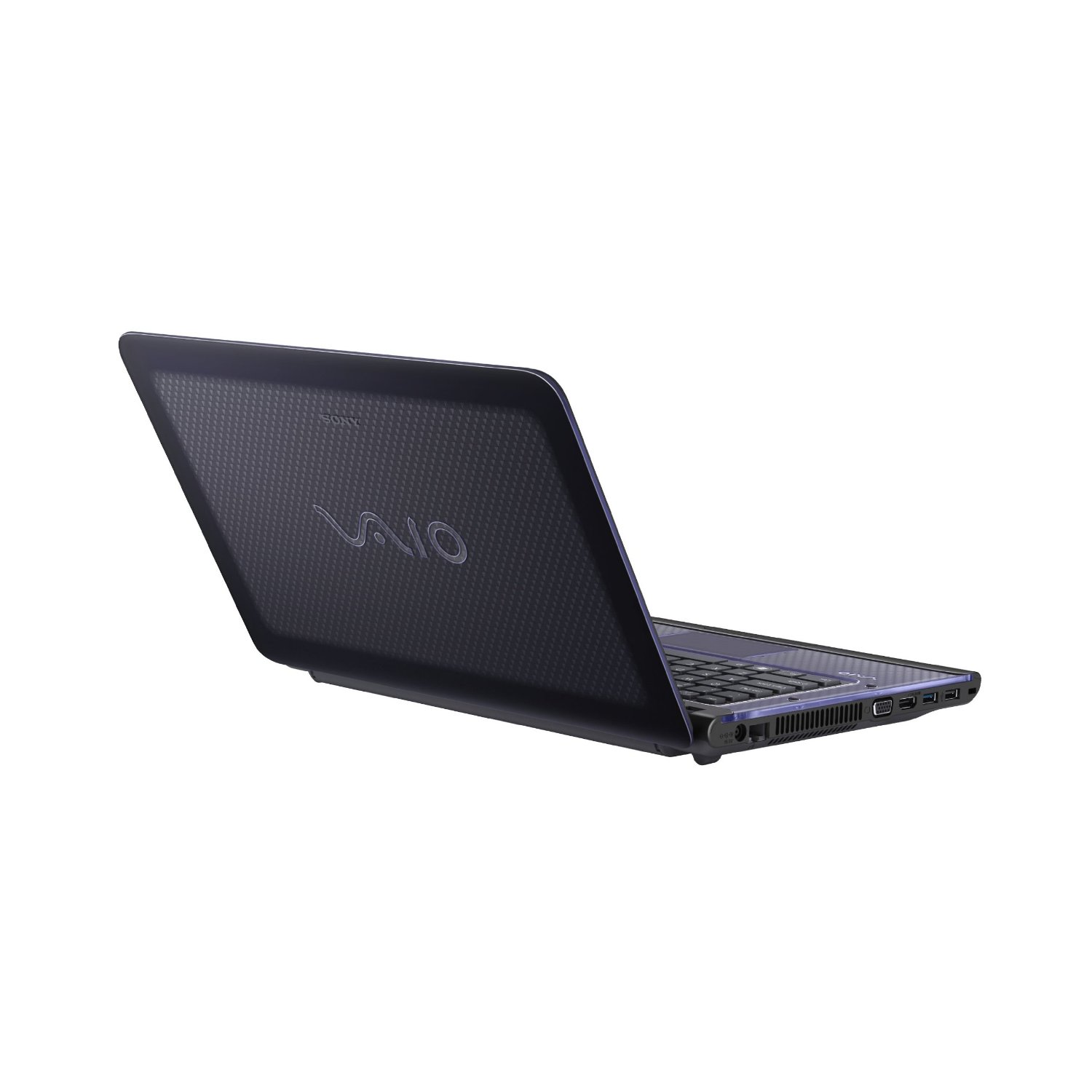
That’s all about the Sony VAIO VPC-CA22FX/B 14-Inch Laptop. This laptop is available in Amazon.com. You can directly order or buy from here.
Source
[ttjad keyword=”laptop-lenovo”]