website statistics

Logitech Tablet Speaker: Hear More, Share More, Enjoy More

This clip-on speaker can deliver better sound than your tablet's speaker and it has a built-in rechargeable battery, includes a protective cover.

When do you use Facebook?

View Results

Loading ... Loading ...
1 Star2 Stars3 Stars4 Stars5 Stars (Rate This)
Loading ... Loading ...

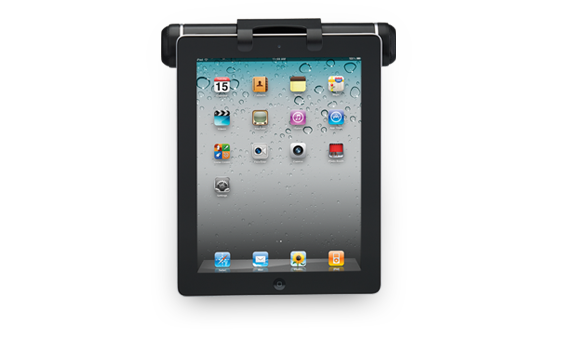
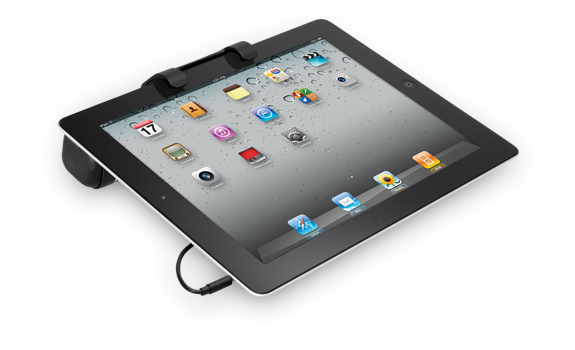
Get more from Logitech that means Hear more. Share more. Enjoy more, yes this is the headline of Logitech tablet speaker’s. This clip-on speaker can deliver better sound than your tablet’s speaker and it has a built-in rechargeable battery, includes a protective cover. It also works with any device that has a 3.5 mm headphone jack, including laptops.
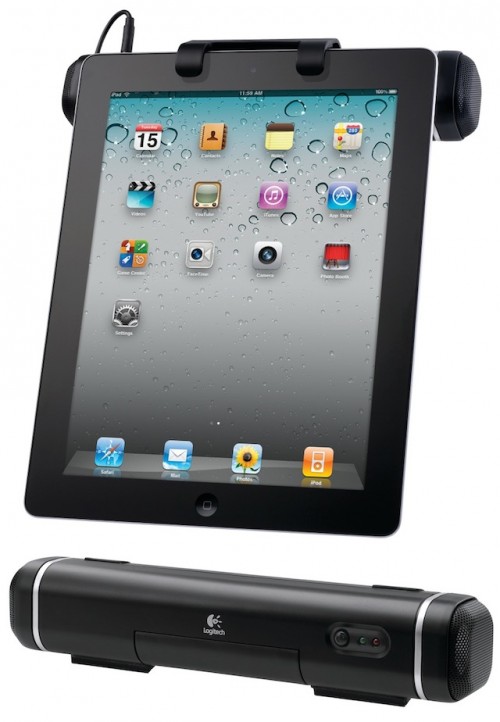
Logitech Tablet Speaker

Features


Clip on, plug in, press play
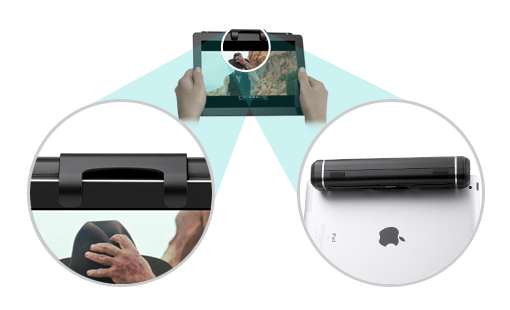
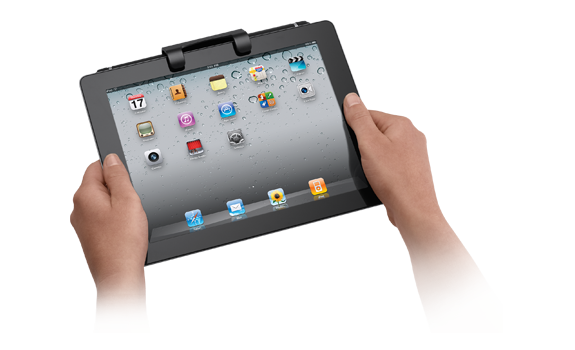
A rubberized clip securely attaches the speaker to your iPad or other tablet. The 3.5 mm audio cable plugs into the headphone jack. And just like that, you’ve got sound that’s worth sharing.

Go long
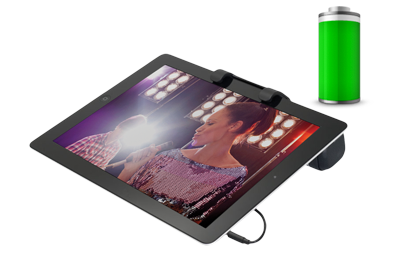
With up to eight hours of battery life, you’ve got time to watch a full-length movie or two, and then some. And the speaker charges over USB, so you never need to worry about replacing batteries.

Take it with you
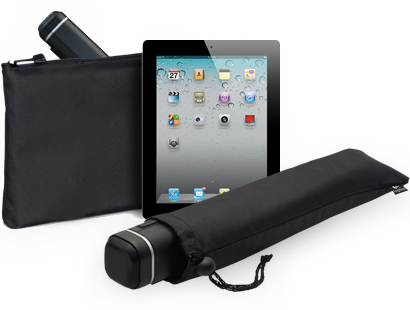
This compact speaker fits easily into the included travel case or your laptop bag. Great sound can go with you—around the house, over to a friend’s or when you travel.

Logitech offers this speaker their own site for $29.99 but you can buy it from Amazon for $27.96

System Requirements

iPad and other tablets with 3.5 mm audio output.

Package Contents

  • Speaker with 3.5 mm cable
  • USB to mini USB charging cable
  • Soft travel case
  • User documentation

This Tablet Speaker also available at PC Connection Express for $26.98

Logitech Tablet Speaker

Source: Logitech

Buy Cheapest Related Product From Amazon.com


Sharp Is Working With Japanese Government On Standard Home Management Control Protocol

[Tips] How To Search Across Multiple Video Services Using Google
You can also press the left/right arrow key on your keyboard to go to previous/next post
  On March 6, 2012(1 year, 2 months ago.)

Recent Search

Recent Tutorials

This tutorial will show how to use S.M.A.R.T. (Self Monitoring Analysis and Reporting Technology) to continuously collect information on health of your equipment.
In this tutorial I'll show you how you can easily protect yourself from any kind of security breaks that may occur through Java.
Today Apple enabled "Two Step Verification" for iCloud And Apple ID. But the process is not that simple. But no worry, here we have made a step by step tutorial.
Cant remember your iPhone passcode? Here I will show you some workaround on what to do and how to recover and restore for every possible scenario.
This tutorial will show you how to perform the Winapp2.ini installation inside CCleaner and how to use it under Windows operating system.
With app called AD Sound Recorder, you can record any stream that passes through your sound card or speakers and in this tutorial I will show you how to do that.
If you want to have Boxee app inside your Apple TV, in this tutorial we will show you how to install XBMC and Boxee using Windows on your Apple TV.
This tutorial will show you how to transfer PS3 Saved Game Files from your PC to your PS3 game console.
Adding videos from external sources such as internet, more specifically from YouTube, is a great solution to enhance a presentation; in this tutorial I will show you the procedure.
If you are one of new comers to Windows Phone 8, like me, in this tutorial I will walk you through the process to update your Windows Phone 8 device.
Close You Have To Login
User:
Pass:
Login With »Login With TwitterLogin With Facebook