
Samsung Mobile Canada Facebook page confirmed a Froyo update for Bell’s Galaxy S and Samsung has revealed details about the procedure of the Android 2.2 upgrade for the GT-I9000 Galaxy S Vibrant……
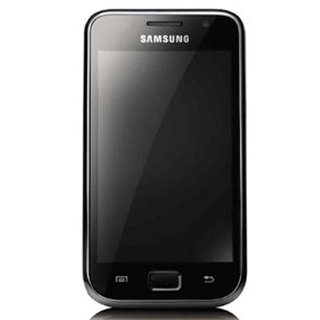
Samsung’s Canadian support site for the Galaxy S line reveals that two Android 2.2 updates are currently available.One upgrade is for Vibrant offered by Bell, Virgin Mobile and SaskTel and another is for the Fascinate as sold be Telus.By this Android 2.2 Froyo Upgrade you can get Adobe Flash Player 10.1 for a better web browsing experience, Faster Performance faster website loading and device navigation and Better for Business with enhanced exchange integration and new security features.
How To Upgrade Android 2.2 Froyo On Samsung Glaxy S Vibrant GT-I9000 :
- At first you have to download Samsung Kies from Samsungapps
- Verify that no previous version of Samsung Kies is installed on PC. If a previous version of Samsung Kies is installed, please remove before proceeding with Kies installation.
- Open Samsung Kies folder on PC desktop and double click Kies icon to install program.
- Once Samsung Kies program is installed, program will launch.
GT-I9000 Galaxy S Vibrant Software Upgrade Procedure:
| 1) | Run Samsung Kies program. |
| 2) | Connect data cable to PC USB port. |
| 3) | Power on device and connect to data cable. |
| 4) | Wait for Samsung Kies to recognize the device. |
 |
|
| 5) | Samsung Kies will display pop-up icon to alert that there is a software update available. Click pop-up icon to begin software upgrade process. |
 |
|
| 6) | If the above software update notification icon does not display, click Firmware upgrade icon. |
 |
|
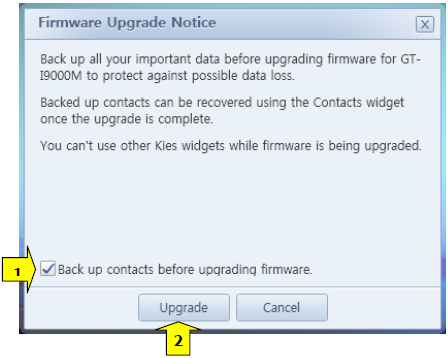
| 7) | To backup your contact data, ensure that the “Back up you contacts before upgrading firmware” box is checked and click “Upgrade”. |
 |
|
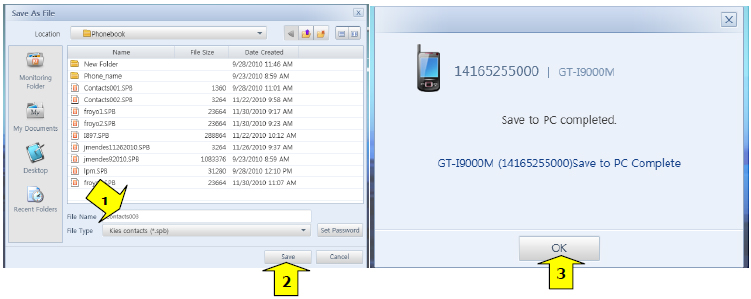
| 8) | Name phonebook file and click “Save”. |
 |
|
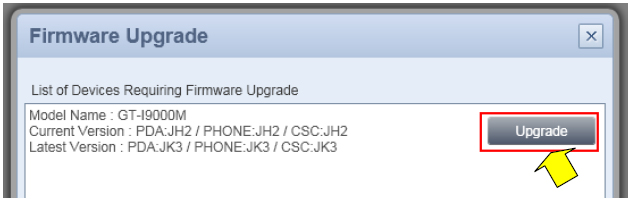
| 9) | If Kies determines that a software upgrade is required/available, the following windows will be displayed. Click “Upgrade”. |
 |
|
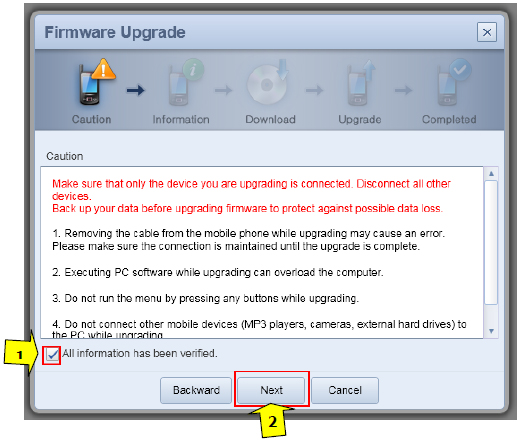
| 10) | Review caution screen and click “All information has been verified” and click “Next”. |
 |
|
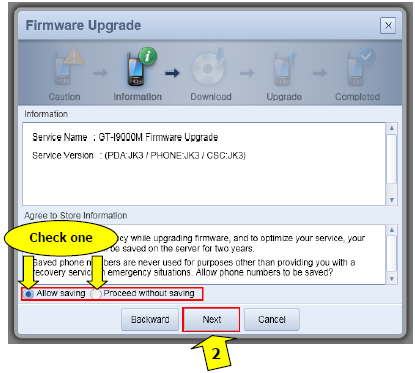
| 11) | To select option to save contacts to Kies server, check “Allow saving” box and click “Next”. To skip option to save contacts to Kies server, check “Proceed without saving” box and click “Next”. This is recommended in case the Firmware update is not successful, phonebook data will not be lost. |
 |
|
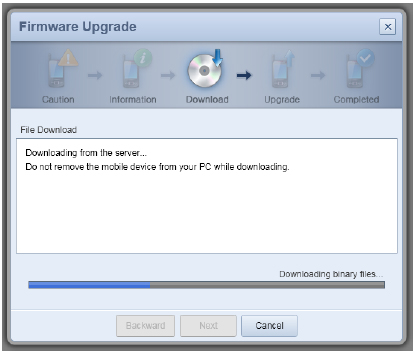
| 12) | Software being downloaded from Kies server. Note this process can up to 60 minutes. |
 |
|
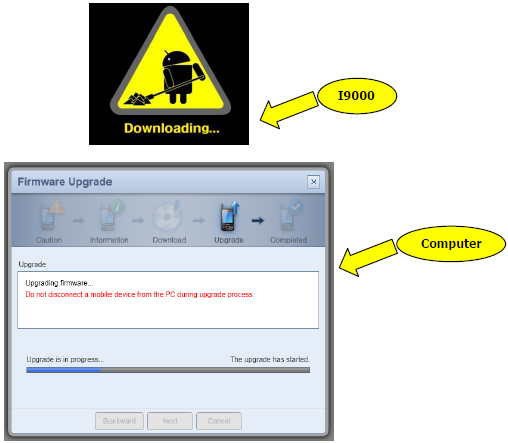
| 13) | Once the software has been downloaded from Kies server, Android 2.2 upgrade will start. |
 |
|
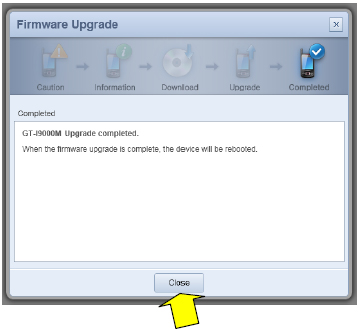
| 14) | After upgrade is complete, device will reboot. Click “Close” to exit Kies. |
 |
Via
Click On Ads To Buy Android Phones
i managed to connect my VIBRANT to Kies software, but on the main page it says that my firmware cannot be upgraded… In the phone info tab it says it runs the android 2.1 update 1 version.
It is an unlocked phone that I am using abroad (not with AT&T).
WHat should I do??
Any help will be highly appreciated!!!