
website statistics

Samsung Shows Practical Uses Of Galaxy S III In Commercials

Samsung has changed its strategy of marketing its new Galaxy device. It has moved on from anti-Apple ads and Galaxy S III ads are all about its features.

When do you use Facebook?

View Results

Loading ... Loading ...
1 Star2 Stars3 Stars4 Stars5 Stars (Rate This)
Loading ... Loading ...

Ever since Samsung launched its flagship line-up of Galaxy smartphones, it has somehow been considered a direct Apple rival. And the company has substantiated this position by often indulging in showing, in its ads, how iPhone devices are no good when compared to Galaxy devices. However, Samsung seems to be changing this strategy now.
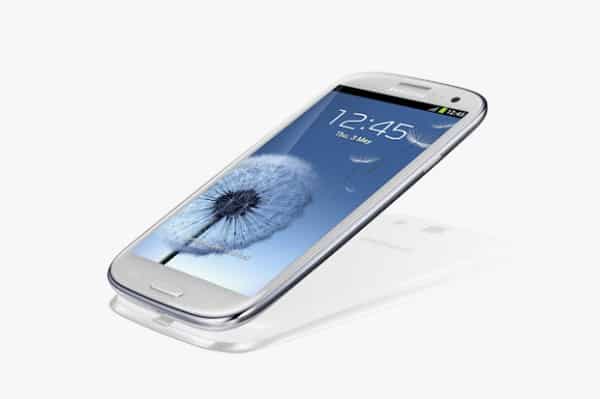

Until Galaxy  S II, in every other ad, Samsung would be found criticizing directly or indirectly, the Apple products. Some ads would mock the features of iPhone while others would take a jibe at the availability issues.

However, it seems that the company has matured over time and with the release of Galaxy S III, it has changed its strategy. Naturally, Galaxy  S III is indeed so awesome that the company wouldn’t need to take cheap jibes at others to get attraction. Rather, the device itself is awesome enough to attract users.

So now, Samsung is try to bring out the useful and practical aspects of different features of Galaxy S III. For instance, the company is mainly focusing the photo-sharing features of the device, trying to show how integration with the social realm makes photo-sharing on Galaxy S III a pleasure. And the ads are quite good in that they do actually bring out the practical aspect of the device, letting the user have something tangible to adhere to.

It’s good that Samsung has moved on from its ‘anti-Apple’ commercials and is taking on a different marketing approach.

Source: Samsung Mobile USA (YouTube)

Courtesy: The Verge

Buy Cheapest Related Product From Amazon.com


Batman’s Cape Is Highly Dangerous According To Physics

Russian Wikipedia Protests Digital Blacklist Bill By Shutting Down For A Day
You can also press the left/right arrow key on your keyboard to go to previous/next post
  On July 10, 2012(10 months, 19 days ago.)

Recent Products

Buy Now | Compare  
Buy Now | Compare  
Compare  

Recent Search

Recent Tutorials

This tutorial will show how to use S.M.A.R.T. (Self Monitoring Analysis and Reporting Technology) to continuously collect information on health of your equipment.
In this tutorial I'll show you how you can easily protect yourself from any kind of security breaks that may occur through Java.
Today Apple enabled "Two Step Verification" for iCloud And Apple ID. But the process is not that simple. But no worry, here we have made a step by step tutorial.
Cant remember your iPhone passcode? Here I will show you some workaround on what to do and how to recover and restore for every possible scenario.
This tutorial will show you how to perform the Winapp2.ini installation inside CCleaner and how to use it under Windows operating system.
With app called AD Sound Recorder, you can record any stream that passes through your sound card or speakers and in this tutorial I will show you how to do that.
If you want to have Boxee app inside your Apple TV, in this tutorial we will show you how to install XBMC and Boxee using Windows on your Apple TV.
This tutorial will show you how to transfer PS3 Saved Game Files from your PC to your PS3 game console.
Adding videos from external sources such as internet, more specifically from YouTube, is a great solution to enhance a presentation; in this tutorial I will show you the procedure.
If you are one of new comers to Windows Phone 8, like me, in this tutorial I will walk you through the process to update your Windows Phone 8 device.
Close You Have To Login
User:
Pass:
Login With »Login With TwitterLogin With Facebook