
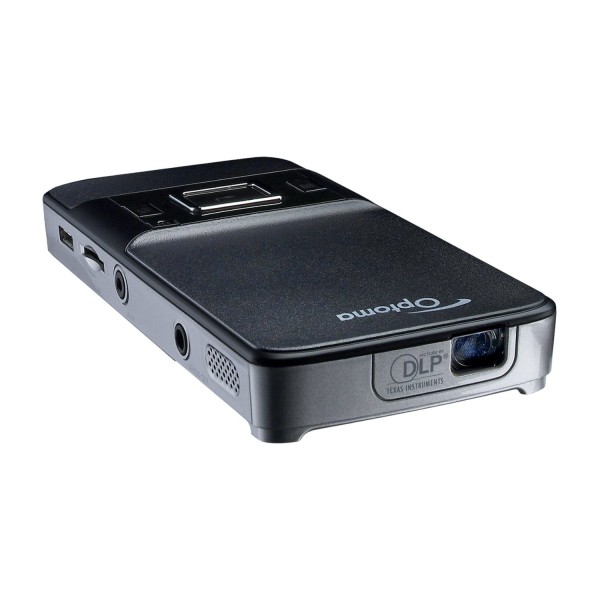
Optoma bring PK201 Pico Pocket Projector. Palm-Sized Versatile Performer – Optoma’s PK201 Pico pocket projector takes on-the-go projection to the next level. Ideal for mobile business presentations or sharing entertainment with friends, the palm-sized PK201 performs powerfully with 20 ANSI lumens and 16:9 WVGA widescreen resolution. The mini HDMI port provides carefree connectivity to your favorite device.This is an Amazon’s product review. Checkout more detail bellow.
|
Product Features:
- MicroSD card slot allows for memory expansion up to 16 GB
- Project large widescreen images of up to 66 inches diagonal
- LED light source lasts over 20,000 hours while producing excellent color
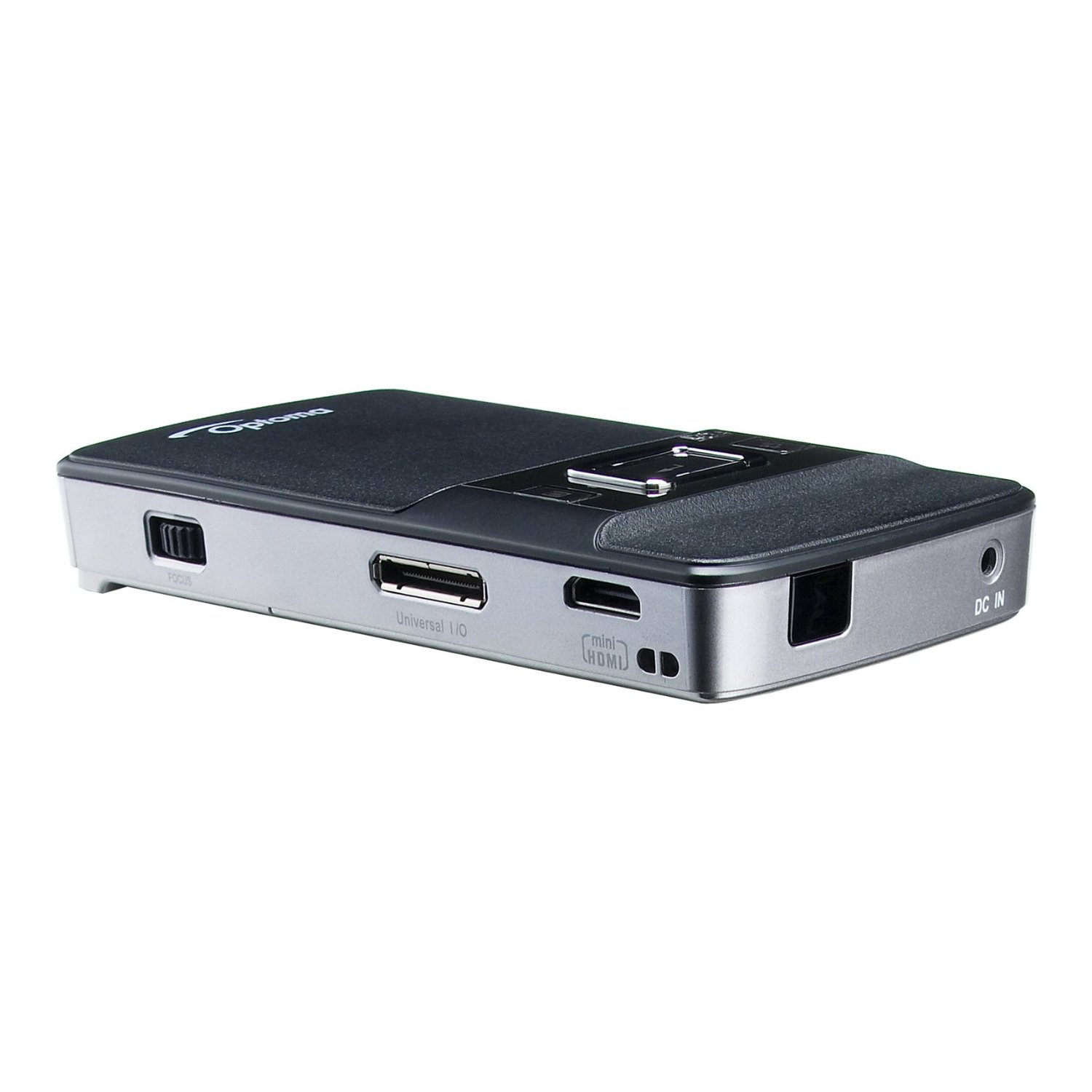
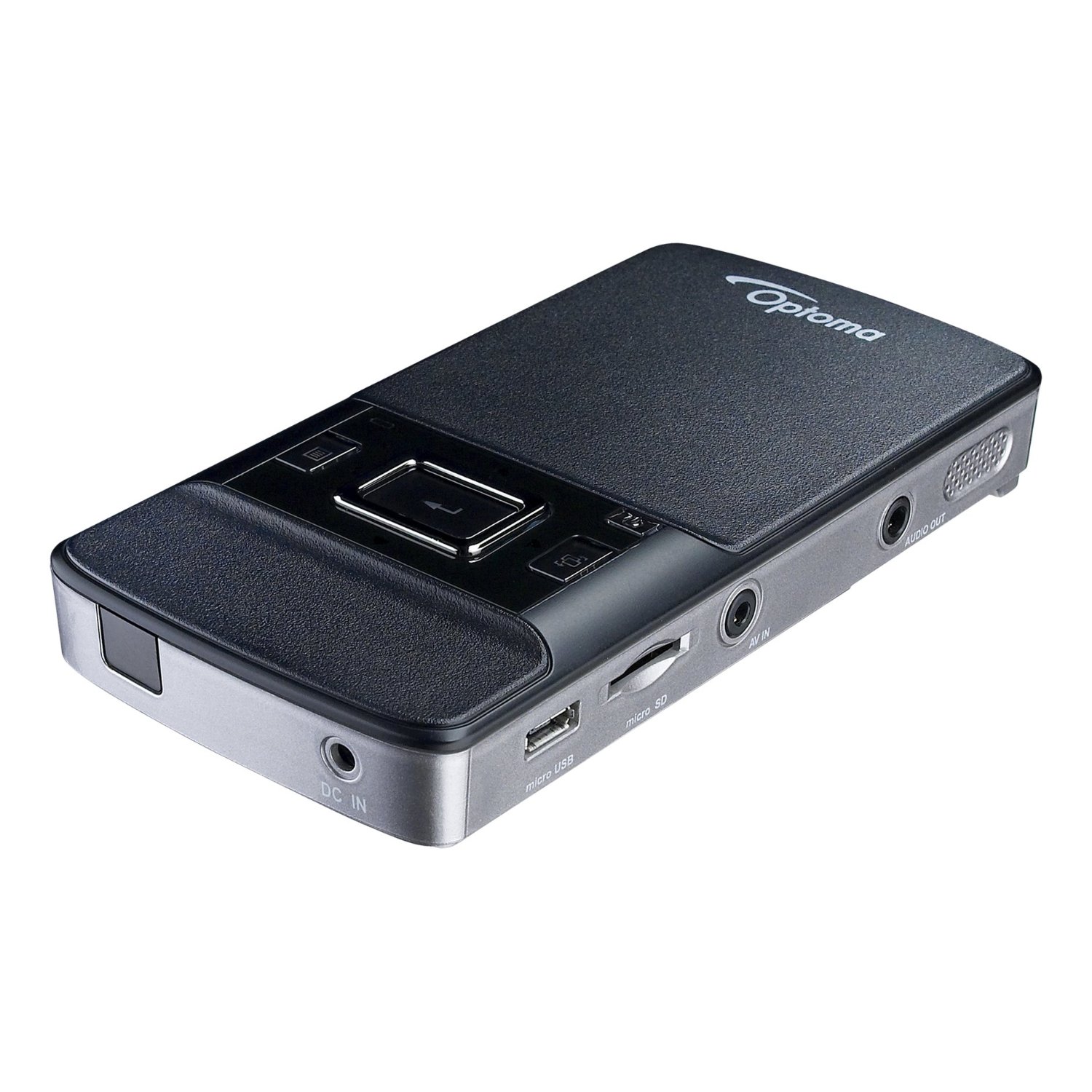
- Full assortment of I/O ports, including USB, VGA, HDMI and video, allow for easy connection to most analog or digital devices
- Female USB adapter – project images and videos from USB flash drives, Component video for higher quality video and gaming
Technical Details:
- Brand Name: Optoma
- Model: PK201
- Hardware Platform: PC
- Width: 6.1 centimeters
- Depth: 11.2 centimeters
- Height: 1.7 centimeters
- Weight: 1.50 pounds
Specifications:
| Projector Type | DLP® | Computer Compatibility | WXGA, XGA, SVGA, VGA, VESA, PC and Macintosh Compatible with included VGA adapter |
| Resolution | Native WVGA (854 x 480) | Video Input Compatibility | NTSC, PAL, SDTV (480i), EDTV (480p), HDTV (720p, 1080i) |
| Maximum Resolution | WXGA (1280 x 800) through VGA adapter; HD (1080i) through HDMI | Memory | 28 MB internal; microSD slot supports up to 16 GB SDHC |
| Brightness (Typical) | 20 ANSI lumens Bright mode | Video File Compatibility | AVI, MOV, MP4, 3GP (Common video formats are converted using Optoma Pico Video Encoder*) |
| Contrast Ratio | 2000:1 (Full On/Full Off) | Image File Compatibility | JPEG, BMP (PowerPoint files are converted using Optoma Pico Video Encoder*) |
| Light Source | LED (RGB); Estimated life of over 20,000 hours | Audio File Compatilbilty | AAC, MP3, PCM, ADPCM, WMA, OGG |
| Throw Ratio | 2.2:1 (Distance/Width) | I/O Connectors | 24-pin Universal Port, 2.5mm jack AV Input (Composite Video and Stereo Audio-In), Micro USB, Mini HDMI, microSD socket, 3.5 mm Audio-Out jack, DC Input jack |
| Projection Distance Image Size (Diagonal) |
10″; to 126″; 5″ to 66″; (16:9 native) |
Weight | 5.6 oz (159g) with battery |
| Aspect Ratio | 16:9 native; 4:3 compatible | Dimensions (W x H x D) | 2.4″; x 0.7″; x 4.6″; (60.6 x 16.6 x 117.7mm) |
| Battery | Li-ion Rechargeable (3.7V, 1410mAh) | Noise Level | Silent (No fans or moving parts) |
| Battery Life | Up to 1 hour | Warranty | 1 Year Limited Parts and Labor, 90 Days on Battery |
| Displayable Colors | 100% NTSC Color Gamut | Standard Accessories | Power Adapter, Rechargeable Li-ion Battery, Male USB Cable, Standard A/V Cable (RCA to Mini-Jack), Universal to VGA Cable, Bag |
| Audio | One 0.5-Watt Speaker, Headphone-Out | Optional Accessories | iPod Kit with A/V Connector, Universal to Component Cable, Universal to Female USB Cable, Additional Standard Battery, Mini HDMI to HDMI Cable |
Connects to:
* iPod, iPhone & iTouch with included bundled connection kit.
* Camcorders, DV-Cams and Digital Cameras enabled with standard composite AV Out with included composite cable
* DVD Players and other video players enable with standard composite AV Out with included composite cable.
That’s all about the Optoma PK201. This Pocket Projector is available in Amazon.com. You can directly order or Buy form here.
Source

I plugged it into my Mac (OS 10.6), and I thought it would automatically work as a separate monitor, but it doesn’t. I’m connecting via the USB connection. Do I need to get a mini-hdmi connector? When I plug it in, the PK201 settings screen on the projector goes blank.
Thanks for any thoughts.