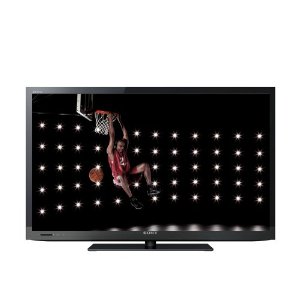
Introducing with the Sony’s BRAVIA KDL BX420 46-Inch 1080p LCD HDTV. Sony’s BX420 series offers full HD resolution in affordable, smaller-class display sizes. Featuring 1080p HD resolution, five HD inputs, a USB port for your digital media, and Sony technologies for a great picture no matter the environment, the 46-inch KDL-46BX420 is perfect for apartments, dormitories, those seeking a second HDTV, and more. This is an Amazon’s product review. Checkout more details bellow.
|
Product Features
- 46-inch LCD panel with full HD 1080p resolution (1920 x 1080 pixels)
- Five separate HD inputs (two HDMI, two HD component, one PC)
- USB port for enjoying photos or MP3s from your USB devices
- Light Sensor adjusts picture brightness based on ambient light
- Get the best picture with preconfigured picture and audio settings
Technical Details
- Brand Name: Sony
- Model: KDL46BX420
- Display Technology: led-lit
- Display Size: 46 inches
- Image Aspect Ratio: 16:9
- Weight: 52.90 pounds
- Speaker Count: 2
- Resolution: 1920 x 1080
- Refresh Rate: 60 Hz
HD for Any Room
Full HD 1080p Resolution
Experience amazing Full HD 1080p picture quality, the highest at-home resolution. Take full advantage of HD sources like Blu-ray Disc Players, Xbox or PlayStation 3 gaming consoles, and more via the 16:9 widescreen panel (1920 x 1080 native pixel resolution).
Five HD Inputs
Get versatile HD connection options with five separate HD inputs, including two HDMI inputs for high-def video and sound in one cable, two HD component inputs for added HD-capable connectivity, and a PC input (HD-15 pin) that lets you use your HDTV as a computer monitor.
USB Input
A handy USB port lets you share your photos on the big screen, or even listen to your favorite music. Simply connect your digital camera, USB-enabled MP3 player, or USB storage device, and you’re good to go.
Scene Select
Easily manage your settings for the best HDTV experience with Scene Select. Choose from five different packages each with preconfigured picture and audio settings, including Sports, Photo, Game, Cinema and Music.
BRAVIA Sync Compatible
If you’ve got other Sony devices in your home theater setup this will come in handy. Conveniently operate and control other BRAVIA Sync compatible devices–including BRAVIA HDTVs, Blu-ray Disc Players, surround sound systems, Handycam camcorders, and Cyber-shot digital still cameras–all with one remote control.
LightSensor Technology
Enjoy customized picture brightness and save energy without lifting a finger. The built-in Light Sensor automatically adjusts the picture brightness based on the amount of light in the room. Get the best picture day or night, without any manual adjustments.
24p True Cinema
24p True Cinema mode provides a direct connection to 24p video sources, avoiding conversions and allowing users to enjoy films at their intended 24 fps (frames per second) cinematic picture quality when using a 24p-capable output device, such as a Blu-ray Disc player or Sony PLAYSTATION3 entertainment system.
KDL-40BX420 Select Specifications
| Video | |
|---|---|
| Screen Size (Diagonal): | 46 Inches |
| Display Type: | LCD |
| Backlight Type: | CCFL |
| Resolution: | Full HD 1080p |
| Panel Frequency: | 60Hz |
| Tuner: | Clear QAM/ATSC/NTSC |
| Inputs | |
| HDMI: | 2 (Rear) |
| Component Video (Y/PB/PR): | 1 (Rear) |
| Composite Video: | 2 (1 Side/1 Rear) |
| USB 2.0 Ports: | 1 (Side) |
| RF Connection: | 1 (Rear) |
| Analog Audio Input: | 3 (1 Side/ 2 Rear) |
| PC Input: | DSub 1(Side), Mini 1(Rear) |
| Outputs | |
| Digital Audio Output: | 1 (Rear) |
| Analog Audio Output: | 1 (Rear) |
| Weight and Dimensions | |
| Dimensions (WxHxD): | 44 1/8 x 26 5/8 x 3 7/8 Inches (44 1/8 x 27 7/8 x 11 5/8 Inches With Stand) |
| Weight: | 39.0 lbs. (44.3 lbs. with stand) |
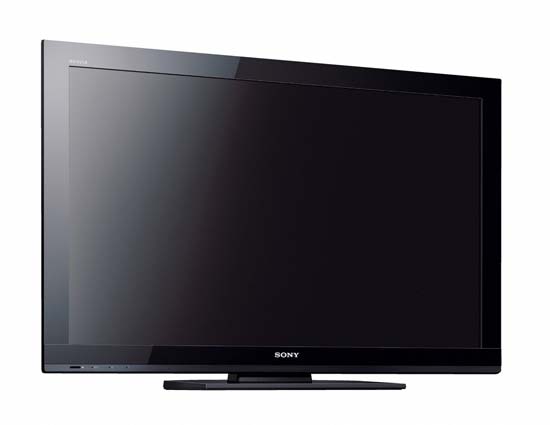
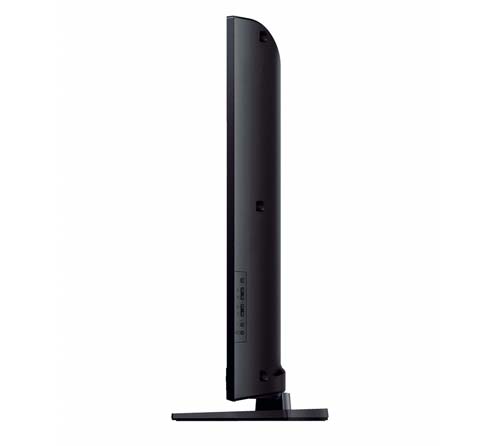
That’s all about the Sony BRAVIA KDL BX420 46-Inch 1080p LCD HDTV. This LCD HDTV is available in Amazon.com. You can directly order or buy from here.
Source
[ttjad keyword=”hdtv”]