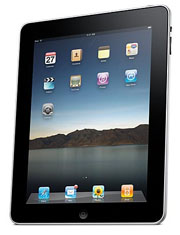
A new survey by ComScore tried to figure out what uses customers would put the iPad to the most, and found the most customer enthusiasm for browsing the Web and checking e-mail. Surprisingly, buying apps from Apple’s App Store and playing intense video games were found to be among the least popular potential uses.
However, before we read too deeply into the findings, a bit of debunking is in order. First of all, the survey wasn’t limited to people who pre-ordered the iPad. Instead, ComScore’s 2,176 survey participants are defined as “Internet users,” a term that isn’t clearly defined in a press release on the results.
In any case, it’s not a huge shock that 50 percent of Internet users would probably access the Internet on the iPad and 48 percent would check e-mail. Actually, I’d expect the number to be higher.
What Do iPad Users Want? Survey Tries to GuessThat brings me to another point about the survey. You can’t take the actual numbers as a face-value reading of how people would use the iPad, because if you did, most of the tablet’s features would go unused by the majority of people. For example, 34 percent said they were “likely” or “very likely” to read a newspaper or magazine, 38 percent said they would listen to music, 35 percent said they would store and view photos and 37 percent said they are likely to read books on the iPad.
I can see what probably happened here. Of the 2,176 people ComScore surveyed, some respondents weren’t interested in the iPad at all. Those respondents might say that none of the iPad’s features appeal to them, hence their lack of interest in the product to begin with. This drives all the percentages down.
That’s not to say ComScore’s survey, which includes some general findings on e-readers as well, doesn’t have some great information. Here are a few of the most interesting findings: 43 percent of people said multitasking was one of their most desired (and non-existent) iPad features; 68 percent of respondents ages 25 to 34 said they would pay for news and magazines specially formatted for e-readers; and 49 percent of respondents felt good about the name “iPad,” compared to 24 percent who didn’t like it.
As a general barometer of how people feel about e-readers, the iPad and its features, the ComScore survey works, but I wouldn’t consider it a profile of how actual iPad owners will use their tablets.