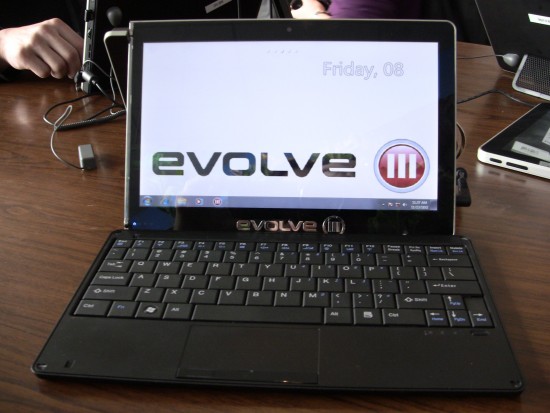
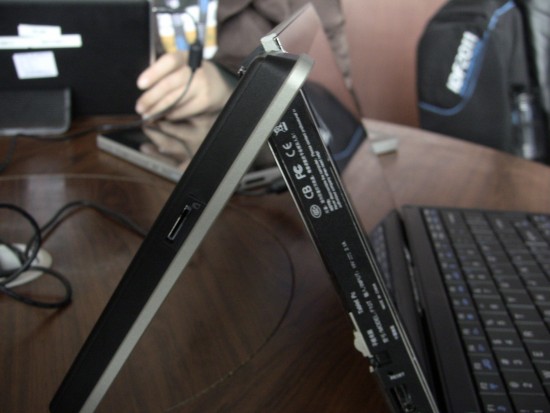
Evolve Three have taken the usual approach of building a laptop with a swiveling display and turned it on its head, company’s Maestro C tablet instead features a removable wireless keyboard a kick stand that folds out to reveal USB ports, audio jacks and other features while propping up the tablet for use in notebook or rather, desktop mode.Evolve Three Maestro C tablet supports triple-boot , which lets you choose between boot three operating systems : Windows 7, Maemo and Android……………
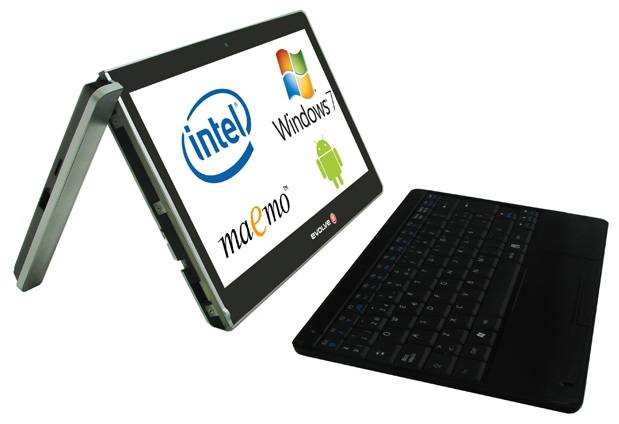
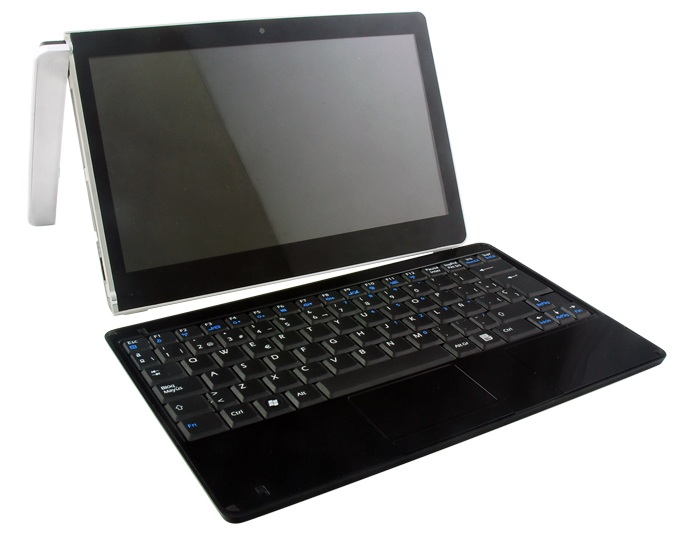
Choice affects any given tech market as a whole but little choices or options as they are often called have their own effects that are important in their own right. For example the choice or option to have a varying group of operating systems being compatible with your computing device is a meaningful feature for a growing number of buyers.Evolve Three of Australia is gearing up to launch a new tablet computer that offers buyers the option of running the device on either Android, Windows (Windows 7 comes pre-installed) operating systems. The Evolve Three Maestro C is the name of the tablet.For the Maestro C the folks at Evolve Three have gone with the new versatile Intel Atom Z670 1.5GHz processor. The Z670 is from the new Atom Z6xx series of Intel Atom Oak Trail range of embedded systems processors. Intel has already outlined the features for the Z670 and one feature the CPU offers is the ability to run a multitude of operating systems (Android, Chrome OS, Windows and Maemo).Other than the Intel Atom Z670 processor the Maestro C also offers a unique design. You see the tablet has an optional wireless Bluetooth keyboard (specific to the tablet) and the left side of the tablet can be adjusted for use as a stand.The wireless keyboard itself is quite thin and portable, but it still offers full QWERTY key support and a touchpad.And the really cool part about the keyboard using magnets can double as the screen cover. FYI the keyboard/cover when situated on the tablet puts it in hibernation/sleep mode.Some other major features being included with the Maestro C that you need to know about follow. The tablet has a 10.1-inch WSVGA (1024×600) capacitive touch widescreen (16:9) LCD, 2GB of DDR2 RAM, 32GB 1.8″ SSD (Optional 64GB), Bluetooth 2.1, Wi-Fi 802.11b/g/n, optional 3G (GPS and A-GPS include.), 1.3MP webcam, 2x USB 2.0, 1x HDMI, Micro SD Slot (support up to 32GB) and 10+ Hours Running Time (Windows 7) or 16+ Hours Running Time (Android) from the 6 Cell Li-polymer battery.According to Evolve Three the 10.1-inch Maestro C will come to the US in June with a starting price of $729. The tablet for Australian residents will start at $825 AUD.

[ttjad keyword=”android-device”]
![Read more about the article Conan Makes Fun Of Kindle Fire [Video]](https://thetechjournal.com/wp-content/uploads/2011/12/Conan-512x278.jpg)