Piano Notes Pro is nice premium app developed by Shinning Code. A very helpful app for those who wants to learn how to play Piano. One of the best learning apps by this you can learn your self. This app was cost $2.99 which is totally FREE to download from iTunes store. Don’t miss it!
iTunes Link: http://itunes.apple.com/app/piano-notes-pro/id374011376?mt=8
Our Review:
This is a medium sized app so can run in any iOS device. A wonderful learning app with a lot features. I have tried this app in my iPhone. Wonderful app to train and learn the notes and their names and where to find them on the piano. Very interesting app for learning Piano students. A piano teacher who need a trainer app to help you in teaching classes, Piano Notes Pro is definitely what you need. And so simple to play and learning process and nice graphics user interface. Checkout the developers features bellow for more.
With a wide range of level control, Piano Notes Pro is not only an interesting game for experienced piano players, but is also a great tutor for beginners. It certainly can help you learn and practice music notes effectively on your iPad.
Piano Notes Pro is widely used and recommended by many piano teachers. It is the only professional choice for iPad!
FEATURES:
– MIDI Input: Supports MIDI keyboard input with CoreMIDI (via Apple Camera Connection Kit).
– Large Note Range: Covers 5 octaves, from G0 to F5.
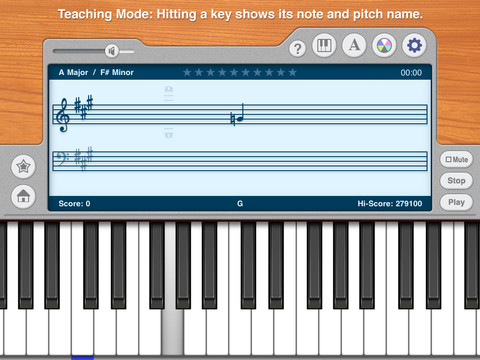
– Teaching Mode: Hitting a key shows its note and pitch name.
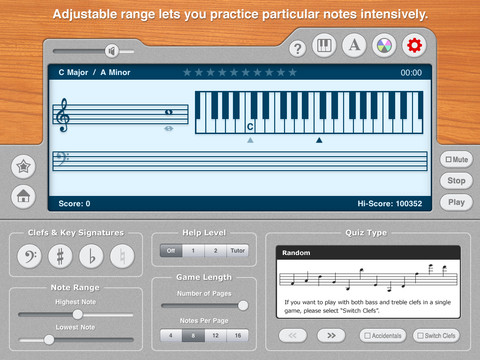
– Range Selection: Adjustable range lets you practice particular notes intensively.
– Multiple Quiz Types: 4 quiz types including Random, Ascending, Descending and Chords let you practice your skill in different ways.
– All Key Signatures: 15 key signatures for treble clef and bass clef respectively.
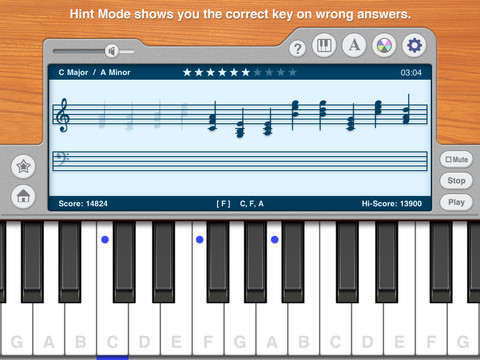
– Help Modes: 3 help modes, including a Tutor mode for beginners.
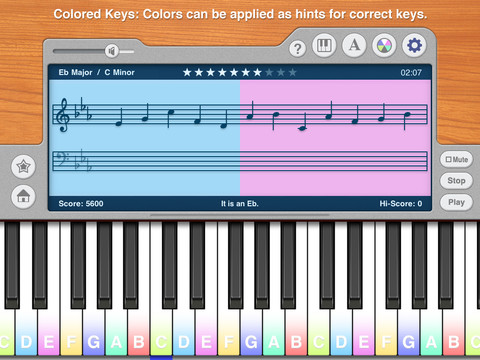
– Colored Keys: While practicing, colors can be applied as hints for correct keys. This is especially helpful for beginners and kids.
– Pitch Name Labels: Each white key can has its pitch name marked on it.
– Multiple Notes: Unlike other similar apps showing only one note at a time, Piano Notes Pro shows multiple notes simultaneously. This is very important for improving your reading speed.
– Game Length Control: Each game quizzes you with up to 10 pages of notes. Both number of notes and number of pages are adjustable.
– Hi-Score Records: 30 records keep your highest scores of all treble and bass scales separately.
– Gorgeous Sound: High-quality, real and beautiful piano sound.
– Keyboard Size Control: You can adjust the keyboard size to fit your need. Three different sizes are available.
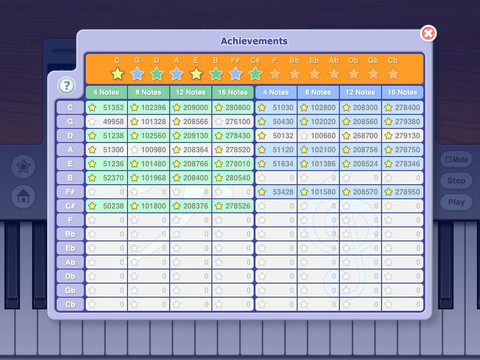
– Achievemets: Improve your skill with more fun by gaining achievements. Your scores of all scales are listed clearly in a table.
– Multiple User Profiles: With a maximum of 20 user profiles, you can share this app with your friends or family members. This feature is also very helpful for piano teachers to keep track of students’ progress.
IMPORTANT NOTICE
If Piano Notes Pro won’t open, please restart you iPad.
Requirements: Compatible with iPad.Requires iOS 4.2 or later. This app is totally free to download from iTunes.
Current Version: 1.3.8
Size: 39.5 MB
[ttjad keyword=”ipad”]