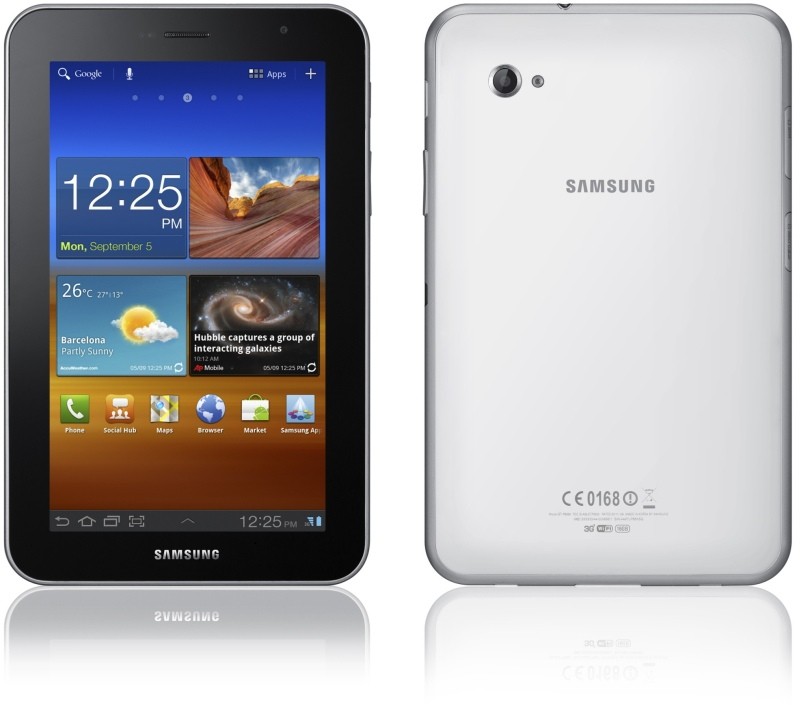
Samsung has just unveiled a rather unexpected addition to its fleet of tablets with the Galaxy Tab 7.0 Plus, which available in both 16GB and 32GB varieties, this new slate is fueled by a 1.2GHz dual-core CPU, runs Android 3.2 Honeycomb and features a seven-inch LCD with 1024 x 600 resolution. It also packs a two megapixel front-facing camera, along with a three megapixel shooter that supports 720p video and boasts 1GB of RAM with Sammy’s TouchWiz UI baked-in. Samsung Galaxy Tab 7.0 Plus will be available in Indonesia and Austria from end-October with worldwide availability, no pricing info has been revealed so far…………………
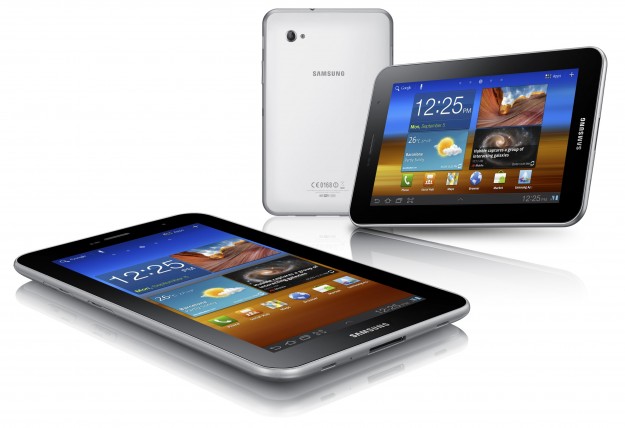
Samsung Electronics Co. Ltd, leading mobile device provider announced the launch of the GALAXY Tab 7.0 Plus. Offering a portable, rich multimedia experience on a 7-inch display, the GALAXY Tab 7.0 Plus packs power and productivity into a chic lightweight design. The GALAXY Tab 7.0 Plus runs Google Android Honeycomb, enabling an easy and intuitive user experience. “Samsung pioneered the seven-inch tablet market with the launch of the GALAXY Tab, marking an innovation milestone in the mobile industry. Building on the success of the GALAXY Tab, we’re now delighted to introduce the GALAXY Tab 7.0 Plus reloaded with enhanced portability, productivity and a richer multimedia experience” said JK Shin, President and Head of Samsung’s Mobile Communications Business. He added “GALAXY Tab 7.0 Plus is for those who want to stay productive and in touch with work, friends and content anytime, anywhere.” With 7-inch display, GALAXY Tab 7.0 Plus provides enhanced portability, weighing just 345g and measuring at just 9.96mm thin. Enhanced portability ensures that it fits easily into an inside-jacket pocket or a handbag, making it an ideal device for those who need to stay productive and entertained while on-the-move. GALAXY Tab 7.0 Plus delivers a smooth and intuitive user experience with powerful performance powered by 1.2GHz dual core processor. Mini Apps allows seamless multitasking by consolidating 7 applications easily accessed from a bottom-side tray on main screen. Users can launch favorite features such as music player or calendar as pop-ups over full screen applications. Not only that, users can design an individualized up-to-the-minute interface through Live Panel.
Web browsing is also enhanced by Adobe Flash and super-fast HSPA+ connectivity, providing download speeds up to three times faster than a conventional HSPA connection. On top of that Wi-Fi Channel Bonding bonds two channels into one for improved network connection and data transfer at up to twice the speed. Furthermore, the GALAXY Tab 7.0 Plus offers voice and video call support, with no need for a headset. Users can see friends and family from anywhere in the world in high quality thanks to the device’s larger screen. Full HD videos can be enjoyed on the 7-inch WSVGA PLS display, with DivX & multi codec support ensuring the device is capable of supporting a variety of different formats. An improved virtual clipboard, which stores text and images enabling easy copy and paste, further adds to these capabilities. Additionally, the GALAXY Tab 7.0 Plus features Social Hub, Readers Hub and Music Hub services. Social Hub aggregates the user’s contacts, calendar and email along with instant messaging and social networking connections all within one easy-to-use interface. Readers Hub provides e-reading content such as e-books, newspapers and magazines. Music Hub enables access to over 13 million songs even when out and about. GALAXY Tab 7.0 Plus will be available starting in Indonesia and Austria from end-October and gradually rolled to globally including Southeast and Southwest Asia, US, Europe, CIS, Latin America, Middle East, Africa, Japan and China.
[ttjad keyword=”samsung-galaxy-tab”]