Toshiba Brings Libretto W100 Dual-Screen Tablet and now it’s available for US….

The Toshiba Libretto W100 dual-screen tablet laptop is now available for the price of $1,099. Now whether it’s worth it’s price would be up to the individual but the demo video does make a strong case for it being a good buy. If you have seen the now dead Microsoft Courier and liked it you’ll like the Libretto because it works just like the Courier, with a different looking UI of course.
If you haven’t done so already, you should probably go check out our own hands-on time with the Toshiba manufactured tablet. If anything, it will let you know whether or not you should even be excited about something like this. As for the device itself, you’ll be looking at two 7-inch, 1024×688 multitouch touchscreen displays. Which will show you Windows 7 all day long. The screens aren’t set in any particular lifestyle, either. Depending on what you’re doing, their role will inherently change, making their usefulness exponentially better. For example, when you’ve got the tablet opened like a notebook, the bottom screen will show a multitouch keyboard, while the top-half will function like a normal (touchscreen) display. Of course, you can find an accelerometer inside, and it is powered by a 1.2GHz Pentium US400 processor. It has 2GB of RAM tucked away inside, and a 52GB solid state drive (SSD) will give you plenty of space.
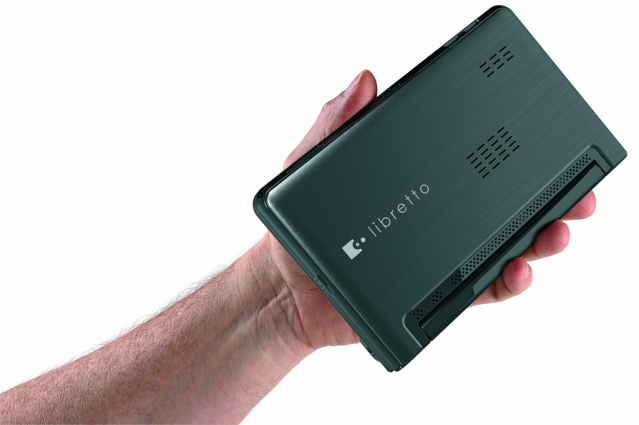
The Libretto W100 costs over $1,000 so the internal specifications have to be nice, Right? Well the W100 comes with Dual 7.0″ widescreen WSVGA Multi-Touch TruBrite LED Back-lit displays with native resolutions of 1024×600 pixels, a webcam with built-in mic are included. The processor for the W100 is the Intel Pentium U5400, which should be enough. The only model of the W100 available now comes with 2GB of DDR3 physical memory, 64MB-728MB shared graphics memory for the Intel HD integrated graphics and a 62GB SSD internal storage drive. The Libertto W100 does come with a memory card slot. For connectivity you get Wi-Fi for wireless LAN and Bluetooth 2.1.
As for the battery, that’s of the 8-cell variety. There is a single USB port on the device, there’s Bluetooth connectivity, and a webcam. A microSDHC card slot is also present. As for the price in Japan, that apparently hasn’t been decided on quite yet.
As for the battery, that’s of the 8-cell variety. There is a single USB port on the device, there’s Bluetooth connectivity, and a webcam. A microSDHC card slot is also present. As for the price in Japan, that apparently hasn’t been decided on quite yet.
Resources :slashgear.com,tablets-planet.co