
Warpia’s StreamHD Value Edition does wireless USB to HDMI on the cheap and the Warpia StreamHD Value Edition will cost $40 less, which clearly places it at $140 a pop now, and while forking out more than a Benjamin might not be considered to be cheap, it is still easier on your bank account than the non-Value Edition version. There is also an HDMI cable in the package to further save you more money, but your ears will miss out on 5.1 surround sound, S/PDIF out and the only kind of audio supported over HDMI would be stereo…………………….
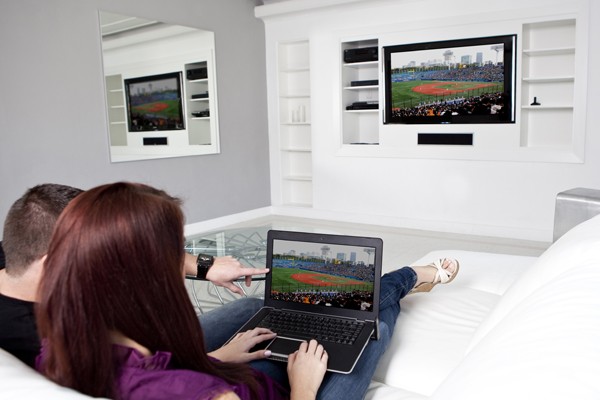
Warpia, a premier technology brand dedicated to delivering intuitive connectivity solutions announces the StreamHD Value Edition (StreamHD VE), a lower cost version of their popular StreamHD. The StreamHD VE with HD video and stereo audio enables users to stream any content from their notebook or PC wirelessly to an HDTV in 1080p full high definition. Content such as streaming video, pictures, movies, presentations, Facebook, Twitter and other applications can be shown on your HDTV in the room without the hassle and clutter of wires while you continue to use your laptop screen to surf the web, check email, and more. Two screens at once, Warpia now extends your world wirelessly for $129.99 SRP at www.warpia.com/products/streamhd-value-edition-swp110a. The StreamHD VE streams your video content in true 1080p (1920 x 1280) high definition. Connect the receiver base to your display via HDMI, and then attach the wireless USB adapter to your computer. The digital content on your PC or laptop will come to life on your HDTV, all wirelessly. Whether wirelessly connected to an HDTV in the living room or a projector in a meeting room, Warpia allows users to easily and conveniently extend their PC workspace. The StreamHD VE provides users with a simple HDMI single-cable connection to their target display. Enjoy content from your favorite video streaming sites at full resolution and turn the Internet experience into a home theater experience. You can stream content with ease to your HDTV from Hulu, Netflix, CinemaNow, YouTube, Amazon Video on Demand and more. The StreamHD VE has a 30-foot wireless range for streaming content between your computer and your display. Whether your computer is across the room or in the next room, as long as it’s in the 30′ line-of-sight, you can enjoy full 1080p playback of your digital video and audio. The StreamHD VE allows unmatched flexibility for users. Displays can be set in mirror mode so that both screens show the same image. Users looking to multi-task can set displays in extend mode, which allows one image to stream wirelessly to your TV while maintaining full use of your laptop or PC screen.
[ttjad keyword=”hdtv”]