
In this tutorial I will show you how easily you can control your media files such as music or videos playback with just a hand gestures. You don’t need any high-tech devices or tools, you can perform this on your own laptop or desktop computer and a web camera. For this purpose we will be using a small free tool called Flutter which is available on both Mac and Windows.
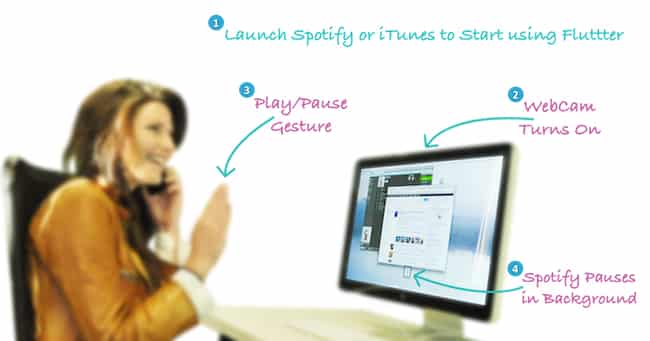
To get started follow steps below
Step 1: First you need to download a Flutter app for Windows from this link or for Mac from this link and install it on your computer.
Step 2: When installing the app it will ask you to keep your palm in front of your camera in order to identify it and adjust its options
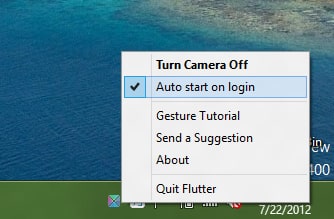
Step 3: After few seconds the app will be installed and located in your system tray (next to your clock)
Step 4: Left mouse click on its icon in system tray and make sure that the option Auto start on login is checked.
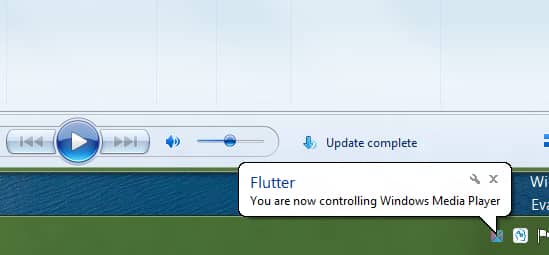
Step 5: Now start Windows Media Player, iTunes or Winamp. In the same time your webcam control panel should also start-up, but don’t pay attention to it
Step 6: Now start playing your music or video and when you want to stop/pause it place your left or right palm in front of your camera, around 10-inch (25cm) from your camera
Step 7: When you want to un-pause place your palm in front of your camera again at the same distance.

There you go, you can now control your music and videos with motion gestures. Unfortunately this is the only motion you can use at the moment, hopefully more of them will come. We also would love to hear your opinions about this great tool, so leave them in comment section below.
[ttjad keyword=”web-cam”]

![Read more about the article [Tutorial] How To Add/Configure Search Engine In Google Chrome](https://thetechjournal.com/wp-content/uploads/2012/02/chrome-add-s-e-512x132.jpg)
![Read more about the article [Tutorial] How To Enable Missing Hibernate Option in Windows 8 Power Menu](https://thetechjournal.com/wp-content/uploads/2012/11/powercfg-wslkdjfslkdjflsd.jpg)
![Read more about the article [Tutorial] How To Unblock Websites Blocked In Your Country – Firefox And Google Chrome](https://thetechjournal.com/wp-content/uploads/2012/11/proxmate-ttj-logo-512x151.jpg)