
Starting from Adobe Flash Player 11.2, Adobe included an Auto-Update feature which runs in the background of your system and check for latest Adobe Flash Player and ActiveX Plugins updates without bugging the user. To make this possible Adobe uses Windows Task Scheduler which is executed every 24 hours, however the update service is activated at midnight and if you didn’t updated your computer by then you may miss the update. But don’t worry this tutorial will show you how to manually update your Adobe Flash Player in Windows no matter which web browser you use.
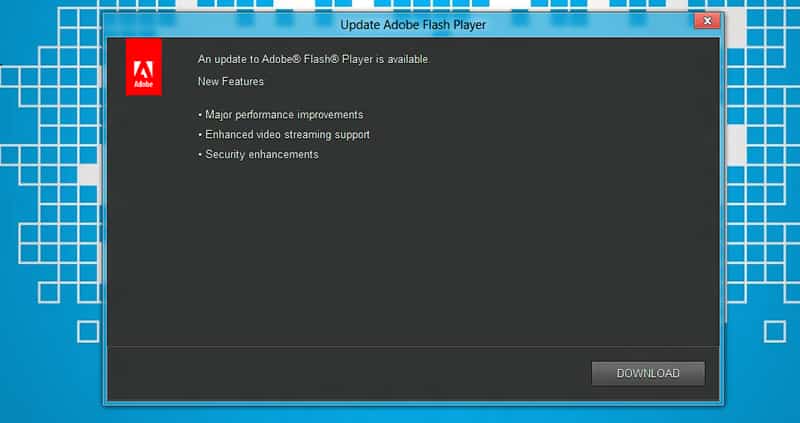
To get started follow steps below:
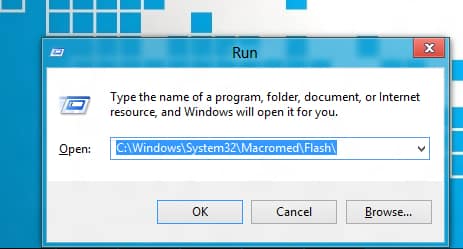
Step 1: Click Start menu, inside search field type run and press Enter on your keyboard.
Step 2: Inside Run window type following C:\Windows\System32\Macromed\Flash\ and press OK.
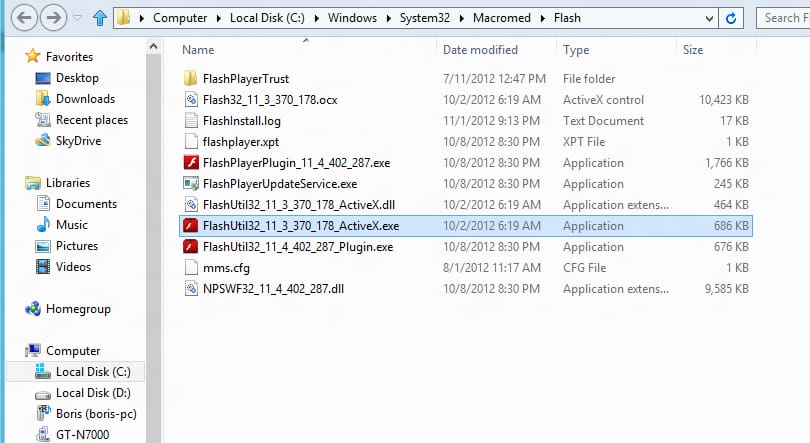
Step 3: In window that opens up, locate the file named FlashUtil and note the version number that’s standing in between FlashUtil and ActiveX.exe (look at image below).
Step 4: Now repeat Step 1 and inside Run window type following C:\Windows\System32\Macromed\Flash\FlashUtil<version number>_ActiveX.exe -update plugin making sure you replace <version number> with the number you found in Step 3.
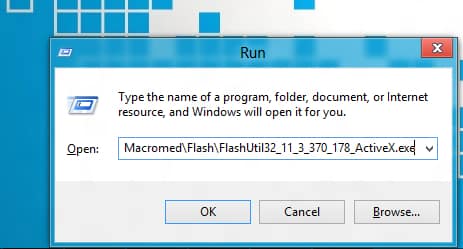
Step 5: Adobe Update Service will start up, and if there are any updates available for your computer you will be notified to install them.

Step 6: The above instructions will update Flash Player in Internet Explorer. However if you want to update it in other browsers too, make sure you replace the command given in Step 4 with this one C:\Windows\System32\Macromed\Flash\FlashUtil<version number>_Plugin.exe -update plugin again making sure you replace <version number> with the version number you found in Step 3.
Note that after you install updates manually, Adobe will ask you if you would like to switch to manual update mode. Make sure you select automatic update and finish the installation process.
[ttjad keyword=”all-in-one-desktops”]

![Read more about the article [Tutorial] How To Download Bing Maps For Offline Use In Windows Phone](https://thetechjournal.com/wp-content/uploads/2012/11/549879878.jpg)
![Read more about the article [Tutorial] How To Control VLC Player Remotely](https://thetechjournal.com/wp-content/uploads/2012/07/vlc-preferences-a3s21d32g432s1df.jpg)