
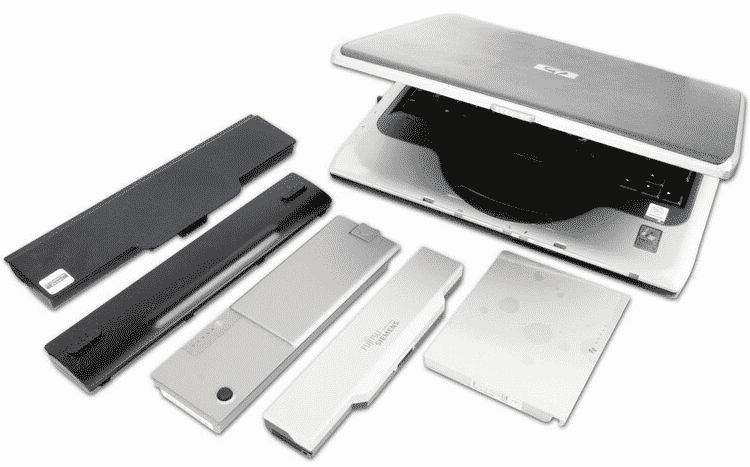
Windows 7 allows you to optimize performance of your laptop and save power when it’s running on battery. However if you want to improve your laptop behavior while it’s on battery you can use a free app for Windows called Aerofoil. Aerofoil will automatically load and disable certain Windows features when your laptop is disconnected from power supply. With Aerofoil you can disable aero glass, turn off speakers, turn off gadgets, turn off sidebars, etc… All these optimizations will save you up to 25% of battery power, which is not negligible if you’re traveling and do not have a power socket near you.
Before proceeding to below steps make sure you download Aerofoil app for Windows from this link on your laptop and continue following steps below.
Step 1: Once you have downloaded the installation file, unpack it on your computer, start the installation and follow on-screen instructions.
Step 2: Once installation is finished and you rich Power Profile window, Aerofoil will create two new power profiles.
Step 3: Under On Battery drop down menu select Power Saver, and under On AC drop down menu select High Performance. Click Next to continue.
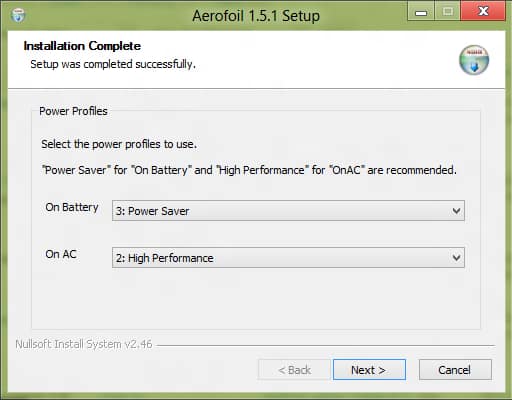
Step 4: Check all the boxes to allow Aerofoil manage the volume of the speakers, the component of gadgets and the Windows power profiles. To continue click Next.

Step 5: Click Finish button.
Step 6: The Aerofoil icon is displayed in the taskbar and the software will start automatically. Click on its icon to display information about the mode and enabled options.
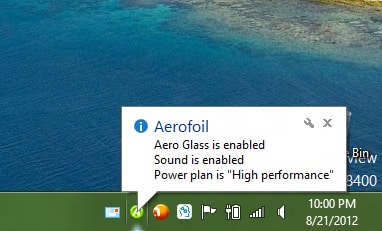
Step 7: When you right mouse click on the icon located in the taskbar, you can manually enable or disable the automatic shutdown, change the mode of energy management, turn off speakers, …

Step 8: If you unplug your computer, the Aerofoil icon changes color and apply your settings optimized for energy savings.
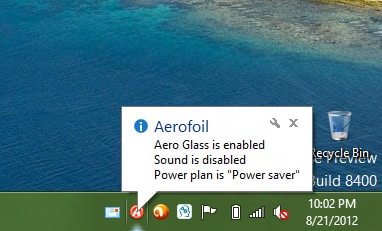
Step 9: You can quickly hibernate your computer by clicking right mouse on the icon and clicking Hibernate.
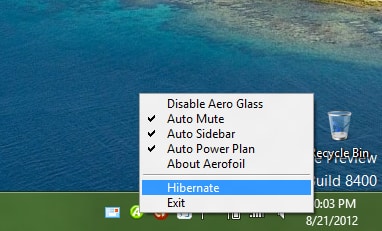
Step 10: Press any key on the keyboard to get out of standby and find your desktop and software as they were.
[ttjad keyword=”windows-tablet”]

![Read more about the article [Tutorial] How To use SkyDrive To Embed A PowerPoint or Excel Document in a Web Page](https://thetechjournal.com/wp-content/uploads/2012/03/skydrive-logo-512x171.jpg)
![Read more about the article [Tutorial] How To Set Selective Sync Using SkyDrive Desktop App](https://thetechjournal.com/wp-content/uploads/2012/11/skydrive-system-tray-icon-a5s5d4897ty98u7i9o8.jpg)
![Read more about the article [Tutorial] How To Download Entire Wikipedia To Your Computer](https://thetechjournal.com/wp-content/uploads/2012/02/wikipedia-wikitaxi-logo-512x197.jpg)