
If you are an Android user you are gone love this new feature offered by Google which allows you to update or uninstall apps on your Android device directly from Google Play. Quite small feature, but many users will certainly try or use it on day to day bases and in this tutorial I will show you how it works and how to use it.

To get started follow steps below
Step 1: First open your web browser and visit play.google.com. Once you arrive to the website log in to your account under which you use Google Play
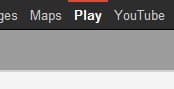
Step 2: Now from top Google navigation click on Play
Step 3: Once you arrive to Google Play click on the My Android Apps tab to view the apps installed on your device.

Step 4: From this page you will see a grid of apps which are currently installed on your android device. If any apps which you have installed on your Android device have an update available, they will appear at the top of the list. If no apps require on update, your apps will be sorted in alphabetical order

Step 5: If you notice that some of your apps have an update, click on the update button and the update will automatically be sent to your device, the same way you would normally install an app from Google Play, however make sure that your Android device is connected to the internet
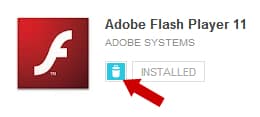
Step 6: If you decide to uninstall certain app from your Android device simply click trash icon next to the app name and app will be automatically installed.
So what are your opinions about this new feature available in Google Play?
[ttjad keyword=”android-phone”]

![Read more about the article [Tips] How To Take Better Photos With Your Smartphone](https://thetechjournal.com/wp-content/uploads/2012/07/sp-camera-logo-512x340.jpg)
![Read more about the article [Tutorial] How To Add Google Public DNS In Windows 7 – Speed Up Web Browsing](https://thetechjournal.com/wp-content/uploads/2012/03/dns-google-logo-512x263.jpg)
![Read more about the article [Tutorial] How To Make Your Name Not Visible In Facebook Social Ads](https://thetechjournal.com/wp-content/uploads/2012/07/account-settings-asda5s4d5a4sdhg.jpg)
I’m not sure when Google removed this method, but it doesn’t currently work. I’m sad. 🙁 Google Play shows apps installed that are not installed on any of my devices.