
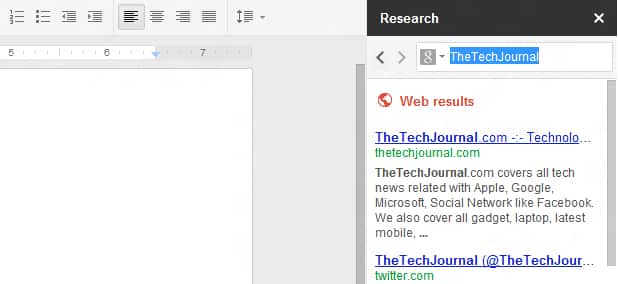
Few weeks ago Google added a new tool inside Google Drive, called Research Tool. This new feature can help you find information that you want to add into documents and presentation quickly without leaving Google Drive interface. In this tutorial I will show you where to find this tool inside Google Drive and how to use it.
Let’s get started.
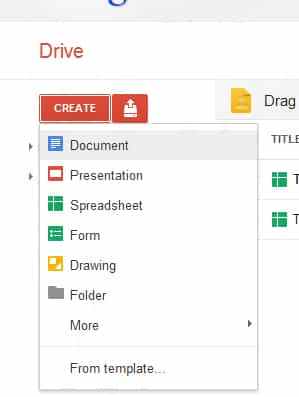
Step 1: To be able to use Research tool you need to create a new document, presentation or spreadsheet by clicking on Create button inside your Google Drive home page. From drop down menu, simply choose what type of document you want to create and wait until the new document opens.
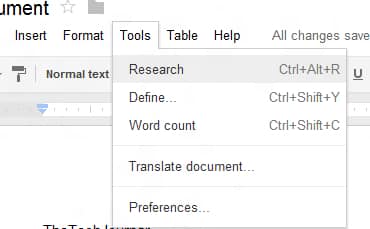
Step 2: Once your new document opens, the Research tool window wont appear until you manually open it. To do that go to Tools and from drop down menu choose Research. You can also open the Research tool by pressing Ctrl+Alt+R on your keyboard.
Step 3: A Research pane will open on the right side of your document. There is a search box which you will use to search and add items to your document. However this pane also contains few other options such as –
- Everything – by default it will search the entire web
- Images – it will search only images
- Scholar – it will search articles, papers and journals
- Quotes – it will search quotations from famous people or well-known places
Step 4: There is also a Settings option located at the bottom of the pane allowing you to tweak how Google will return the results to you.

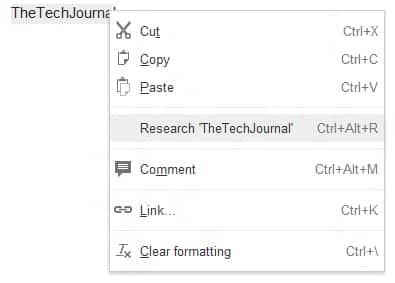
Step 5: Another way to use Research tool is by selecting a certain word within your document and then clicking the right button of your mouse. Choose Research from the context menu that appears and you should see research results inside right pane.
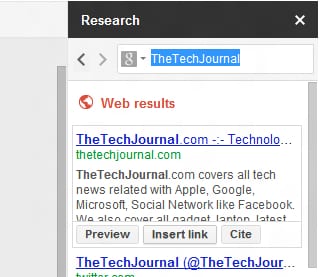
Step 6: When you get the results simply hover the cursor over them and you should see the options which will allow you to Preview the pages, Insert Links of the pages or Cite the content.
Let us know whether you found the tutorial useful or not.
[ttjad keyword=”cloud-storage-drive”]

![Read more about the article [Tutorial] How to Change Lock Screen Timeout Period In Windows 8](https://thetechjournal.com/wp-content/uploads/2012/11/console-lock-timepit-asd48w9e7r9w.jpg)
![Read more about the article [Tutorial] How To Copy DVD Movies To The Kindle Fire](https://thetechjournal.com/wp-content/uploads/2012/12/open-disc-a5s465w4r65e465w4.jpg)
![Read more about the article [Tutorial] How To Add Bluetooth Devices in Windows 7](https://thetechjournal.com/wp-content/uploads/2012/02/bluetooth-512x236.jpg)