
Recently Google has rolled out a new feature that will allow Google search users to add or set custom Google background images to their personalized Google search homepage – even unfortunately meanwhile this feature is available for US users only.
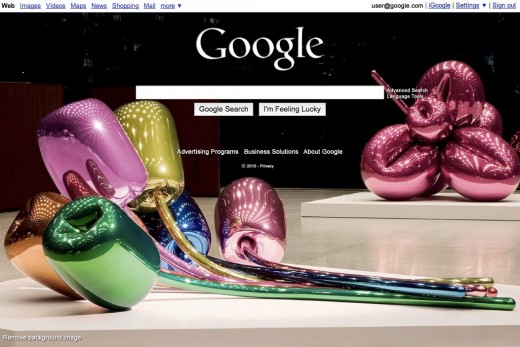
The feature that previously Bing users enjoyed firstly. However, this Google’s custom background pictures is expected to be available worldwide for a few next months.
Add Custom Image on Google Search Page Background
1. Sign in to your Google Account
2. Click “Change background image” link at the bottom left corner of the page.
3. Next will get option where the background images will be taken from, such as:
– Your computer
– Your Picassa account
– Picassa Public gallery
– Editor’s picks
4. Once you’ve deiced your desired image, then click Select at the bottom of the page.
Now, searching via Google (googling) will be more exciting with stylish background picture in the front search page.



Pingback: Gadget Newz
Pingback: Tweets that mention How To:Change Google Background Images (Steps) | TheTechJournal.com -- Topsy.com