website statistics

Most Popular Business Password is ‘Password1’

The most popular business password in the world is Password1, which is not so safe to keep and hence is broken into more frequently.

When do you use Facebook?

View Results

Loading ... Loading ...
1 Star2 Stars3 Stars4 Stars5 Stars (Rate This)
Loading ... Loading ...

One does not have been creative for choosing and keeping passwords, but just different. Keeping a unique password is especially important for businesses and other professionals who have to protect their data. Interestingly, according to Ubergizmo, if you have a business then it is a bad idea to keep the password as ‘password1’. According to the online security firm Trustwave, most businesses choose to keep this as their password just so that it comes be fine with other complexity settings.
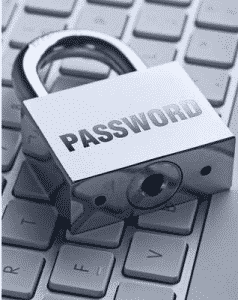

Now, however, that the word is out, the password would also change. This password is chosen by more than 5% of the computer users it supports a capitalized letter and has at least one number as well as has the right number of minimum characters. Having so many accounts online also makes it quite complex to remember password for each and every website. This is why users often tend to keep the same password for all of these sites or just simply have easy passwords for all sites which make it very easy to crack.

To keep safe, it is better that a user have a password which has a capitalized letter as well as a number but also which is makes no sense of a word. It has to be a random letters arrangement that you have come up with and that only you can remember. It might sound like such a huge task of even putting a correct password and when one is signing up for a website, one is often in a hurry to get past the form and onto the site for using its features.

In such a short time often users don’t create complex passwords and hence they get prone to having their accounts being hacked or their data stolen or simply being invaded by someone else. The best way to go about is thus to keep a password not based on your family, relatives or your pets, and any number relating to them, but just simply a random word or letters arranged in random way that does not make a word just so that it could have a strong strength and becomes hard to crack. And certainly, never keep your password as ‘password1’.

Buy Cheapest Related Product From Amazon.com


Nike+ FuelBand: Track Your Everyday Activity App For iOS [Free]

PayPal Plans Intelligent Wallet, Lets You Choose Payment Method Seven Days After Purchase
You can also press the left/right arrow key on your keyboard to go to previous/next post
  On March 12, 2012(1 year, 2 months ago.)

Recent Search

Recent Tutorials

This tutorial will show how to use S.M.A.R.T. (Self Monitoring Analysis and Reporting Technology) to continuously collect information on health of your equipment.
In this tutorial I'll show you how you can easily protect yourself from any kind of security breaks that may occur through Java.
Today Apple enabled "Two Step Verification" for iCloud And Apple ID. But the process is not that simple. But no worry, here we have made a step by step tutorial.
Cant remember your iPhone passcode? Here I will show you some workaround on what to do and how to recover and restore for every possible scenario.
This tutorial will show you how to perform the Winapp2.ini installation inside CCleaner and how to use it under Windows operating system.
With app called AD Sound Recorder, you can record any stream that passes through your sound card or speakers and in this tutorial I will show you how to do that.
If you want to have Boxee app inside your Apple TV, in this tutorial we will show you how to install XBMC and Boxee using Windows on your Apple TV.
This tutorial will show you how to transfer PS3 Saved Game Files from your PC to your PS3 game console.
Adding videos from external sources such as internet, more specifically from YouTube, is a great solution to enhance a presentation; in this tutorial I will show you the procedure.
If you are one of new comers to Windows Phone 8, like me, in this tutorial I will walk you through the process to update your Windows Phone 8 device.
Close You Have To Login
User:
Pass:
Login With »Login With TwitterLogin With Facebook