Kudos to Facebook for introducing a bunch of new privacy controls, by this users may now review tagged photos, easily control who sees each post and change who sees a post after it’s gone live. Facebook has also cleaned up the way privacy options are displayed in several areas of the site and Facebook claims these privacy changes have been in the pipeline for a while, they still seem like a direct response to Google+.Facebook will also allow users to alter privacy settings after content has been posted and people will be able to review and reject photos and other posts they have been tagged in, whereas currently they appear instantly on their profile wall………………
Facebook is making a sweeping set of changes to its privacy and sharing policies that will give users much more control over the information they share and who they share it with. The changes seem like an answer to Google+ and its concept of Circles, which makes it easy to share particular content with specific groups rather than all your friends at once. Facebook product manager Kate O’Neill says Facebook started planning these changes long before Google+ rolled out — “we wish we could work that fast,” she said, referring to the launch of Google+ in June. But Facebook knew about Google‘s plans last year, so it’s hard to imagine that the company made these changes in a vacuum. The big changes:
- Control who sees each post.Each time you post, a dropdown menu will appear to the right of the post and will let you control who you want to share the post with. At first, this menu will contain the same categories that you can get to through the Settings menu today — “Public” (formerly called “Everyone” — Facebook is changing the name), “Friends,” and “Friends of Friends.” But eventually it will include other Facebook Groups you’ve joined. In other words, it’s a lot like Google+ Circles.
- You can change who can see updates AFTER you post them. If you change your mind and don’t want your mom to know that you got falling-down drunk at a party last night, you can go back and change the sharing settings on that status update. That’s new — before, once you put it out there, it was out there forever.
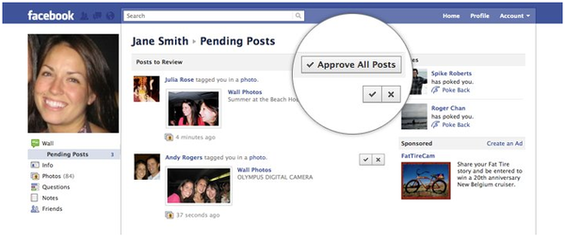
- More control over people tagging you. Today, whenever somebody tags you in a photo, an indication of that tag appears on your wall. With the new settings, you’ll be able to see who’s tagging you and ask them not to tag you, or even send a message to the photo-owner asking them to take the photo down. Similarly, whenever somebody wants to add a tag a photo you’ve posted, you’ll have an easy way to block that tag, block all tags, or take down the photo entirely.
- Facebook is also letting you share location info for any post you make, and add location to posts in the past. For instance, if you took a bunch of pictures on a trip to London, you can tag them after the trip is done. Previously, the location feature was only available on the mobile version of Facebook, and only let you tag from the location you were in.
- The mobile “Places” feature is being phased out, although similar functionality will be available from the new version of the mobile app. You can add your location through a normal status update.
Here’s some screenshots of Facebook’s new sharing and privacy features by businessinsider.com:
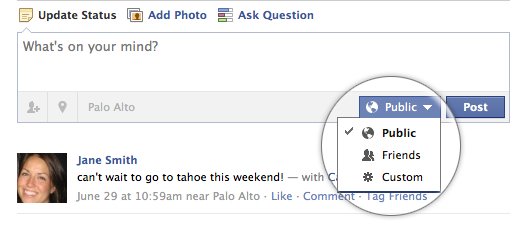 The three settings will include “Public” (renamed from “Everyone” to reflect that anybody on the Internet—not just your Facebook contacts—can see it), “Friends,” and “Custom.” Eventually, your Facebook Groups will be added—for instance, maybe you created a group for your Family, or High School Buddies. Once you switch this setting, every post you make will go to the same group of people until you switch it back. So you don’t have to check it every time.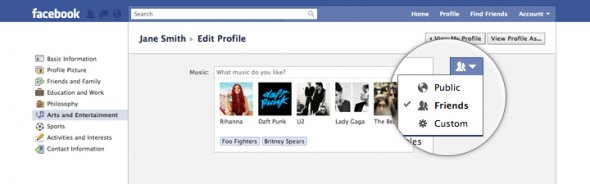
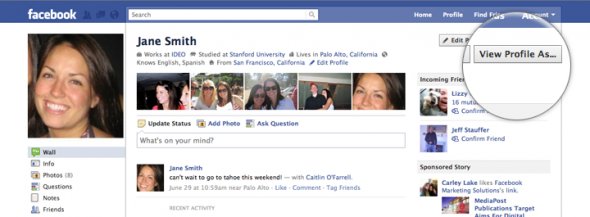 Before, you had to dig down a few menus to see how your public profile looked.
 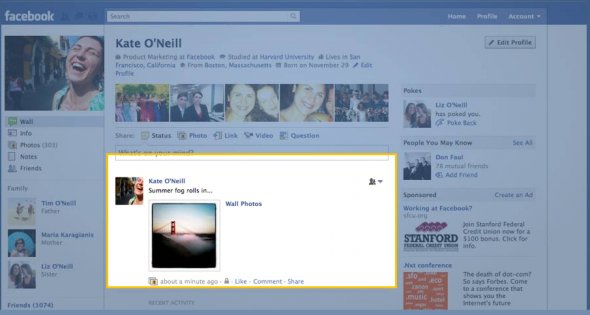 The little icon here means you’re sharing this photo with your friends.
 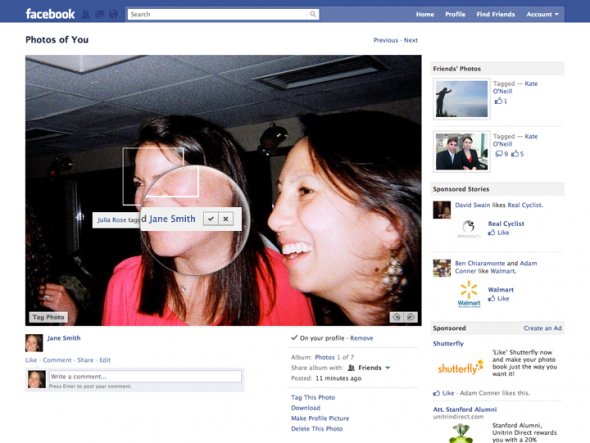 Before, they could just tag you and information about the tag would appear on your news feed.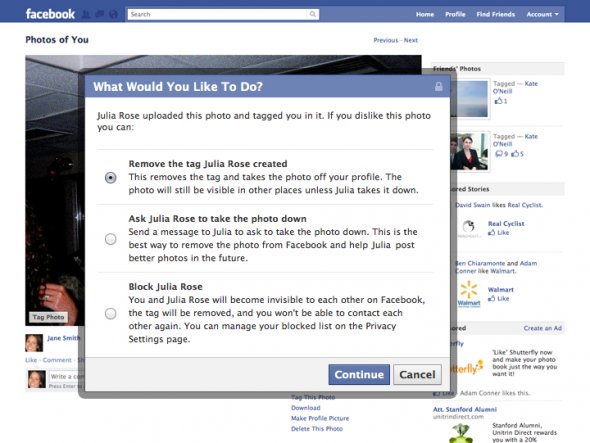
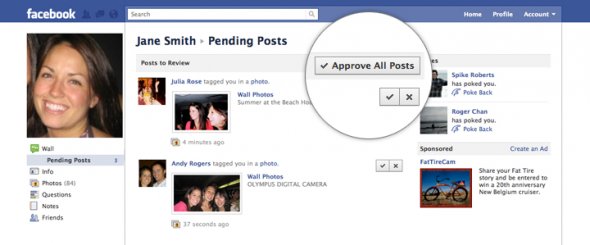 You can approve or reject each one, or approve them all at once.
 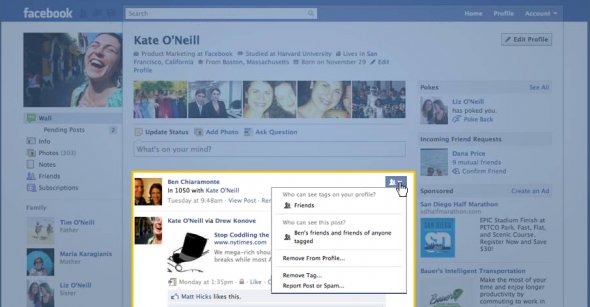 The three settings will include “Public” (renamed from “Everyone” to reflect that anybody on the Internet—not just your Facebook contacts—can see it), “Friends,” and “Custom.” Eventually, your Facebook Groups will be added—for instance, maybe you created a group for your Family, or High School Buddies. Once you switch this setting, every post you make will go to the same group of people until you switch it back. So you don’t have to check it every time.
 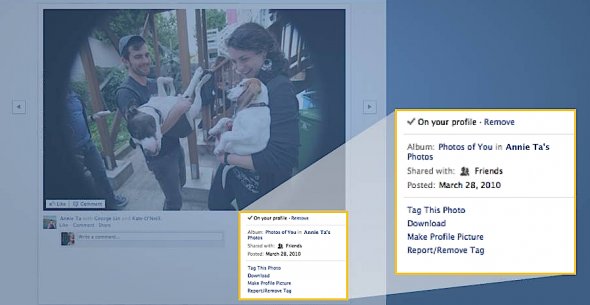 So you know exactly which photos of you have been shared on your profile.
 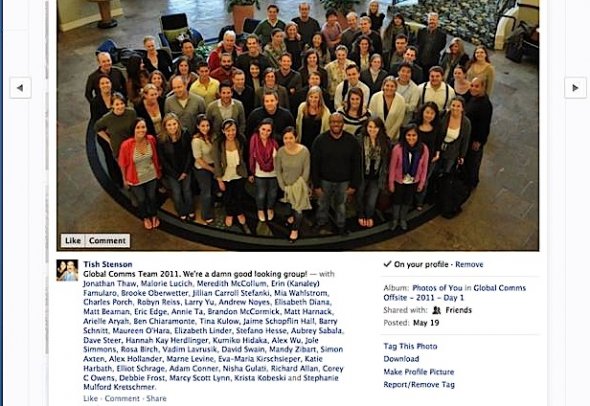 In this picture, for example, you could add tags to anybody you know—even if you’re not Facebook friends with them.
 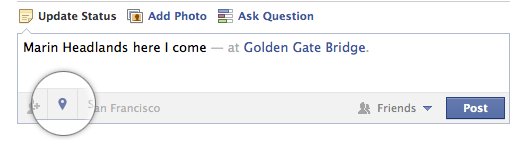 Before, you could only add location to posts by checking in using the mobile version of Facebook from your phone.
 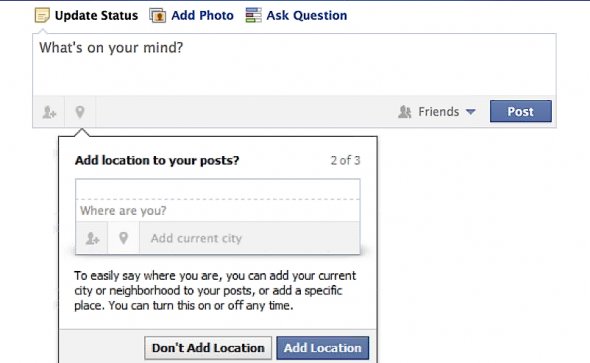 The current mobile Places feature only offers you a list based on your current location (which it gets from the GPS system on your phone).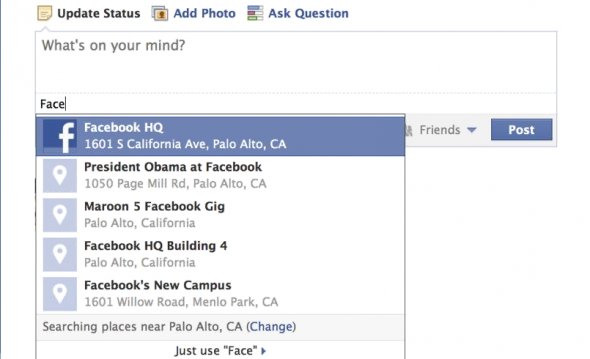
[ttjad keyword=”general”]