
Apple iPad 2 has came with an amazing feature of video mirroring. It has the ability to mirror your iPad 2′s screen to a HD monitor or TV using one of Apple’s display adapters. With the release of Redsn0w Untethered Jailbreak of iOS 4.3.1, you can make some tweaks on your iPad 1 to make it Video Mirroring enabled.
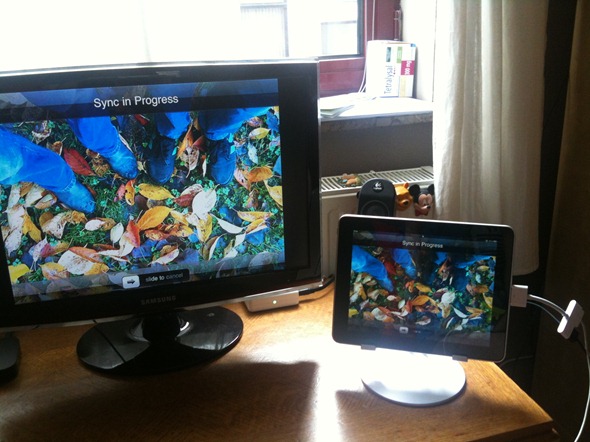
The steps are as follows.
* Navigate to system/library/coreservices/springboard.app
* Download the K48AP.plist file to your computer
* Add the string “display-mirroring boolean YES” just like the image below:
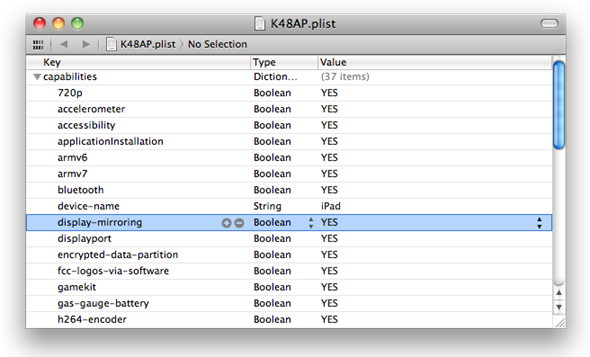
* Upload the newly edited file back to your poor unsuspecting iPad & restart it.
* Start video mirroring using either the VGA or Digital AV Adapter.
Checkout the video below.
[ttjad keyword=”ipad”]


Does this work on ios5 when installed on iPad 1?