
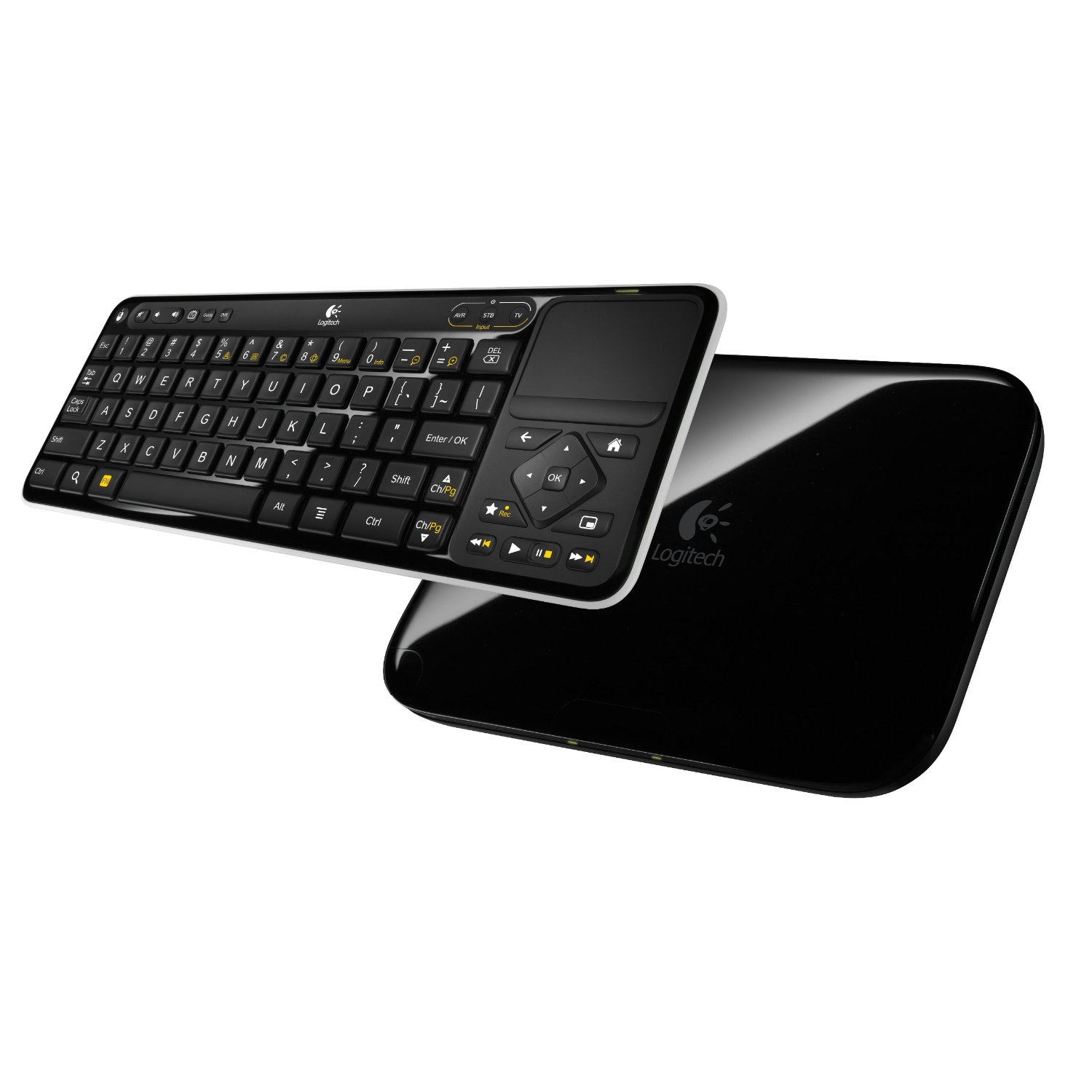
The Internet has definitely changed over the years, and that can certainly be reflected in the numerous ways that devices can interact with it. Now here’s a special gadget which can turn any HDTV into a full Internet accessing machine. The Logitech Revue powered by Google TV is your number one solution to obtaining a full Internet TV experience. This is an Amazon’s product review. Checkout more details bellow.
 |
Technical Details
- Works with your existing HDTV and cable or satellite system to provide seamless access to the Web, your TV, compatible DVRs, and Android apps
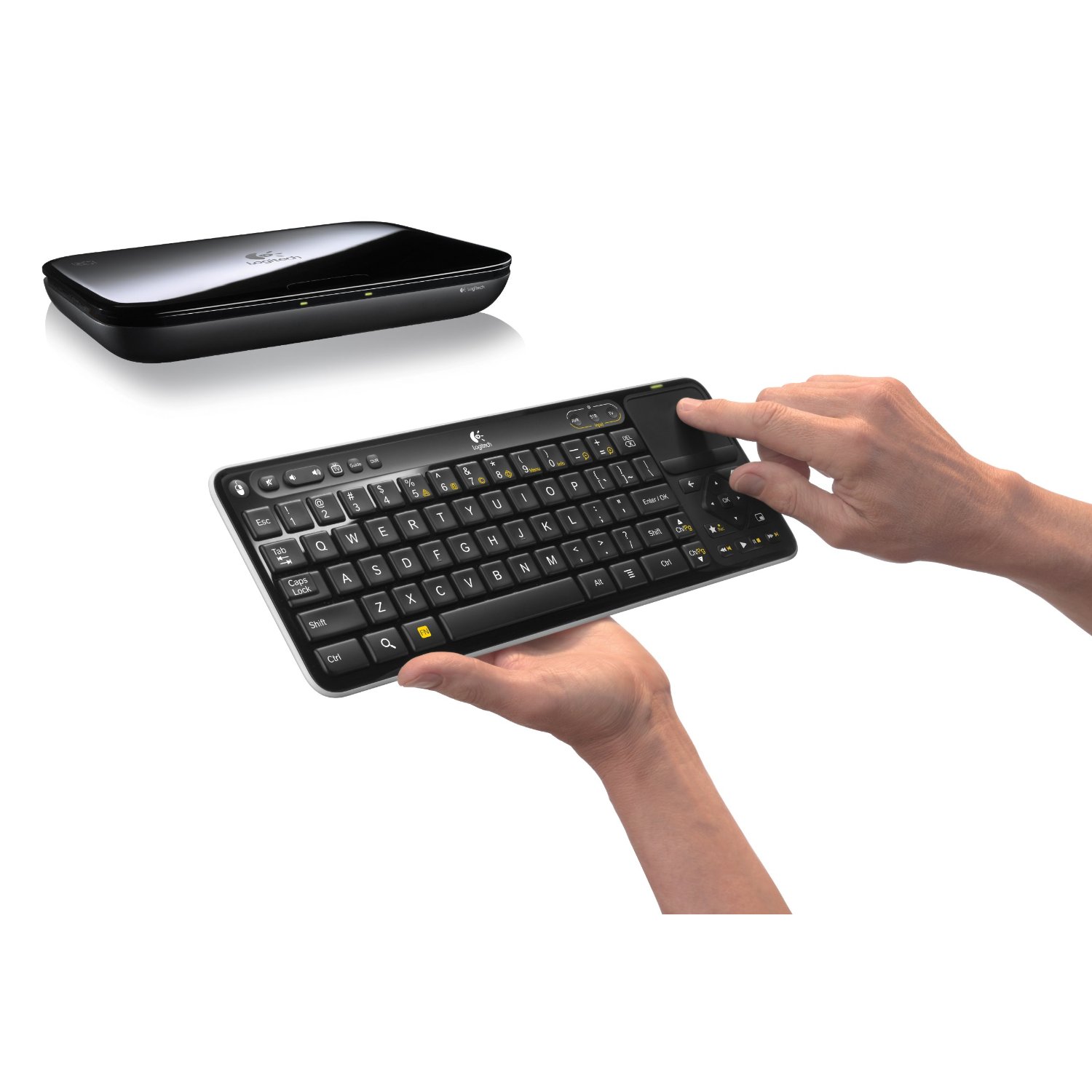
- Searches and controls with an intuitive keyboard controller with built-in touch pad so you can do things you can’t easily do with a remote
- Lets you search and enjoy content from multiple sources without switching devices, inputs or rooms. See content from the Web and TV simultaneously with Dual View.
- Always up-to-date with free automatic, over-the-air updates that add new features and functionality to your system
- Requires an HDTV with HDMI port, cable or satellite box with HDMI out, cable or satellite subscriptions service, and high-speed Internet access

 Enjoy TV, the Web, apps & movies in one place…your HDTV
Search across every channel, app and the Web simultaneously
Watch TV & surf the Web, at the same time, on the same screen
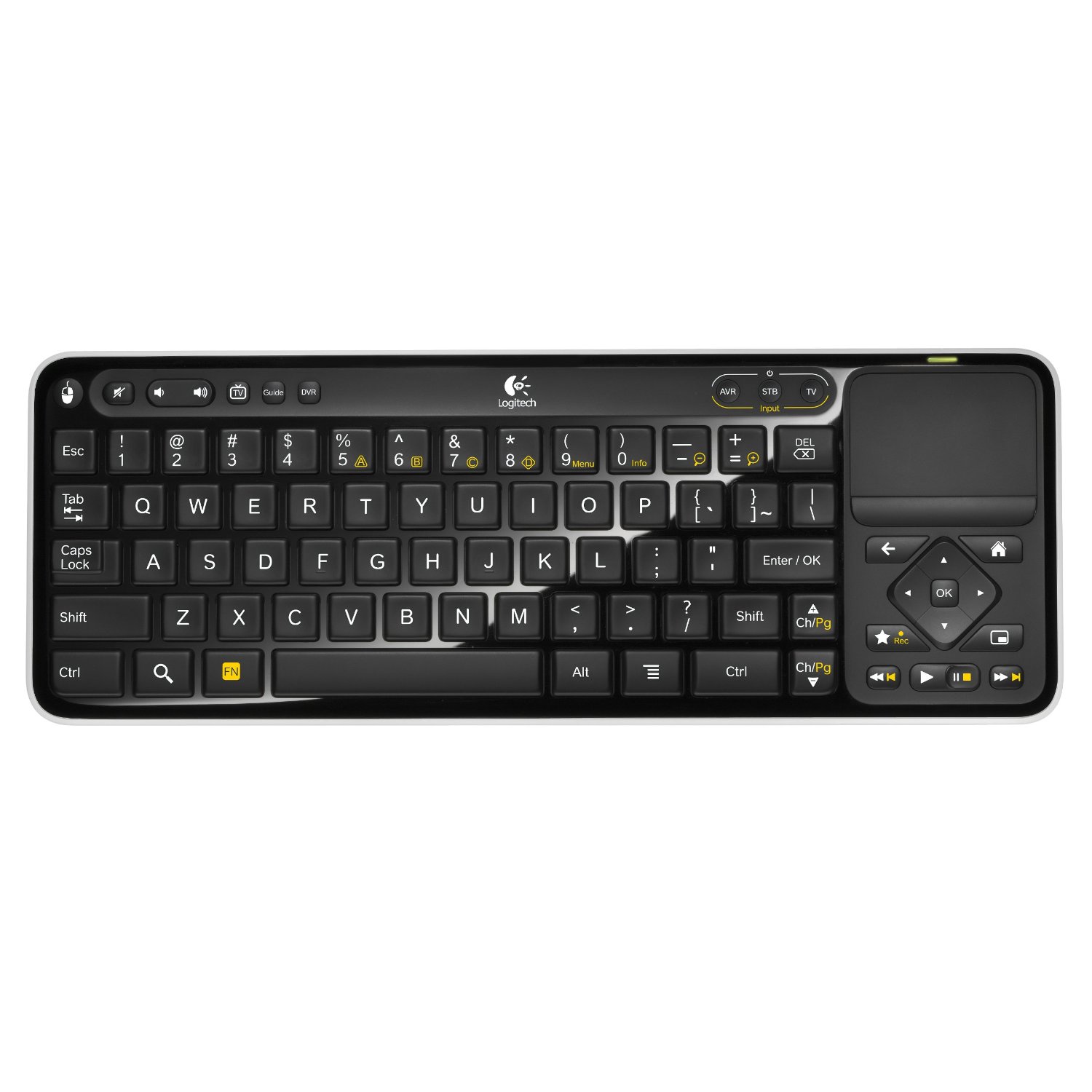
Type, search, rewind & more with the wireless keyboard controller
Use pre-loaded apps like Netflix and stay tuned for tons more
Receive new features & functionality with free, automatic updates
Add on with accessories that make your TV even smarter

Type, search, rewind & more with the unique Keyboard Controller that comes with Logitech Revue. It’s a wireless remote control, keyboard, and touch pad in one
Works with all your entertainment devices
Comes with a free app that lets you control Google TV from your smartphone


Enjoy pre-loaded apps like: CNBC, Netflix, Twitter and Amazon Instant Video, Napster, and Pandora
Stay tuned for more Android apps being designed specifically for Google TV

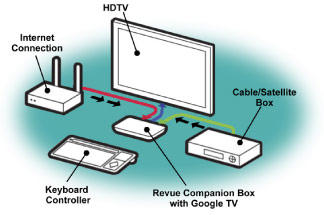
What you need:
HDTV with HDMI port
Cable, satellite or telephone company box with HDMI out
High-speed Internet access (Ethernet or Wi-Fi)
What you do:
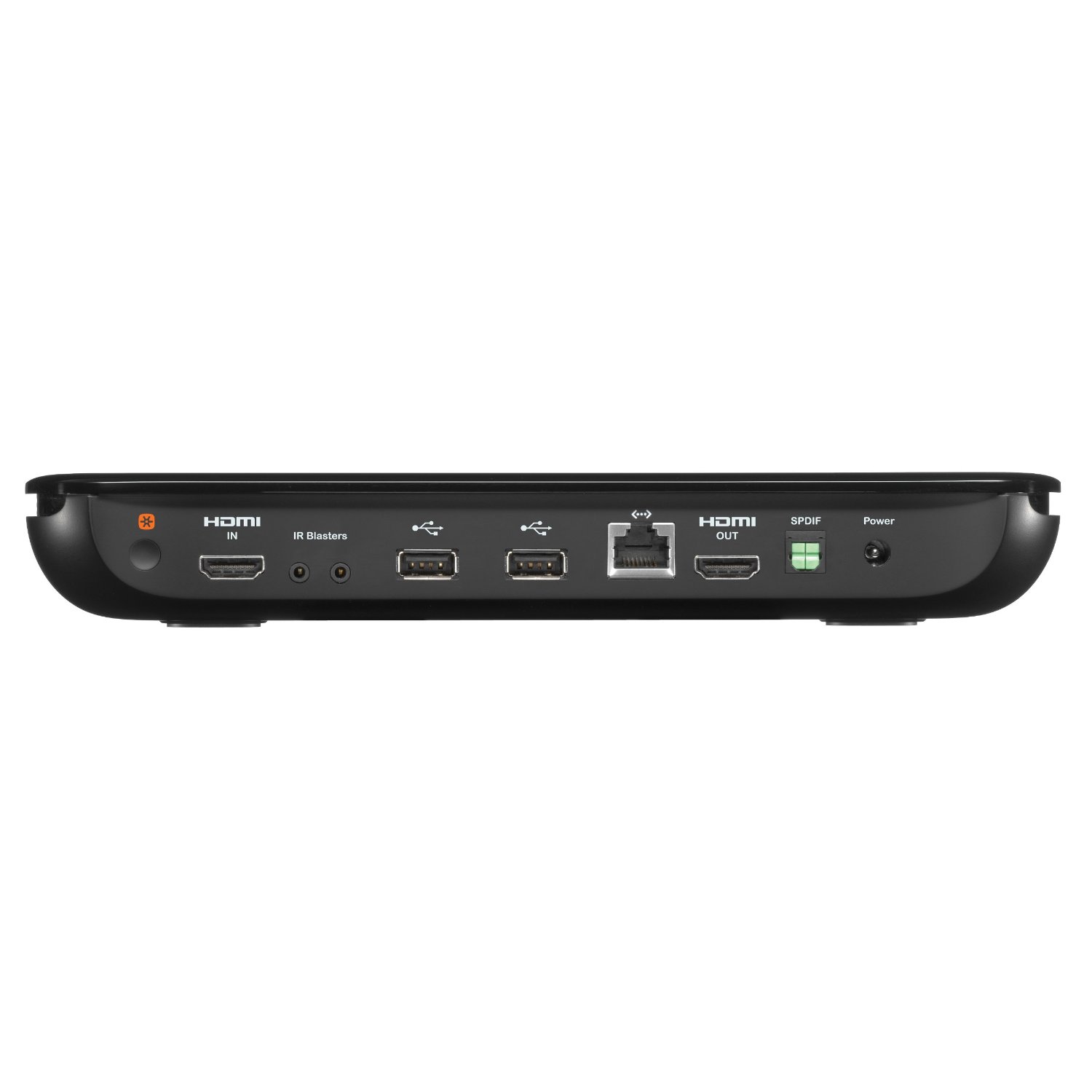
1. Connect your cable or satellite box to Logitech Revue via an HDMI cable
2. Connect Logitech Revue to your HDTV with the HDMI cable provided
3. Access the Internet with an Ethernet cable or wirelessly
Technical Details
Connections
HDMI input: 1080p/60fps, 1.3a w/CEC
HDMI output: 1080p/60fps, 1.3a w/CEC
Networking
Wireless: 802.11n
Wired: Ethernet 10/100 Base-T
Input/Output
Outputs audio through a TOSLINK S/PDIF optical output (optical cable not included)
Two USB 2.0 ports for connecting corded peripherals, like Logitech TV Cam
Logitech Unifying wireless technology for adding up to six compatible peripherals
Integrated Logitech Harmony Link IR blaster (for A/V device control) for controlling your TV, A/V receiver, and cable or satellite set-top box
Box Contents
Logitech Revue Companion Box (9.7″ L x 6.7″ W (not including cables) x 1.4″ D (with feet))
Keyboard Controller with integrated keyboard, remote control, and touchpad (13.4″ L x 5.5″ H x 0.9″ D)
One HDMI Cable
One IR Mini Blaster
Power Supply
User Documentation
Two AA batteries (pre-installed in controller)
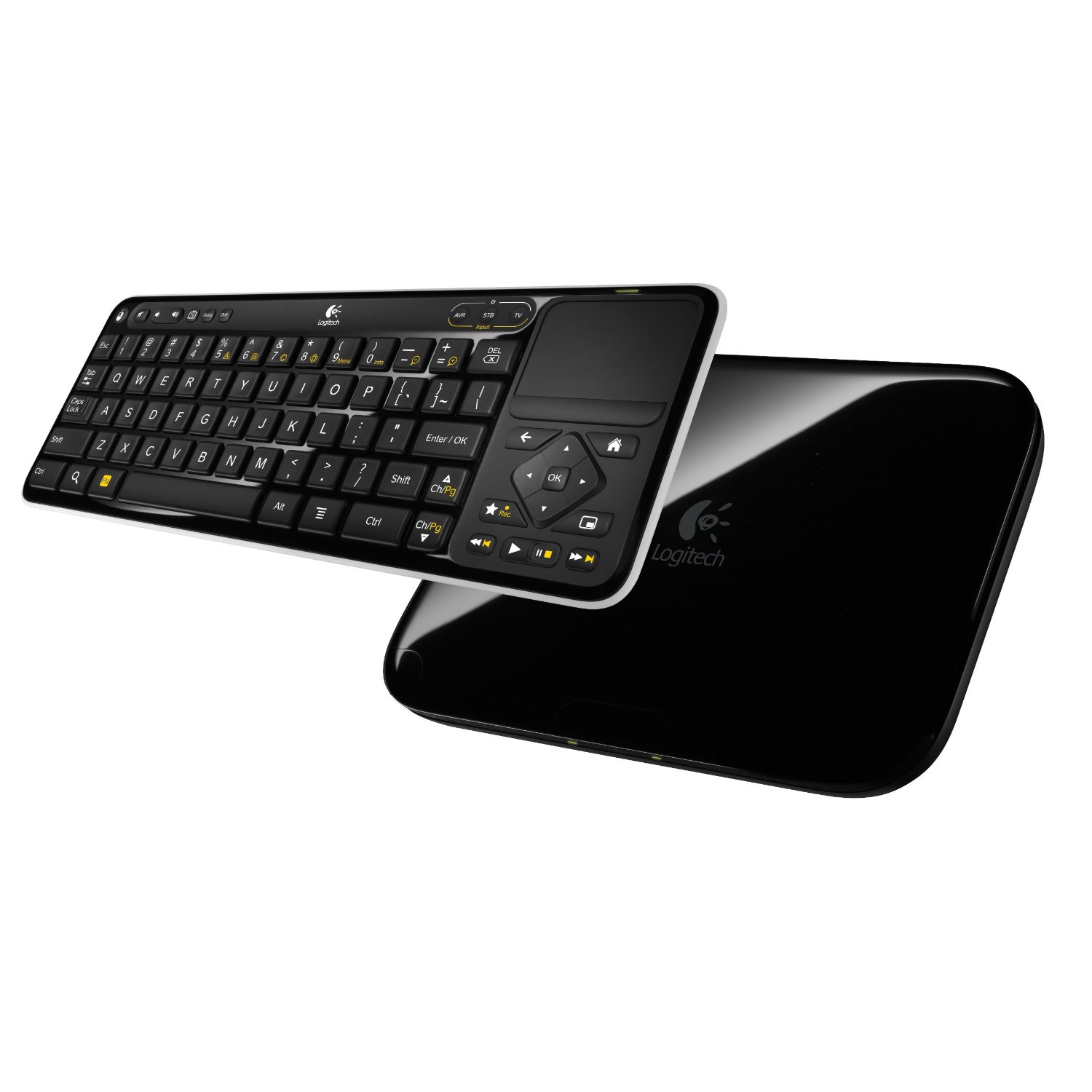
That’s all about the Logitech Revue Companion Box with Google TV and Keyboard Controller. This Logitech Revue is available in Amazon.com. You can directly order or buy from here.
Source
[ttjad keyword=”apple-tv”]

bachelor degree in paralegal studies online [url=https://otvetnow.ru]https://otvetnow.ru[/url] factoring by substitution