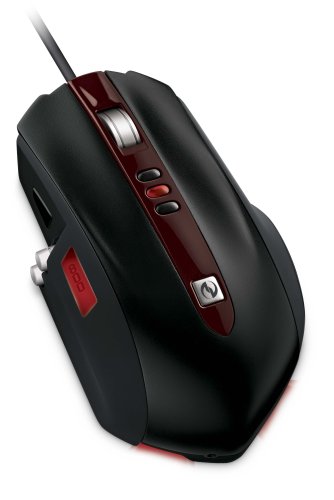
Microsoft SideWinder Gaming Mouse

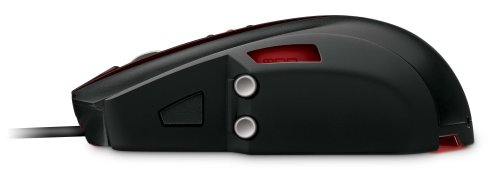
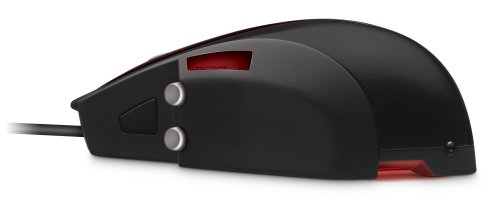
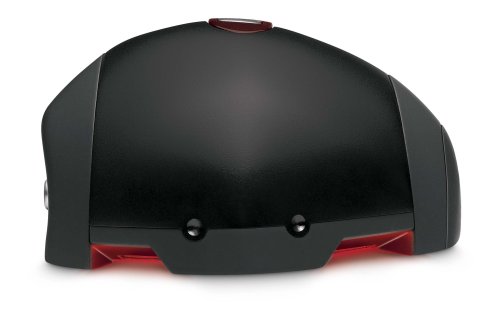
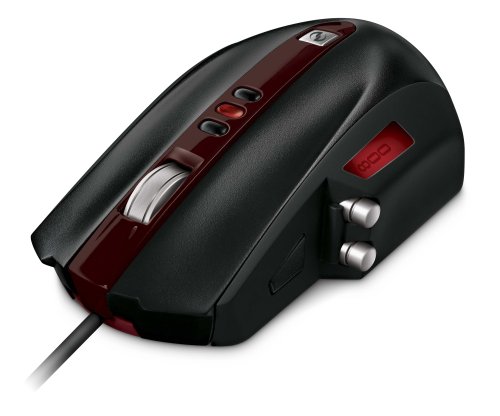
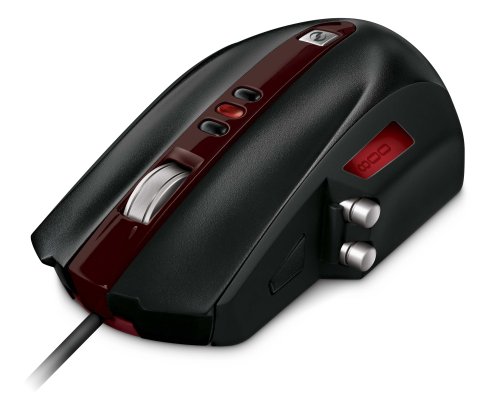
Welcome to a revolution in gaming mouse performance, handling, and custom tuning. Microsoft brings SideWinder Mouse introduces one-of-a-kind features like veritcal side buttons, an LCD display, and a unique shape designed for quick and super-precise action. This is an Amazon’s product review. Checkout more details bellow.
http://cdn.thetechjournal.com/wp-content/uploads/images/1109/1317015779-microsoft-sidewinder-gaming-mouse-1.jpg

Technical Details

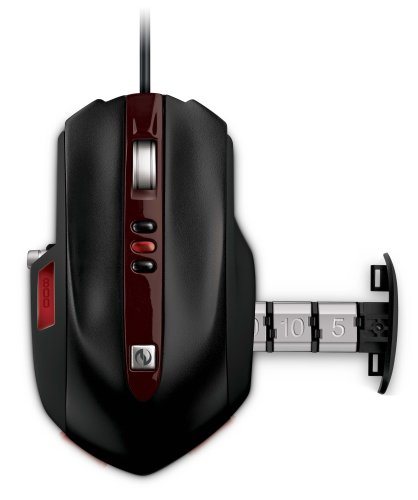
  • On-the-Fly DPI Switching – Three buttons instantly switch between DPI 400, 800, and 2000 or you can customize settings using special software
  • LCD Display on a Mouse – DPI settings and macro recording icons are displayed on the mouse to reduce on-screen interference
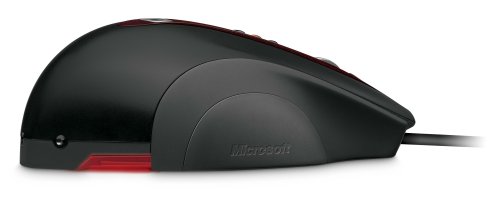
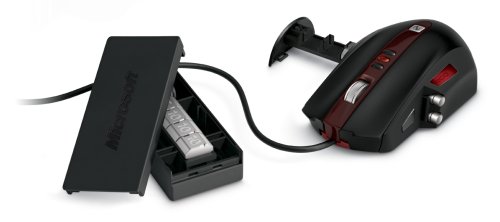
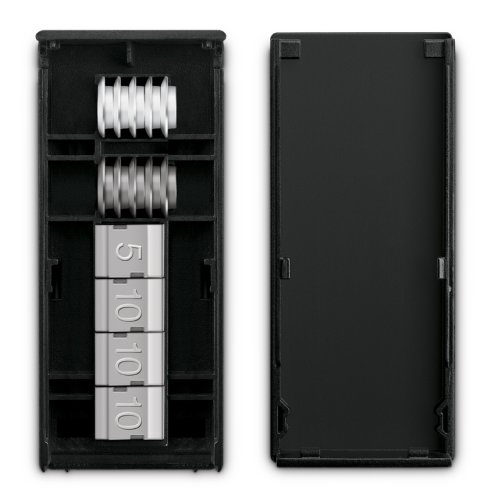
  • Cable Anchor & Accessories Storage Box – Enjoy wired performance with the feel of wireless
  • Quick Launch Button – One-touch takes you to Games Ex in Windows Vista
  • 5 Programmable Main Buttons – Customize your main gaming buttons to your preference

Tons of hardware and software customizability accessories box doubles as a cable management system. Microsoft brings almost every popular feature of various high-end gaming mice and wrapped it into one highly customizable gaming mouse. The design could use a little refinement, but otherwise the new Sidewinder Gaming Mouse would be a worthy addition to your PC gaming arsenal. DPI settings and macro recording icons are displayed on the mouse to reduce the on-screen interference. Cable Anchor and Accessories Storage Box Adjust your cable length for a wireless feel, holder doubles as a storage box for accessories.

Hardware Specifications:

  • Resolution: 2000 dpi
  • Image Processing: 7080 frames per second
  • Max Acceleration: 20 G
  • Max Speed: 45 inches per second
  • USB Reporting: 500 Hz
  • Glide: 3 sets of different mouse feet (for glide preference)
  • Buttons: (Left/Right): 9 million clicks
http://cdn.thetechjournal.com/wp-content/uploads/images/1109/1317015779-microsoft-sidewinder-gaming-mouse-2.jpg
http://cdn.thetechjournal.com/wp-content/uploads/images/1109/1317015779-microsoft-sidewinder-gaming-mouse-3.jpg
http://cdn.thetechjournal.com/wp-content/uploads/images/1109/1317015779-microsoft-sidewinder-gaming-mouse-4.jpg
http://cdn.thetechjournal.com/wp-content/uploads/images/1109/1317015779-microsoft-sidewinder-gaming-mouse-5.jpg
http://cdn.thetechjournal.com/wp-content/uploads/images/1109/1317015779-microsoft-sidewinder-gaming-mouse-6.jpg
http://cdn.thetechjournal.com/wp-content/uploads/images/1109/1317015779-microsoft-sidewinder-gaming-mouse-7.jpg
http://cdn.thetechjournal.com/wp-content/uploads/images/1109/1317015779-microsoft-sidewinder-gaming-mouse-8.jpg
http://cdn.thetechjournal.com/wp-content/uploads/images/1109/1317015779-microsoft-sidewinder-gaming-mouse-9.jpg
http://cdn.thetechjournal.com/wp-content/uploads/images/1109/1317015779-microsoft-sidewinder-gaming-mouse-10.jpg

That’s all about the Microsoft SideWinder Gaming Mouse. This  Gaming Mouse is available in Amazon.com. You can directly order or buy from here.
Source

Buy Cheapest Related Product From Amazon.com

Recent Tech News

Microsoft seems to be expanding its built-in Windows 8 apps for the upcoming Release Preview. According to WinUnleaked.tk, Windows 8 Release Preview, to be released on the first week of June, will include News, Sports, and Travel Metro style apps. The site (registration required) has already posted screenshots and information about the Release Preview build over the last few days.

Binoculars app is developed for the iOS devices that turns your iPhone, iPod touch and iPad into a binocular. From now you don’t have to carry a Binocular while you are in travelling, you can use your iPhone instead. The app is developed by i4software. The usual price for this app is $1.99, but it is now available for free at App Store.

Last Saturday (19 May, 2012), SpaceX’s Falcon 9 Rocket had to abort its planned launch just a half-second before the rocket lifted-off due to a problem in one of its valves. After the night-long effort of the engineers Falcon 9 rocket as well as Dragon cargo capsule was cleared for launch. The rocket has successfully taken off for International Space Station (ISS) this morning.

Three designers from Melbourne, Australia named Phil Bosua, Ben Hillier and Luke Allen have made a portable scanner, branded Scanbox, for iPhone. Through it, you can turn your iPhone into a portable scanner. Lots of apps are available that can turn your iPhone into a pocket scanner. But the problem of these apps’ is when you capture your subject from the right angle, only at that time they work well. Scanbox solves the problem. It can easily scan your documents and photos eliminating the hassle of capturing the subject at the right angle.

  On September 26, 2011(7 months, 29 days ago.)

Recent Search

Tags
3D 3G Amazon Android App Apple Application Apps App Store AT&T Bluetooth. breaking news camera download entertainment Facebook features free free app Game Gaming Google HD HDMI How To HTC intel iOS iPad iPad 2 iPhone iPhone 3GS iPhone 4 iPhone app iPod ipod touch itunes iTunes link jailbreak Laptop MAC Microsoft Mobile news PC review samsung smartphone Software Sony Tablet tablets Tutorial Twitter update Verizon version video Wi-Fi Windows Windows 7
Close You Have To Login
User:
Pass:
Login With »Login With TwitterLogin With Facebook