Apple has released the long awaited final version of Mac OS X 10.6.7 Snow Leopard. The update is released after the last update version 10.6.6 in January. The update is available via Software update with a file size of around 400 MB.

Apple is also offering a separate build for the new 2011 MacBook Pro users to address display issues.
The Mac OS X v10.6.7 Update is recommended for all users running Mac OS X Snow Leopard and includes general operating system fixes that enhance the stability, compatibility, and security of your Mac.
What’s included?
This update is recommended for all versions of Mac OS X v10.6 through 10.6.6 Snow Leopard, and includes general operating system fixes that enhance the stability, compatibility, and security of your Mac; including fixes that:
* Improve the reliability of Back to My Mac.
* Resolve an issue when transferring files to certain SMB servers.
* Address various minor Mac App Store issues.
Additional improvements
* Includes all the improvements in the previous Mac OS X v10.6.1, 10.6.2, 10.6.3, 10.6.4, 10.6.5, and 10.6.6 updates.
* Includes Safari 5.0.4.
* Includes RAW image compatibility for additional digital cameras.
* For information about the security content of this update, please visit article HT1222.
* Resolves a window resizing issue with X-Plane 9 on Macs with ATI graphics
* Addresses an issue with MacBook Air (Mid 2010) computers that could cause a kernel panic.
* Address issues in the AirPort driver for certain devices.
* Improves brightness on external displays and projectors.
* Addresses an issue where DVD Player may display black video on some Macs using the 64-bit kernel.
* Addresses an issue with some NEC displays in which the screen may appear black when connected to a Mac Pro (Mid 2010).
* Resolves an issue in which some Multiple Master (MM) fonts were missing from Mac Pro (Mid 2010), MacBook Pro (15-inch & 17-inch Mid 2010), and iMac (Mid 2010) computers.
* Addresses various issues with MacBook Air (Mid 2010) computer performance.
* Resolves an issue in which clicking the Updates tab in the Mac App Store could cause the Mac App Store to become unresponsive.
* Fixes a problem opening an afp:// URL that points to a file, and changes the AFP mount path to conform to previous Mac OS X releases. For details, see article HT4538.
* Includes the ability to repair certain issues that may prevent hardware RAID volumes from mounting. For more information, see article TS3631.
* Fixes a rare issue in Mac OS X v10.6.5 that could cause user accounts to disappear from the Login window and System Preferences after putting the system to sleep.
* Improves the reliability of dragging files or folders to the Trash when using an NFS home directory.
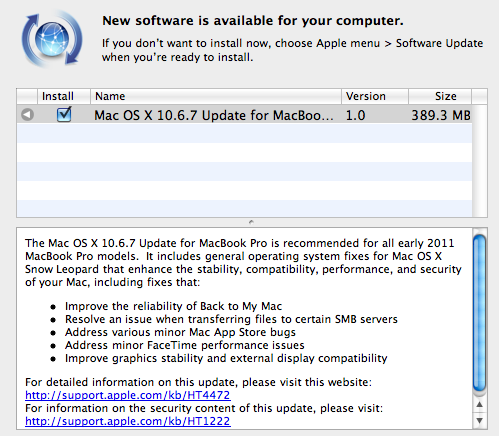
If you are not notified by automatic notification, simply launch software update and install the Mac OS X 10.6.7.
If you are not interested in downloading the latest Mac Os X 10.6.7 from the software update then use the links given below to download Update and combo update.
Download Mac OS X 10.6.7 Update (475 MB)
Download Mac OS X 10.6.7 Combo Update (1.12 GB)
[ttjad keyword=”general”]